WinX DVD Ripper Platinum
Rip a full DVD to MP4 (H.264/HEVC) in 5 mins. Backup DVD collection to hard drive, USB, etc with original quality. GPU Accelerated.
- DVD to MP4
- Support old/new/99-title DVD
- 1:1 copy DVD
- Full GPU acceleration
Learn More



Rip a full DVD to MP4 (H.264/HEVC) in 5 mins. Backup DVD collection to hard drive, USB, etc with original quality. GPU Accelerated.

AI-powered video/image enhancer. Complete toolkit to upscale, stabilize, convert, compress, record, & edit 4K/8K/HDR videos. Cinema-grade quality. Full GPU accelerated.

Manage, backup & transfer videos, music, photos between iPhone iPad and computer in an easier way. Free up space and fast two-way sync.

Find the answers to purchase benefits, license code, refund, etc.

Get help yourself if you have any questions with Digiarty Software.

Tutorials and step-by-step guides to learn how to use our products.

We've been focused on multimedia software solutions, since 2006.

Contact Support TeamHave any questions on purchase or need technical support, please contact us >>
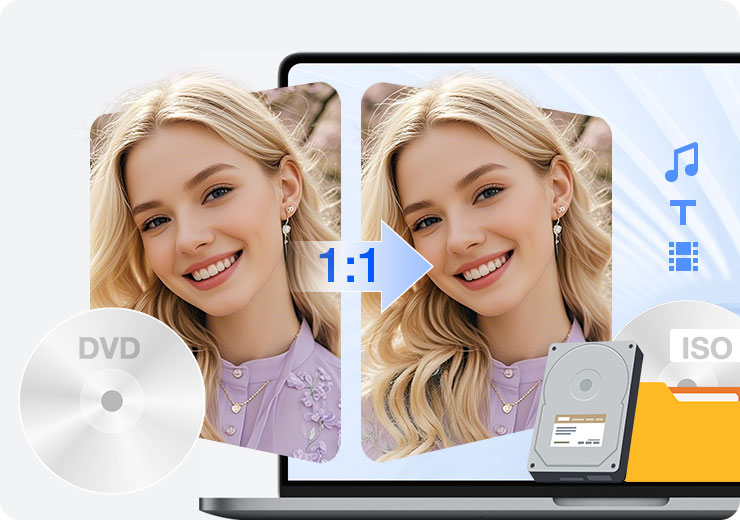
Explore practical guides to copying and backing up DVDs, from creating 1:1 copies and DVD folders to handling protected discs, choosing the right backup method, and preserving your DVDs for reliable playback and long-term storage.

Read this review to learn which are the top six free DVD copy software and which program can provide the best free trial DVD copy.
Learn different ways to copy a DVD to hard drive irrespective of the copy protection schemes while preserving the original content and structure.
Learn how DVD backup tools handles protected discs and explore practical ways to create digital backups of DVDs with common protections.

Need an easy way to copy DVD9 to DVD5? Here is the best free DVD converter for Windows to convert dual layer DVD to single layer DVD.
Learn how to copy a DVD to another DVD on Windows 11/10/8/7 with one or multiple drives. Easily bypass DRM and fix read errors for a 1:1, 100% playable copy.
Learn how to copy DVDs to a hard drive on Windows and Mac, whether internal or external, so you can watch them on your TV or store them for later use.
This is a introductive guide that offer a better solution to shows how to perform 1:1 DVD backup and backup main title only to MP4 or other popular formats without quality loss. Thus, you can store and transfer DVD to hard drive, NAS, mobile, cloud, etc.
This article reviews best DVD copy software for Windows 10/11 and other OS. Get one to copy DVD to DVD/ISO image or rip DVD main title to MP4 for easy management on hard drive and other devices.
How to copy DVDs to MacBook Air or Pro with Disk Utility? Open Disk Utility, insert DVD disc to it and select the DVD disc; continue. Or use Handbrake MakeMKV to rip DVDs to MP4 MKV on Mac.
An in-depth WinX DVD Copy Pro review covering real user needs: 1:1 DVD backup, copy protection support, features, pros, cons, and who it’s for.
We'll show you how to create ISO from DVD with WinX DVD Ripper Platinum, PowerISO, CDBurnerXP, Disk Utility, AnyBurn, BurnAware and WinX DVD Copy Pro. You can make an ISO file with intact data and original quality.
See up-to-date top 7 DVD copy software for Mac reviews, comparison and free download any of them to help copy DVD on Mac computer.
Free download a first-class ISO converter to handle all your ISO conversion needs, incl. convert file to ISO, convert CD/DVD to ISO, or convert ISO image to/from video or any other files.
This article will introduce an easy-to-use ISO creator and show you how to make ISO from DVD in 3 simple steps.
Need an easy way to copy DVD9 to DVD5? Here is the best free DVD9 to DVD5 converter for Windows to convert dual layer DVD to single layer DVD.
This article will present you with the definition, usage and advantages of virtual drive, as well as the method to create a virtual drive with an ISO image mounter.
Usually, we can use DVD copy software to clone and copy DVD to a file or folder, but now a reformed DVD backup tool can also mount DVD ISO image. Learn how to do it here.
Copying DVD to VIDEO_TS folder is a good choice for DVD backup. Because VOB file contained in VIDEO_TS folder can both be played by many mainstream players and burned into DVD.
This is a step-by-step guide on how to copy DVD to DVD, ISO image and VIDEO_TS folder on Windows 10/11. Both home-made DVDs and commercial copy-protected DVDs can be duplicated without losing original quality and other data.
Still put up with ads before watching DVD? Want to get rid of the unwanted parts of movie video? Actually, the simplest solution is to copy the main title of DVD video to watch the main movie only.
This tutorial shows how to rip a DVD to multi-track MPEG2 with multiple audios, subtitles, language tracks and intact movie video, how to rip copy protected DVDs on Windows 10/8.1/7 PC.
Want to copy, clone or backup DVD but don't know which DVD copy mode is more suitable for you? This article provides complete user guide of on three DVD copy modes of WinX DVD Ripper.
How to copy DVD to a MPEG2 video file while keeping its audio and video effect unchanged for DVD backup? This disambiguation article will give you the answer.
Can't copy the main title of a DVD to a digital file? Now, this problem is fixed. This title will show you how to rip main title of a new movie DVD, workout DVD, and others on PC/Mac successfully.
This page gives a clear and easy-to-understand definition of ISO and ISO image, together with usage, advantages and disadvantages of ISO image file.
Need a DVD cloner for DVD copy? The top 4 DVD cloner software for Windows 10/8(.1)/7 of 2024 may be your best choices.
BR-VOEITM-FYCBYCIX BR-VVENVM-GRCPQTBP BR-VNEWMB-ROPJPCPJ The direct, trouble-free and surefire solution to get WinX DVD Copy Pro key, say no to invalid WinX DVD Copy Pro license key and incomplete WinX DVD Copy setup file, get the official and clean WinX DVD Copy Pro license key here and now!
Do you want to get a big coupon code discount of DVD clone software? WinX DVD Copy Pro 60% off discount coupon code is right here waiting for you. Besides, you can get two DVD backup programs with only the price of one via 'Buy One Get One' promo in 2025.
This article will show you how to copy a DVD to another DVD on Windows 10/11/8/7, how to copy DVD to computer hard drive, and other FAQs about DVD copy on Windows 10.
This article will introduce 8 DVD copying services near you which can make copies of your DVD or other media.
You can copy damaged DVD disc to a new blank DVD, ISO image, VIDEO_TS folder, MPEG2, and other formats. Now recover data fully or partly from unreadable DVD following our guide here.
Deal with bad sectors on DVD? WinX DVD Copy Pro can well fix DVD with bad sectors, especially Sony ARccOS bad sector.

The best way to back up a DVD depends on whether you want a 1:1 copy, an ISO image, or a DVD folder. Choose a backup method that preserves the content, menus, chapters, audio, and subtitles you want to keep.
Copying a protected DVD can be more challenging because some discs use copy protection that prevents standard copying software from reading or duplicating the content. The available methods depend on the type of protection, the software used, and applicable copyright laws in your location.
Learn more about handling protected DVDs and common backup challenges.
DVD copying generally preserves the original disc structure, such as menus, chapters, and DVD folders, while ripping extracts the content into digital video files such as MP4 or MKV. Choose copying for a disc-style backup or ripping when you want files that are easier to play and manage on modern devices.