WinX DVD Ripper Platinum
Rip a full DVD to MP4 (H.264/HEVC) in 5 mins. Backup DVD collection to hard drive, USB, etc with original quality. GPU Accelerated.
- DVD to MP4
- Support old/new/99-title DVD
- 1:1 copy DVD
- Full GPU acceleration
Learn More



Rip a full DVD to MP4 (H.264/HEVC) in 5 mins. Backup DVD collection to hard drive, USB, etc with original quality. GPU Accelerated.

AI-powered video/image enhancer. Complete toolkit to upscale, stabilize, convert, compress, record, & edit 4K/8K/HDR videos. Cinema-grade quality. Full GPU accelerated.

Manage, backup & transfer videos, music, photos between iPhone iPad and computer in an easier way. Free up space and fast two-way sync.

Find the answers to purchase benefits, license code, refund, etc.

Get help yourself if you have any questions with Digiarty Software.

Tutorials and step-by-step guides to learn how to use our products.

We've been focused on multimedia software solutions, since 2006.

Contact Support TeamHave any questions on purchase or need technical support, please contact us >>
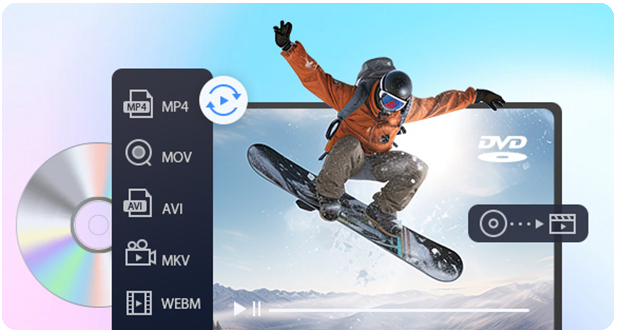
Discover everything you need to know about managing your DVD collection—from ripping and digitizing discs, copying and backing up DVDs, and burning videos to troubleshooting playback issues, converting DVD content to modern formats, comparing DVD software, and preserving your collection for long-term access. Whether you want to digitize your movies, create reliable backups, play DVDs on modern devices, or keep your collection organized for years to come, this guide provides practical solutions, software recommendations, and expert tips.
[Review] Best DVD Ripper Software in 2026
This is a data-driven review of the best free DVD ripper software. Explore features, supported protections, output quality, speed, and expert tips to find the right tool.
How to Fast Convert DVD to MP4 Without Quality Loss
Learn how to convert DVDs to MP4 while preserving video quality. Compare different methods and discover the best settings for fast, efficient DVD digitization.

Best 8 Free DVD Copy Software: Copy DVD for Free
Explore the best free DVD copy software for backing up DVDs to discs, ISO images, or VIDEO_TS folders. Compare features, compatibility, and backup options.
16 Best Free DVD Burning Software for Windows
Discover the best free DVD burning software for Windows. Compare features for burning videos, creating DVDs, authoring menus, and writing ISO files.
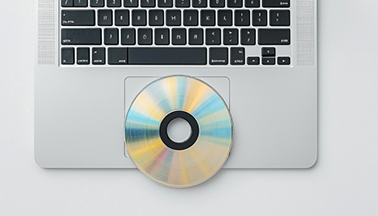
Best 13 Free DVD Players for Windows 10/11
In-depth review of the best free DVD player software for Windows. Find the right player for DVDs, region-coded discs, and smooth playback with detailed reviews and guides.
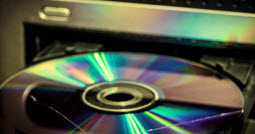
How to Fix a Scratched DVD and Make It Playable
Learn practical ways to repair scratched DVDs, improve readability, recover data from damaged discs, and protect your DVD collection from further wear.
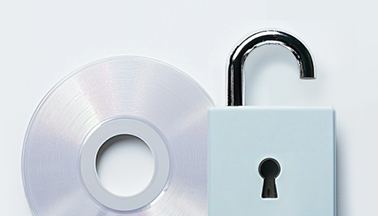
Rip Copy-Protected DVDs without Crash or Other Issues
Learn how to rip copy-protected DVDs, including CSS, region-locked, damaged, and 99-title discs, using reliable methods that minimize ripping errors.
WinX DVD Ripper vs MakeMKV: Which Is Better?
Compare WinX DVD Ripper and MakeMKV side by side, including ripping speed, output formats, 1:1 backup, copy protection support, and real-world performance.
Explore practical guides and expert tips for every stage of DVD management. Whether you want to rip and digitize DVDs, back up or copy discs, burn DVDs, troubleshoot playback problems, compare DVD software, or learn how to preserve your collection, find the right DVD solutions below.
Learn how to rip DVDs and convert your DVD collection into digital formats. Find guides on ripping protected DVDs, converting DVDs to MP4/MKV, maintaining original video quality, and watching your movies on modern devices.
We tested 18 popular DVD ripping tools under identical hardware conditions to measure their real-world performance. Explore detailed benchmark data covering DVD analysis speed, decryption success rate, ripping efficiency, hardware usage, and software stability.
Convert DVD to digital copy as MP4, AVI, ISO, etc. on Windows (10) and Mac with best DVD to digital converter.
Learn how to convert DVD and VIDEO_TS folders to AVI for free in 2026. This guide covers 5 proven methods using WinX DVD Ripper, VLC, and other free DVD to AVI converters, including step-by-step instructions for both disc and VIDEO_TS folder conversion.
Two simple methods to save DVD to computer will be introduced here. This tutorial guides you to rip and save home-made and copy-protected DVDs to computer in Windows 10, 8, 7, Mac OS, etc.
Get to know how to free rip DVD to USB 3.1/3.0/2.0, USB Type-c flash drive on computer, transfer DVD to digital file (in MP4/AVI etc.) for storing on a USB drive.
Protect your DVD collection with reliable backup and copying solutions. Explore guides on copying DVDs, creating DVD backups, handling encrypted discs, and preserving your movies from scratches, aging, or damage.
This article reviews best DVD copy software for Windows 10/11 and other OS. Get one to copy DVD to DVD/ISO image or rip DVD main title to MP4 for easy management on hard drive and other devices.
How to free rip/copy DVD to hard drive Windows 10/8/7 or Mac? Read this guide to rip/transfer/backup DVD to internal or external hard drive or HDD with the best free WinX DVD Ripper.
We'll show you how to create ISO from DVD with WinX DVD Ripper Platinum, PowerISO, CDBurnerXP, Disk Utility, AnyBurn, BurnAware and WinX DVD Copy Pro. You can make an ISO file with intact data and original quality.
Still put up with ads before watching DVD? Want to get rid of the unwanted parts of movie video? Actually, the simplest solution is to copy the main title of DVD video to watch the main movie only.
Create and manage your own DVDs with guides on DVD burning, authoring, menu creation, and disc customization. Learn how to burn videos, make playable DVDs, and preserve digital content on physical discs.
Here're the 16 best free DVD burning software for Windows 10/11/8/7, including WinX DVD Author, Ashampoo Burning Studio FREE, ImgBurn, CDBurnerXP, BurnAware Free, Freemake DVD Burner, DeepBurner Free, DVDStyler, Anyburn, InfraRecorder, Burn4Free, and more.
How to burn MP4 to DVD for free? Here we'll introduce 10 best MP4 to DVD converters and show you how to convert MP4 to DVD on Windows 11/10/8/7 32/64 bit system.
Top 12 free DVD creator software for Windows 11/10/8/7 review. Download the best DVD creator freeware for Windows 11/10/8/7 to make DVDs from AVI, MP4, WMV, MKV, MPEG, VOB, MOV and more videos
Find solutions for common DVD playback problems, including DVDs not playing, region code issues, compatibility problems, and DVD player errors on Windows 10.
Can't play DVD because a compatible DVD decoder is not installed on your computer? Don't worry. We'll show you the download links for DVD decoders and help fix DVD not decoding problem.
While Chrome OS doesn't support playing DVD from external disc drives, how can you use a Chromebook external DVD drive? How to watch a DVD movie on Chromebooks? Check this post.
Can Xbox One play DVDs? It depends on which model of xbox one you use. You can play DVDs on Xbox One, Xbox One X, and the Xbox One S with disc drive. Xbox One S All-Digital Edition cannot play DVDs. Check how to watch DVDs on Xbox One.
This post provides all the efficient fixes to most common DVD player not working problems, such as no reading disc, loud noise, etc.
Compare popular DVD software tools and discover the best solutions for ripping, copying, burning, and playing DVDs. Get reviews, benchmarks, feature comparisons, and recommendations to choose the right DVD software.
HandBrake Vs WinX DVD Ripper - which one is better to rip a DVD? Let's do software review and comparison to see the differences and judge which is the best free DVD ripper.
What is libdvdcss? How to install Handbrake libdvdcss.pkg on Mac or download libdvdcss.dll on Windows 10/11 to decrypt protected DVD? Here is the detailed guide.
Searching for the best MakeMKV alternative? Compare the top 6 tools for 1:1 DVD backup and fast conversion to MP4, ISO, or AVI. Fix MakeMKV limitations today.
Explore everything about DVDs, including DVD formats, region codes, collections, maintenance, and preservation. Learn useful DVD facts, storage advice, and ways to manage your movie library for the long term.
How long do DVDs last? In the post, you will learn the general DVD life expectancy, what determines the life span of DVD discs, together with the methods to increase the lifetime of your physical discs.
There are 1-9 DVD region codes, RCE, NTSC/PAL on DVDs from different countries. Find out how to bypass region codes from any DVDs and unlock DVD player region-free.
Have you got a nostalgic heap of DVD movies collection in hand? Which genre of movies do you like the most? The complete DVD movie collection resource is here for you to create your own DVD movie library without taking up too much space or worrying about scratches or damages to your cheirshed DVDs.
Are old DVDs worth anything? Check to know your used DVD value for sale and useful tips on better DVD playback, storage, organization, recycle if you still keep old DVD collections.

Yes, as long as you own the right DVD backup software. You can rip DVD and turn it into digital movie file to be saved on your computer.
Step 1. Install and run WinX DVD Ripper and load the DVD movie.
Step 2. Choose the output format that your computer can recognize such as MP4.
Step 3. Hit Browse to save the output file and click RUN to begin ripping DVD to computer.
DVD ripping laws vary by country. In the U.S., ripping your own DVDs for personal backup may seem reasonable, but bypassing copy protection can raise separate legal issues under the DMCA. Sharing or distributing copyrighted DVD content without permission is generally not legal.
Backup DVD before You Know DVD Digital Copyright Laws in Your Countries