






 win
win

 Super Resolution
  Video Stabilization
  Frame Interpolation

 Denoise Image
  Restore Old Photo
  Unblur Image
  Recover Face
  Upscale Image
  Colorize Photo
 Video Conversion >
 Video Compression >
 Screen Recording >

ClipGrab Alternative for Faster and More Reliable Downloads
 Mike Rule
Updated on
Summary: Top ClipGrab alternatives recommended by real users are Downie, WinX YouTube Downloader, Stacher, ClipSnag, Open Video Downloader, Cobalt, and SnapDownloader.
It’s not really about adding more features. Most users who move away from ClipGrab say the same thing—it just doesn’t feel reliable anymore. On Reddit, you’ll often see ClipGrab not working comments like "feels outdated," "random download failures," or "conversion breaks sometimes," That’s why people start looking for a ClipGrab alternative. No guessing, no repeated attempts, no broken conversions. In other words: fewer clicks, better modern site support, a lightweight UI, and downloads that complete without errors.
Top 7 ClipGrab Alternatives Recommended by Real Users
Instead of listing the usual heavyweight tools everyone already knows, this section focuses on what real users in Reddit threads and niche forums actually recommend when ClipGrab starts failing. We’ve intentionally excluded mainstream tools like 4K Video Downloader, Video DownloadHelper, and yt-dlp, and focused instead on smaller ClipGrab alternatives that users switch to, but are repeatedly mentioned by people looking for something simpler, faster, and more reliable.
Cobalt Tools
Free or Paid: Completely free and open-source, with no ads or paywalls.
Platform: Web-based (works on desktop, mobile, and tablets via browser).
Best For: Quick, hassle-free downloads from social media without installing software or dealing with ads, tracking, or complex settings.
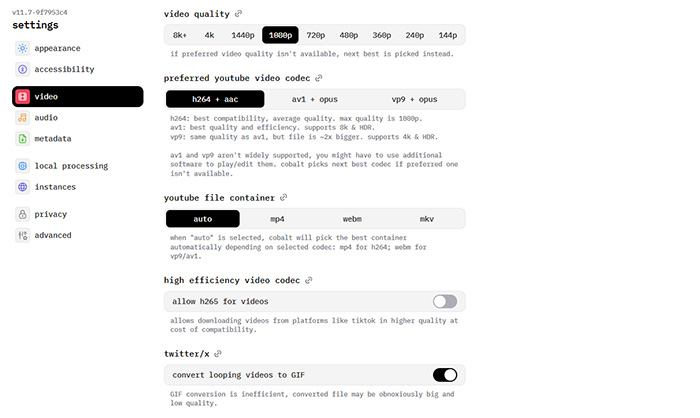
Cobalt Tools is one of those ClipGrab alternative options people quietly recommend in Reddit threads. It’s not trying to compete on features—it’s built around a different idea: just grab the file, cleanly and quickly. No installer, no pop-ups, no premium unlock prompts. You paste a link, and it gives you the download. It acts more like a lightweight proxy that fetches publicly available media, which is why many users describe it as more predictable for quick downloads.
Because it’s web-based, reliability can depend on the instance you’re using. Since mid-2025, some users have reported occasional errors like “unable to fetch download URL,” especially when platforms update their backend. It also doesn’t support batch downloads or playlists, which is something desktop tools still handle better.
👉 Top 7 Alternatives to 4K Video Downloader Recommend on Reddit
WinX YouTube Downloader
Free or Paid: Free, available with no ads or forced upgrades for basic use.
Platform: Windows and macOS desktop application.
Best For: Downloading full playlists, long videos, and audio in a stable way without random failures or missing files.
WinX YouTube Downloader is often brought up as a ClipGrab alternative when users get tired of downloads failing halfway or certain links just not parsing anymore. Instead of focusing on flashy features, it leans into consistency. You can grab videos from YouTube and a wide range of other platforms without constantly retrying or troubleshooting broken links.
It handles playlists and multiple downloads more reliably than many lightweight tools, which is where ClipGrab tends to struggle. You don’t end up babysitting the process or checking whether half your queue failed overnight. Formats are straightforward too, MP4 for video, MP3 or M4A for audio, without unnecessary conversion steps getting in the way.
Another thing users appreciate is that it doesn’t suddenly lock features behind a paywall after a few uses. There are no watermarks, no artificial limits on how many videos you can download, and no interruptions during longer jobs. It feels closer to a "set it and let it run" tool rather than something you have to keep fixing.
👉 Solve “Analysis Failed” in WinX YouTube Downloader (Step-by-Step Fix)
 Free Download
 Free Download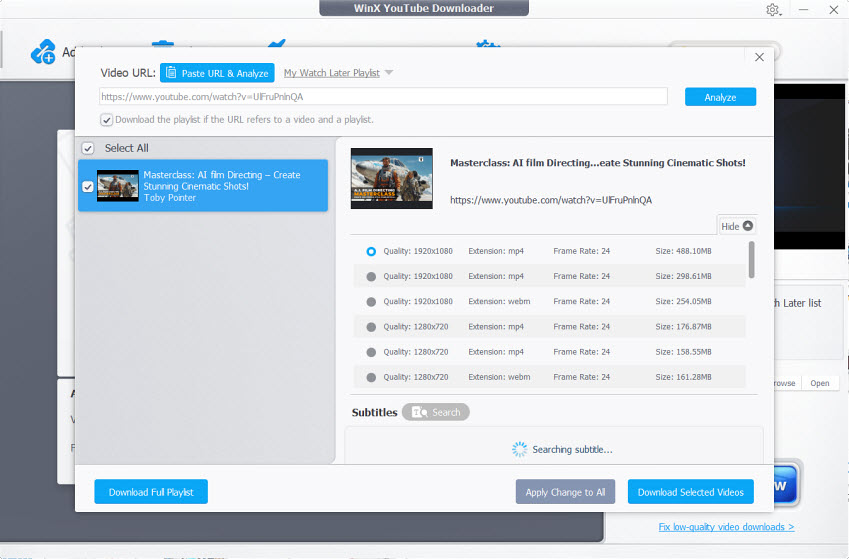
ClipSnag
Free or Paid: Paid app (one-time purchase, limited update period), with a refund window.
Platform: macOS only (native app, no Windows version).
Best For: Mac users who want a clean, no-terminal alternative to ClipGrab with better stability and high-quality download options.
ClipSnag comes up fairly often when Mac users start looking for a ClipGrab alternative that doesn’t feel dated or unreliable. It’s essentially a polished front-end for tools like yt-dlp and FFmpeg, but you never have to touch the command line. Everything is handled through a modern interface, which makes a big difference if you just want to paste a link and get a file without digging through settings. It also handles playlists, subtitles, and different formats more cleanly, so you’re not stuck retrying downloads or switching tools when something doesn’t work.
The price (around $20) is the main sticking point, especially since updates are only included for a limited time. If platforms change a lot and they usually do, you may need to renew later to keep everything working smoothly. And since it’s macOS-only, it’s simply not an option if you’re on Windows.

SnapDownloader
Free or Paid: Paid (subscription or lifetime license), with a short free trial.
Platform: Windows and macOS desktop app.
Best For: Downloading high-quality videos and large playlists with stable performance and minimal errors.
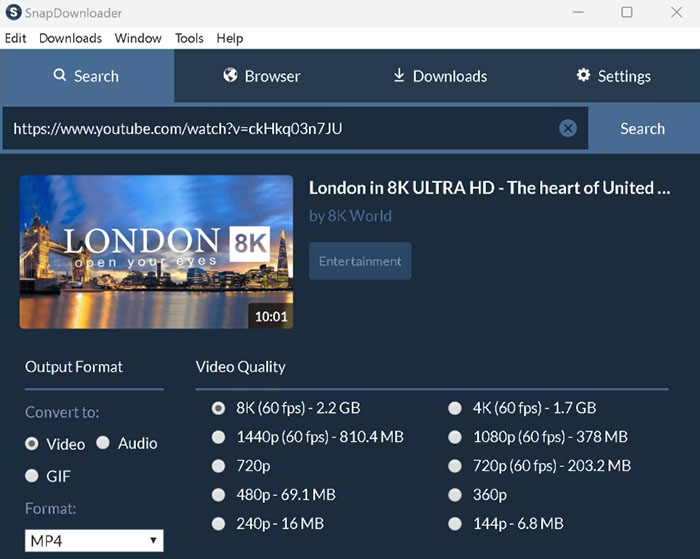
SnapDownloader is often mentioned as a more dependable ClipGrab alternative. Where ClipGrab can feel hit-or-miss with certain links, SnapDownloader is built to handle larger jobs—full playlists, long videos, even batches of links. The interface is clean, there are no ads, and everything is laid out in a way that doesn’t require guesswork. You paste your links, choose the format or quality, and it just runs. Speeds are solid too, with no artificial limits, which makes a difference if you’re downloading multiple videos at once.
It also covers more advanced needs that ClipGrab struggles with, like downloading entire channels, scheduling downloads, or grabbing higher resolutions up to 4K and 8K when available. There’s even support for private videos (as long as you have access), which isn’t something most lightweight tools handle well.
The biggest complaint is the pricing model. While there is a trial, it’s limited, and some users don’t love the idea of paying monthly unless they go for the lifetime option. Another small drawback is the lack of direct mobile transfer—you’ll still need to move files manually if you want them on your phone or tablet.
Downie 4
Free or Paid: Paid (one-time purchase or included in Setapp subscription), with a 14-day trial.
Platform: macOS only (native app).
Best For: Mac users who want the most reliable “set it and forget it” video downloader with frequent updates and wide site support.
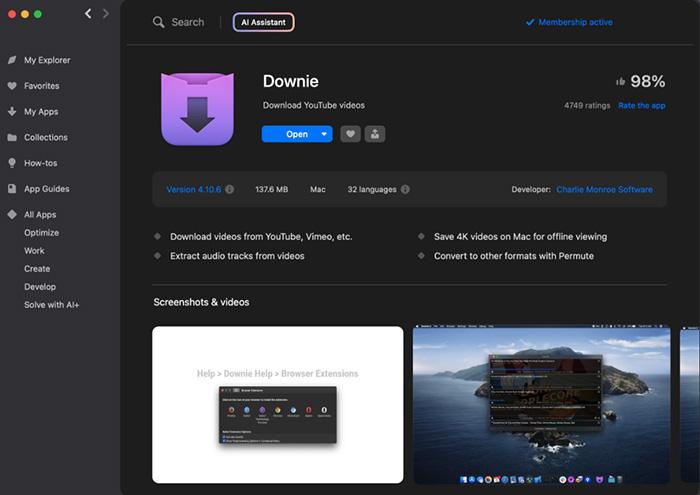
Downie 4 is often described by Mac users as the "just works" option in the video downloader space, and it frequently gets recommended in ClipGrab alternative discussions. It doesn’t try to overwhelm you with settings or complicated workflows. Instead, it focuses on one thing: grabbing video links from almost anywhere and making them downloadable with minimal effort.
It also covers the basics well: high-resolution downloads (up to 4K/8K when available), audio extraction, and integration with tools like Permute for additional conversion workflows. For most users, it quietly replaces a handful of separate utilities.
It’s macOS-only, so Windows users are out of luck. It also cannot bypass DRM-protected content from streaming platforms like Netflix or Disney+. And while the interface is clean and native, some people feel it looks slightly dated compared to newer apps with more modern UI polish.
Stacher
Free or Paid: Free to use, relies on bundled open-source components like yt-dlp.
Platform: Windows and macOS desktop app.
Best For: Users who want a visual, no-terminal interface for yt-dlp with deeper control over formats, playlists, and advanced download behavior.
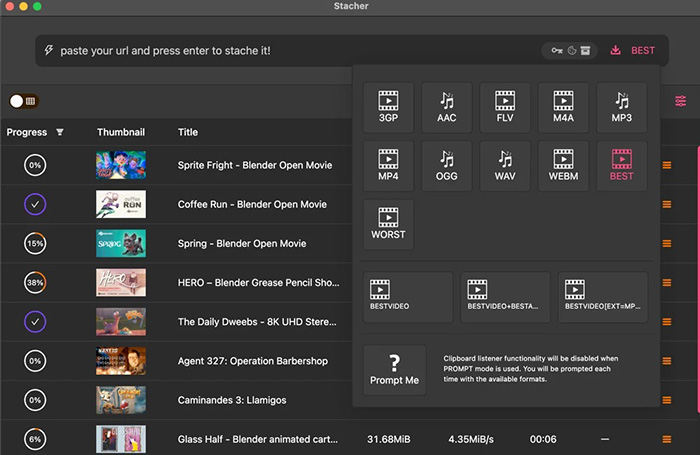
Stacher is a GUI layer built on top of yt-dlp, aimed at people who want the power of command-line downloading without actually touching the terminal. In many ClipGrab alternative discussions, it comes up as a bridge tool—more flexible than basic downloaders, but still approachable for everyday users.
The core appeal is that it removes almost all friction from yt-dlp. Instead of memorizing flags or commands, you paste a link and get a full interface for choosing formats, resolutions, and output behavior. It feels closer to a modern desktop utility than a developer tool, even though the engine underneath is still yt-dlp plus ffmpeg.
However, because it is tightly dependent on yt-dlp and external components, stability can sometimes vary. Users have reported occasional lag or crashes when pushing it with very large batches, and updates may introduce bugs that require fixes or dependency adjustments. Another point of discussion in user communities is that parts of the application are not fully open-source, which makes some users more cautious compared to purely open-source alternatives.
Open Video Downloader (youtube-dl-gui / yt-dlp GUI)
Free or Paid: Completely free and open-source.
Platform: Windows, macOS, Linux.
Best For: Users who want a no-cost, no-ads, cross-platform ClipGrab alternative with solid yt-dlp integration.
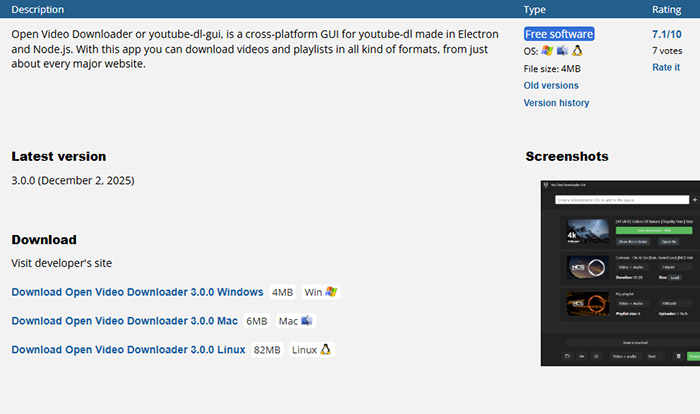
Open Video Downloader is one of those tools that quietly gets recommended in open-source communities whenever someone asks for a dependable ClipGrab alternative. It’s essentially a graphical front-end for yt-dlp, meaning you get the same backend power as command-line tools, but wrapped in a simple interface where you just paste a link and choose your format.
In terms of performance, it’s generally fast and stable, especially for single videos or moderate batch downloads. It supports multiple simultaneous downloads, which helps when you’re grabbing playlists or a set of clips. It also tends to pull the highest available quality automatically, while still letting you manually pick resolutions or extract audio-only files when needed.
It’s not completely friction-free. Some users report occasional setup issues on Windows, usually related to missing or misconfigured backend binaries. There’s also a minor annoyance for audio downloads: the app sometimes embeds thumbnails as cover art by default, which not everyone finds useful. And while the core project is safe, unofficial builds floating around online have caused confusion in some communities—so sticking to the official release matters.
Top 7 ClipGrab Alternatives Quick Comparison
These ClipGrab alternatives are mostly tools users switch to after ClipGrab starts failing—broken downloads, unsupported sites, or inconsistent parsing. Instead of focusing on feature overload, this comparison highlights what actually matters in real use: reliability, simplicity, and how often things break.
| Tool | Stability / Failure Rate | Setup Friction | Speed / Batch Handling | Why Users Switch From ClipGrab |
|---|---|---|---|---|
| Cobalt Tools | Moderate (depends on instance / platform changes) | Zero setup (web-based) | Fast for single links, no batch support | Quick downloads without installing anything |
| WinX YouTube Downloader | High stability for common platforms | Very easy desktop setup | Good for playlists + long videos | Stops random failures and broken parsing |
| ClipSnag | High (desktop-native stability) | Simple macOS app setup | Strong for playlists + mixed formats | Cleaner macOS alternative with fewer errors |
| SnapDownloader | High (few failed downloads reported) | Easy but paid onboarding | Excellent for bulk + 4K/8K files | Handles large batches without breaking |
| Downie 4 | High (fast updates when sites break) | Extremely easy (drag & paste workflow) | Fast parsing + smooth downloads | “Just works” Mac experience vs ClipGrab errors |
| Stacher | Medium (depends on yt-dlp backend) | Easy GUI, advanced options optional | Fast for power users + playlists | Brings yt-dlp power without terminal use |
| Open Video Downloader | High (open-source but occasional setup issues) | Simple, but requires correct binaries | Fast with parallel downloads | No ads + free yt-dlp GUI alternative |
Summary: For free and open-source users, Open Video Downloader and WinX YouTube Downloader are the most practical choices. Stacher and ClipSnag sit in the middle for users who want a GUI layer over yt-dlp, while Cobalt Tools is the fastest option when you just need a single quick download without installing anything.
 FAQ about ClipGrab Alternatives
This is one of the most common issues users run into. ClipGrab relies on parsing video pages, so when platforms like YouTube or Twitter change their structure, detection can break. If the tool isn’t updated quickly enough, links that worked before may stop being recognized.
This often happens when the video source changes mid-request or when the extracted media link expires during download. ClipGrab doesn’t always handle retries or segmented recovery well, so interrupted connections or unstable parsing can result in incomplete files.
Yes, but with limitations. ClipGrab still works for some sites, but users increasingly report inconsistent results, especially with modern platforms that frequently update their streaming systems. It tends to work better for older or simpler video sources than newer social media platforms.
Some websites load videos dynamically using scripts or encrypted streams. While a browser can still play them, ClipGrab may fail to extract the actual media URL. This limitation becomes more noticeable on platforms with heavy anti-scraping or dynamic content loading.
Many alternatives use more flexible backend engines or active parsing systems that are updated frequently. ClipGrab’s site support is more limited and slower to evolve, which is why newer tools tend to handle a wider range of platforms more reliably.


