






 win
win

 Super Resolution
  Video Stabilization
  Frame Interpolation

 Denoise Image
  Restore Old Photo
  Unblur Image
  Recover Face
  Upscale Image
  Colorize Photo
 Video Conversion >
 Video Compression >
 Screen Recording >

ClipGrab Not Working? Here’s How to Fix It
 Mike Rule
Updated on
ClipGrab suddenly stopped working? Maybe it won’t download anything, keeps failing on YouTube links, or just crashes for no clear reason. Yeah, you’re not the only one running into this. These issues have been popping up more often lately. Let’s go through what’s actually causing the problem — and what you can do to fix ClipGrab not working issue without wasting time.
ClipGrab Not Working: Quick Answers
ClipGrab can stop downloading when a supported website changes its video delivery system, when ClipGrab or its download components are outdated, or when a specific video, network, or proxy prevents the video URL from being retrieved. Use the error message or symptom below to narrow down the cause before reinstalling the app.
| Common ClipGrab Error or Symptom | Quick Answer |
|---|---|
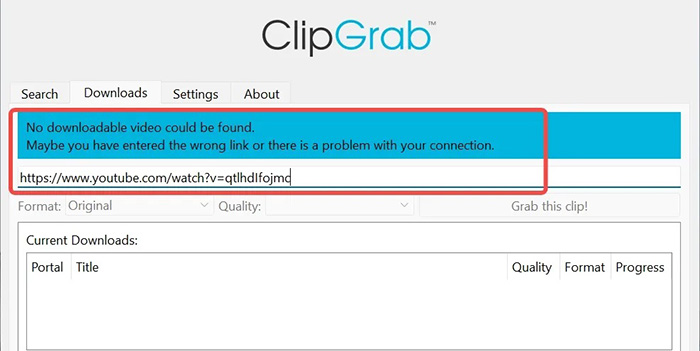
| ClipGrab "No downloadable video could be found" | Update ClipGrab, check the video URL, and test another public video. The issue may be site compatibility or a temporary network problem. |
| ClipGrab "Could not retrieve video link" | Make sure the video plays in your browser, then update ClipGrab and try the URL again. |
| ClipGrab finds the video but the download fails | Check your Internet or proxy settings, then retry with another public video. |
| ClipGrab shows HTTP 403 Forbidden | Update ClipGrab and test without a VPN or proxy. 403 errors can result from platform or backend changes. |
| ClipGrab "No supported JavaScript runtime could be found" | Check whether ClipGrab's download components are up to date. Recent YouTube extraction may require JavaScript runtime support. |
| ClipGrab works for one video but not another | The problem may be video-specific. Check its availability, region, age, login, or privacy restrictions. |
| ClipGrab suddenly stops working with YouTube | Update ClipGrab first. If several public videos fail, the issue may be a recent YouTube compatibility change. |
| ClipGrab works again after waiting, then stops later | Temporary throttling or network conditions may be involved. Wait and retry with a single public video. |
| ClipGrab cannot download Facebook or another supported site | Test another supported site to determine whether the problem is limited to that website. |
| ClipGrab is stuck while processing a video | Test another video first. If all videos are affected, update ClipGrab and check your network or proxy. |
The fastest way to troubleshoot ClipGrab is to identify whether the failure affects one video, one website, or every download. If only one video fails, check its availability and access restrictions. If every video on one site fails, suspect a compatibility change. If multiple supported sites fail, check ClipGrab, your network, and proxy settings before assuming the video service itself is down.
Why Is ClipGrab Not Working in 2026?
If ClipGrab suddenly stops downloading videos that worked before, the cause may not be your computer. In 2026, changes to YouTube's video delivery and verification systems, along with updates to the extraction components used by ClipGrab, can cause errors such as "No downloadable video could be found," "Could not retrieve video link," and HTTP 403.
Before trying random fixes, check whether the problem affects one video, one website, or every download. This simple distinction can help you identify the most likely cause.
1. YouTube or another supported site has changed its video delivery system
Video sites can change how they deliver, verify, or expose media streams. When ClipGrab's current extraction method no longer matches those changes, previously working URLs may suddenly fail. If several public videos from the same site stop working at the same time, a compatibility change is more likely than a problem with one URL.
2. ClipGrab or its video extraction components are outdated
ClipGrab needs compatible video extraction components to recognize and retrieve media from supported websites. An older version may fail when a site changes its delivery method. Updating ClipGrab should therefore be one of the first steps when downloads suddenly stop working.
3. JavaScript runtime support is missing
Recent YouTube extraction can require JavaScript runtime support. If the underlying extraction process reports "No supported JavaScript runtime could be found," some video formats or extraction methods may no longer work correctly. This is a backend compatibility issue rather than a typical ClipGrab startup problem.
4. YouTube is rejecting the media request with HTTP 403
A 403 Forbidden error means the requested media resource was rejected. Depending on when it appears, the cause can include an outdated extraction component, a restricted media stream, missing runtime support, VPN or proxy interference, or a recent change on YouTube's side.
5. YouTube is requiring bot verification
If ClipGrab encounters a message such as "Sign in to confirm you're not a bot," YouTube is requiring additional verification before serving the requested content. If the same video plays normally in your browser but fails in ClipGrab, the problem may be related to request verification rather than a damaged installation.
6. The video itself has access or format restrictions
When one video fails but other public videos download normally, the video may be the problem. Age restrictions, region limitations, login requirements, privacy settings, or unsupported formats can prevent ClipGrab from retrieving that particular video.
7. Your network, VPN, or proxy is interfering with the request
ClipGrab may open a video page successfully but fail when requesting the actual media stream. An unstable connection, VPN, proxy, firewall, or temporary IP-based restriction can interfere with that request. If downloads fail across several sites, check your network settings before assuming ClipGrab is broken.
8. The problem is temporary or site-specific
Not every ClipGrab failure requires a permanent fix. A supported website may temporarily change its response, throttle repeated requests, or experience a short-lived compatibility problem. If ClipGrab works again later without any system changes, the issue was likely temporary rather than a corrupted installation.
Before You Fix ClipGrab: Identify the Problem
Before changing settings or reinstalling ClipGrab, run these three quick tests. They can help you determine whether the problem is the video, YouTube, another supported site, or your local setup.
Test 1: Try another public YouTube video
Use a different public video that normally plays in your browser. If the second video downloads successfully, the original video may have access or compatibility restrictions.
Test 2: Open the same URL in your browser
Make sure the video plays normally without requiring a login, age verification, or special access. If it does not play in your browser, ClipGrab may not be the cause.
Test 3: Try another supported website
Try a public video from another website supported by ClipGrab. This helps determine whether the problem is limited to one platform.
| Test Result | Likely Problem |
|---|---|
| All videos fail | ClipGrab, extraction components, network, or proxy issue |
| Only YouTube fails | YouTube compatibility or extraction issue |
| Only one video fails | Video availability, restriction, or format issue |
| YouTube works, another site fails | Site-specific compatibility issue |
| Video does not play in browser | Video access or availability issue |
| ClipGrab won't open | Local installation or system issue |
Step-by-Step Fixes for ClipGrab Not Working
Quick diagnosis: If one video fails, check the video first. If every video on one website fails, suspect a site compatibility issue. If several supported websites fail, check ClipGrab, your network, VPN, or proxy. If you see 403, JavaScript runtime, or bot-verification errors, the problem may require an extraction or platform-side update rather than a simple reinstall.
1. Update ClipGrab to the latest version
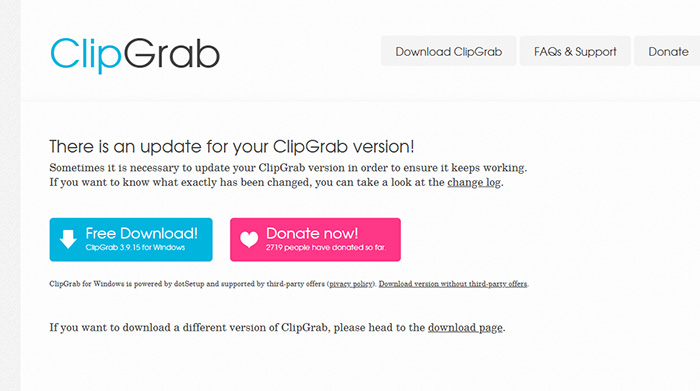
Using an outdated version is one of the most common reasons ClipGrab fails, especially when YouTube changes how videos are delivered. New updates often include fixes for broken parsing, download errors, and compatibility issues that appear without warning after platform-side changes.
- Download the latest ClipGrab version from the official website to ensure compatibility with recent YouTube structural changes.
- Reinstall the application or perform a clean installation to eliminate potential corrupted files.
2. Update or replace yt-dlp / youtube-dl
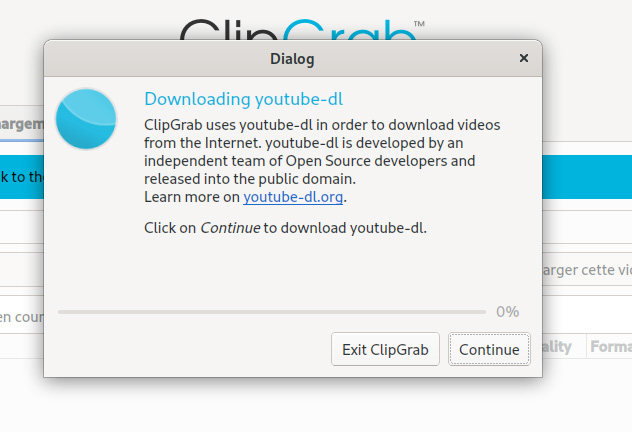
ClipGrab relies heavily on backend tools like yt-dlp or youtube-dl to process video links. If those components are outdated or broken, the app won’t be able to fetch video data correctly, resulting in download failures or parsing errors.
- Download the latest yt-dlp binary manually and replace the outdated version used internally by ClipGrab.
- Ensure the replacement file is correctly placed in the ClipGrab directory so the application can detect and use it.
3. Double-check the YouTube URL format
Not all YouTube links are treated equally by ClipGrab. Shortened URLs or links with extra parameters can sometimes confuse the parser, causing errors or failed downloads. Cleaning up the URL often improves recognition and stability.
- Always use the full YouTube video URL instead of shortened links that may not be parsed correctly.
- Remove unnecessary parameters such as timestamps or playlist identifiers before pasting the link into ClipGrab.
4. Fix SSL or connection-related errors
If ClipGrab cannot establish a stable connection, it won’t be able to retrieve video information. SSL issues, VPN conflicts, or proxy settings often interfere with communication between the app and video platforms.
- Switch networks or disable VPN temporarily to check whether connection routing is causing download or parsing failures.
- Update system certificates and ensure your device clock is accurate to avoid SSL handshake validation issues.
5. Clear cache or reinstall ClipGrab
Over time, leftover cache files or broken configurations can cause unexpected behavior, including crashes and failed downloads. A clean reinstall often resets everything and removes hidden issues that aren’t obvious at first glance.
- Delete leftover ClipGrab configuration and cache files completely before reinstalling to avoid conflicts with previous corrupted data.
- Install a fresh copy of ClipGrab to ensure a clean environment without legacy bugs affecting performance.
6. Run as administrator or fix permissions
On both Windows and macOS, permission restrictions can prevent ClipGrab from functioning properly. This may lead to crashes on launch or failure to access required system resources during downloads.
- Run ClipGrab as an administrator on Windows to grant sufficient permissions for file access and network operations.
- On macOS, allow the app through security settings and grant permissions required for proper execution and network communication.
7. Advanced Fixes (Based on Real User Workarounds)
If basic troubleshooting doesn’t solve the problem, some users have found success with more advanced tweaks. These methods require a bit more effort but can help restore functionality when standard fixes fail.
- Manually replace the yt-dlp executable with the newest version to restore compatibility with updated video platform structures.
- Reset or edit ClipGrab’s data folder to remove broken configurations that may interfere with normal application behavior.
- On macOS, bypass Gatekeeper restrictions or adjust sandbox permissions to allow ClipGrab to run without being blocked.
- Fix SSL handshake errors by updating certificates or switching to a different network environment to restore secure connections.
8. When ClipGrab Still Doesn’t Work
If nothing seems to fix the issue, it’s worth considering that the problem may not be on your side. Sometimes the tool itself simply can’t keep up with ongoing changes from platforms like YouTube.
- ClipGrab may become partially unusable if updates are delayed while platforms continue changing their video delivery systems.
- YouTube frequently updates its protection mechanisms, which can break older download tools without immediate fixes available.
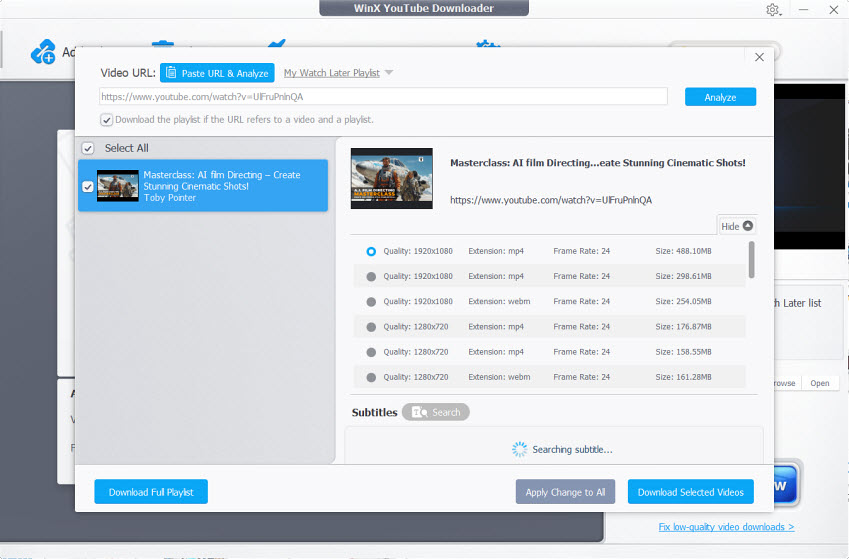
- Some older versions may stop working entirely, making switching free ClipGrab alternaitve tools or waiting for updates the only realistic solution.
 FAQs
FAQs
Most of the time, this happens after YouTube changes how videos are delivered. ClipGrab relies on parsing that structure, and when it changes, links stop working. Until ClipGrab or its backend tools are updated, you may see errors like no downloadable video found or failed downloads.
This error usually means ClipGrab can’t read the video data from the page. It can be caused by outdated parsing tools, restricted content, or changes in YouTube’s code. Updating yt-dlp or trying a different video often confirms whether it’s a link-specific issue.
Crashes are usually tied to system compatibility problems or corrupted app data. Running an outdated version, missing permissions, or broken cache files can all cause this. A clean reinstall and granting proper system permissions typically fixes startup issues.
Not all YouTube videos are structured the same way. Shorts, age-restricted videos, or content with region locks often use different delivery methods. ClipGrab may still handle standard videos but fail on those with additional restrictions or newer formats.
Yes. Download ClipGrab only from its official website. If you use an installer from a third-party download site, the package may differ from the official release.


