






 win
win

 Super Resolution
  Video Stabilization
  Frame Interpolation

 Denoise Image
  Restore Old Photo
  Unblur Image
  Recover Face
  Upscale Image
  Colorize Photo
 Video Conversion >
 Video Compression >
 Screen Recording >

Top 7 Alternatives to 4K Video Downloader Users Actually Recommend
 Mike Rule
Updated on
Summary: The best 4K Video Downloader alternative are yt-dlp, WinX YouTube Downloader, JDownloader, Downie, SnapDownloader, ByClick Downloader, and YTD Video Downloader.
Many users turn to 4K Video Downloader only to hit frustrating walls—daily download limits, sudden license restrictions, or updates that break features without warning. These interruptions can make even simple video downloads a hassle. If you want a smoother, more reliable experience, there are several 4K Video Downloader alternatives that deliver faster downloads, consistent functionality.
Best 4K Video Downloader Alternatives 2026 - Tested & Updated
4K Video Downloader used to be a go-to, but lately many users report issues like downloads getting stuck, or sudden errors like "can’t parse link", slow downloading, or found key features locked behind a paywall. Based on Reddit threads and real testing, here are the best 4K Video Downloader alternatives that actually works better.
yt-dlp
Sites Supported: YouTube and 1000+ sites, with fewer breakages when platforms update.
Resolution & Format: Up to 8K; full control over formats, bitrate, subtitles, and metadata via FFmpeg.
Features: Highly customizable, playlist/batch downloads, auto-updates, no paywalls or usage limits.
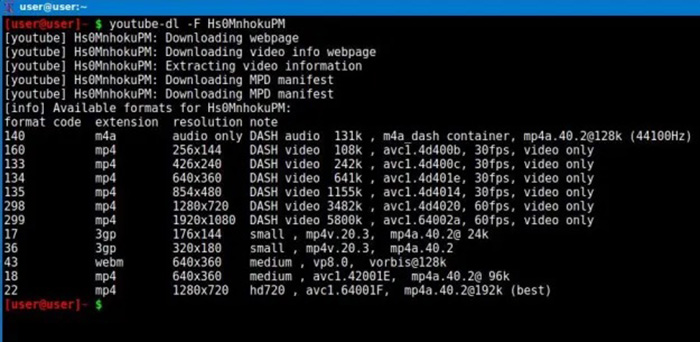
yt-dlp is the tool you’ll see recommended over and over again whenever people get fed up with apps like 4K Video Downloader. The biggest reason is simple: it doesn’t suddenly stop working every time YouTube changes something. While GUI tools often run into random download errors, yt-dlp usually gets patched quickly, sometimes within days.
With 4K Video Downloader, it’s common to run into feature restrictions, playlist limits, or downloads breaking mid-way unless you upgrade. yt-dlp skips all of that. There are no paywalls, no monthly caps, and no premium required prompts. It’s not for everyone. There’s no visual interface, and setting it up can feel intimidating if you’re used to one-click apps. But once you get the hang of it, it’s far more consistent. You can fine-tune formats, grab subtitles, download entire channels, or automate everything with scripts.
Bottom line: If 4K Video Downloader feels easier at first but keeps breaking or locking features, yt-dlp is the opposite—slightly harder to start, but far more reliable long term.
👉 ClipGrab Alternative for Faster and Reliable Downloads
WinX YouTube Downloader
Sites Supported: YouTube, Vimeo, Facebook, Dailymotion, and 1000+ sites.
Resolution & Format: Download videos in 4K, 1080p, export to MP4, WebM, MP3, and more.
Features: Batch downloads and full playlists without monthly limits, paywalls.
WinX YouTube Downloader is a solid pick if you’re tired of 4K Video Downloader that randomly stop working or start throwing errors after every YouTube update. It downloads videos, playlists, and audio from 1000+ sites without the usual "can’t parse link" or "video unavailable" issues that tend to show up with other downloaders. More importantly, it keeps working without suddenly limiting features or pushing you into a paid plan just to keep downloading.
You can save videos in MP4, WebM, FLV, or extract audio in MP3/M4A, with support for 720p, 1080p, and 4K when available. Downloads are consistent, even for longer playlists or multiple links, so you don’t end up with half-finished files or missing videos. There are no watermarks, no batch limits, and no surprise restrictions after a few uses.
Tips: Keep it updated. When YouTube tweaks its playback or verification system (which is usually what breaks most downloaders), the latest version helps avoid those sudden download errors and keeps everything running normally.
 Free Download
 Free Download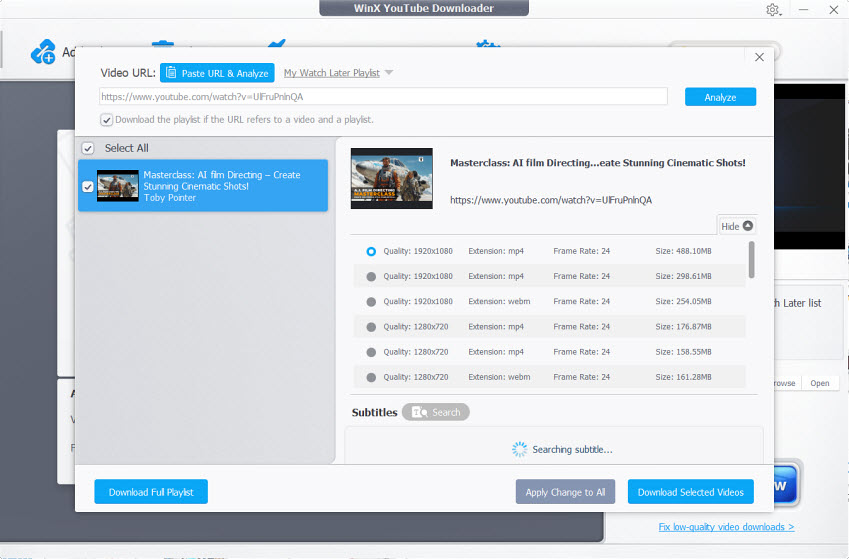
JDownloader
Sites Supported: YouTube, Twitch, Mega, and hundreds of file hosting and streaming sites via plugins.
Resolution & Format: Up to 4K depending on source; flexible format handling with FFmpeg integration.
Features: Powerful batch downloads, link grabber, plugin-based support, auto-reconnect, captcha handling.
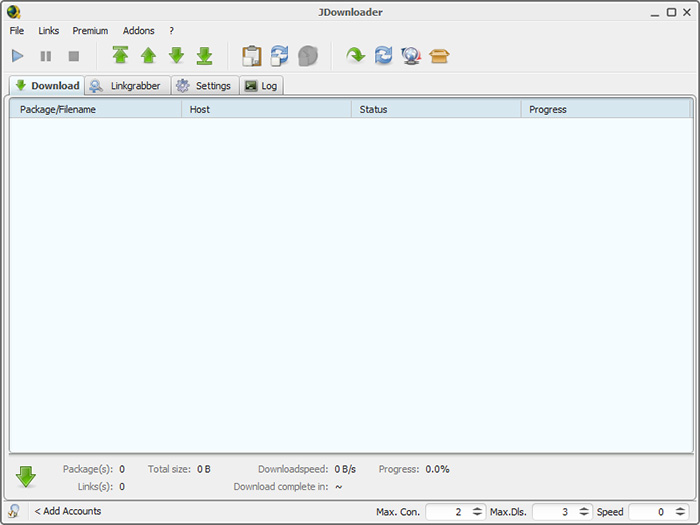
JDownloader is the kind of tool people switch to after getting frustrated with download limits or repeated errors in apps like 4K Video Downloader. It’s not just a video downloader—it’s a full download manager, which makes it much more reliable when you’re dealing with large batches or mixed sources. Instead of failing on a few broken links or stopping halfway, it usually just keeps going.
Compared to 4K Video Downloader, which can feel restrictive, JDownloader doesn’t impose those kinds of boundaries. The link grabber automatically detects downloadable content, saving a lot of time when working with multiple URLs. It’s not as clean or beginner-friendly, and the interface can feel a bit dated. Setup takes longer, and you might need to tweak plugins depending on the site. But once it’s running, it’s far more stable for long sessions and bulk downloads—exactly where simpler tools tend to break.
Bottom line: If 4K Video Downloader feels too limited or unreliable for large-scale downloading, JDownloader is a heavier but much more dependable option.
Downie
Platform: macOS (native app, optimized for Apple ecosystem).
Sites Supported: 1200+ sites, including YouTube, Vimeo, and many smaller platforms.
Features: Drag-and-drop downloads, browser extension, fast parsing, subtitle support.
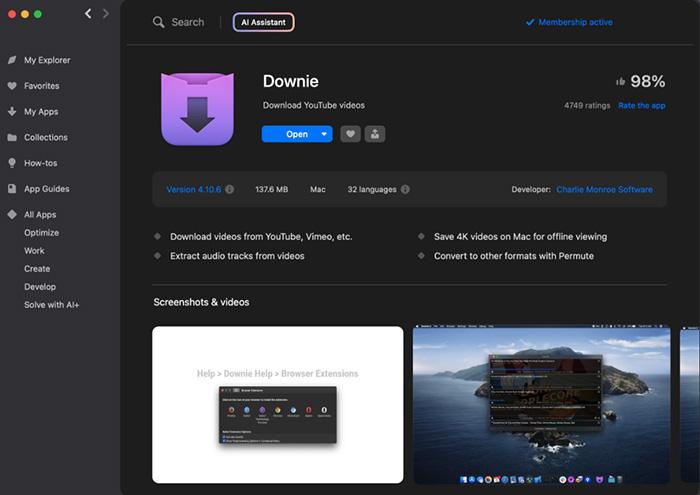
Downie is often the recommendation for Mac users who are tired of how inconsistent 4K Video Downloader can feel on macOS. Downie avoids most 4K Video Downloader limits that by staying tightly integrated with macOS and updating frequently to keep up with site changes.
You can just drag a link into the app and it starts downloading, no extra steps, no fiddling with settings. Compared to 4K Video Downloader, which can feel clunky or restrictive on Mac, Downie is much more polished and reliable for quick downloads, especially when grabbing individual videos or smaller batches.
Bottom line: It’s a paid app, which might not appeal to everyone. But for Mac users who just want something that works without errors or limitations getting in the way, it’s often considered a cleaner and more dependable alternative.
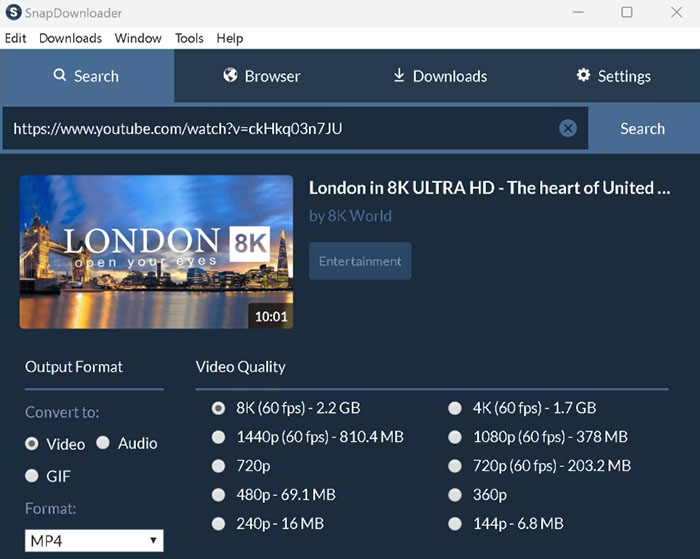
SnapDownloader
Sites Supported: YouTube, Facebook, Twitter, TikTok, and many other platforms.
Resolution & Format: Up to 8K; MP4, MP3 with flexible quality options.
Features: High-speed downloads, batch mode, proxy support, subtitle download, scheduled tasks.
SnapDownloader is often brought up when users want something faster and more stable than 4K Video Downloader, especially for large files or bulk downloads. One common complaint with 4K Video Downloader is downloads slowing down, failing mid-way, or breaking entirely after a YouTube update. SnapDownloader handles these situations better, with more consistent speeds and fewer incomplete downloads.
From Reddit feedback, it’s frequently recommended for downloading long videos, full playlists, or even channels in one go. The proxy support also makes a difference—if you’ve ever run into region-blocked videos or random video unavailable errors, this is something 4K Video Downloader doesn’t handle as smoothly. In testing, downloads tend to go through cleanly without needing constant retries.
Note: SnapDownloader is paid after the trial, which can be a downside if you’re trying to avoid subscriptions. But compared to 4K Video Downloader’s feature limits and occasional breakages, many users feel the trade-off is worth it for the speed and reliability.
ByClick Downloader
Sites Supported: YouTube, Facebook, Instagram, Vimeo, and other popular video sites.
Resolution & Format: Up to 4K; MP4, MP3, and other common formats.
Features: Auto-detects videos in browser, one-click download, playlist support.
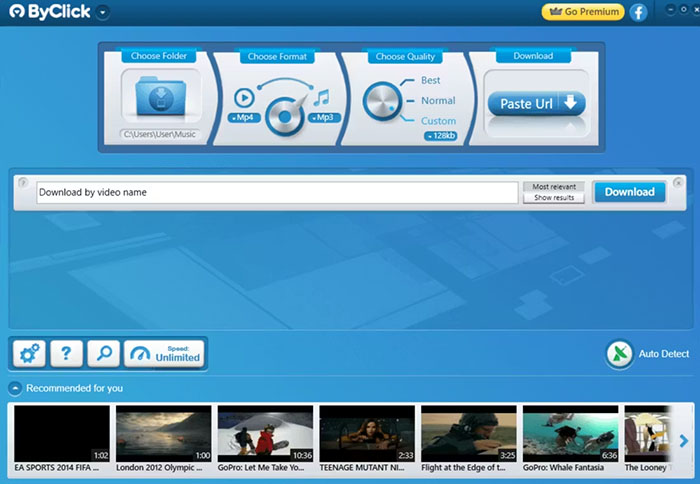
ByClick Downloader is a suitable 4K Video Downloader alternative for users who don’t want to deal with settings, errors, or constant troubleshooting. ByClick automatically detects videos as you browse, so you don’t have to keep copying and pasting URLs or figuring out why something won’t download.
It’s often described as the easiest option for casual use. When a video is detected, a simple pop-up lets you download it instantly, including full playlists. Compared to 4K Video Downloader, which can feel more manual and occasionally unreliable, this feels more "set it and forget it." The downside is flexibility. You don’t get the same level of control as tools like yt-dlp, and some advanced features are limited or require the paid version.
Bottom line: For most users, that trade-off is worth it if the goal is simple, consistent downloads without running into random issues or feature restrictions.
YTD Video Downloader
Sites Supported: YouTube, Facebook, Vimeo, and other common video platforms.
Resolution & Format: Up to 1080p (higher quality may be limited); MP4, MP3, AVI, and more.
Features: Built-in video converter, basic downloads, simple interface.
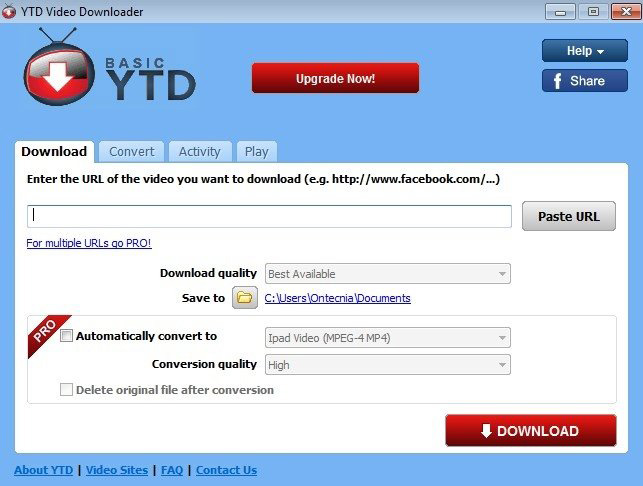
YTD Video Downloader has been around for years, and a lot of users try it when looking for something simpler than 4K Video Downloader. It’s easy to use and doesn’t take much setup, just paste a link and download. For basic videos, it usually works without much effort.
Compared to 4K Video Downloader, it doesn’t really solve the bigger frustrations people run into. You may still hit slower speeds, limited quality options, or occasional download failures when YouTube changes something. Some users also mention ads in the free version and certain features being restricted unless you upgrade. It’s generally seen as a lightweight, entry-level option rather than a long-term replacement. It works fine for quick, one-off downloads, but not ideal for playlists, large files, or situations where stability really matters.
Bottom line: YTD is a simple downloader for occasional use, but it doesn’t fully fix the reliability or limitation issues that push people away from 4K Video Downloader.
4K Video Downloader Alternatives Quick Comparison
The 4K Video Downloader alternative tools below take different approaches: some focus on stability, others on speed or simplicity. This quick comparison highlights how they actually perform in those areas.
| Tool | Error Handling | Limits / Paywall | Speed / Performance | Best Use |
|---|---|---|---|---|
| yt-dlp | Very stable; rarely breaks after YT updates | No limits | Fast (depends on setup) | Reliability + advanced control |
| WinX | Stable; fewer parse/link errors | No major limits | Consistent for playlists | Easy + reliable free option |
| JDownloader | Very stable; handles broken links well | No limits | Strong for large batches | Bulk / heavy downloads |
| Downie | Stable; fewer Mac-related errors | Paid | Fast parsing, smooth | Mac daily use |
| SnapDownloader | Stable; fewer failed downloads | Paid after trial | Fast (large files, 8K) | High-quality / big files |
| ByClick | Moderate; depends on detection | Some limits / upsell | Fast for single videos | Quick, no setup downloads |
| YTD | Less stable; occasional failures | Ads + feature limits | Slower overall | Basic, occasional use |
Summary: If you’re mainly trying to avoid 4K Video Downloader errors and broken downloads, yt-dlp and JDownloader are the most reliable long-term. For a simpler, no-hassle experience, WinX YouTube Downloader and ByClick are easier to use. Mac users will find Downie the smoothest option, while SnapDownloader is better suited for speed and large files. YTD works for basic needs, but doesn’t fully solve the common issues that push users away from 4K Video Downloader.
 FAQ about 4K Video Downloader Alternatives
This usually happens after YouTube changes its backend or playback scripts. Many users notice that 4K Video Downloader doesn’t catch up right away, so links that worked yesterday suddenly fail. That’s why tools with faster updates or different parsing methods tend to work more consistently.
Yes. YouTube and similar platforms change things regularly, which can break downloaders. Tools that update quickly (or auto-update) tend to have fewer issues. Many users switch alternatives simply because they don’t want to deal with constant manual fixes every time something stops working.
In many cases, yes—especially for stability and fewer restrictions. Some free tools don’t impose playlist limits or paywalls and stay usable longer without forcing upgrades. However, they may trade off ease of use or require a bit more setup depending on the tool.
Based on user feedback, tools that update frequently or rely on active communities tend to last longer without breaking. Download managers and command-line tools are often more stable, while simpler apps are easier to use but may run into issues sooner when platforms change.


