












Wondershare DVD Ripper Discontinued: What to Know & Alternatives
 Donna Peng
Updated on
If you’ve recently gone looking for Wondershare DVD Ripper and found that the download or purchase options have changed, there’s a reason. Wondershare has announced that DVD Ripper will be discontinued, with the shutdown happening in two stages.
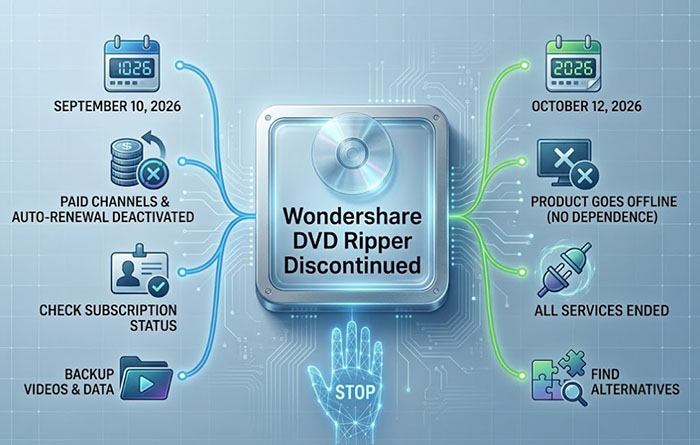
September 10, 2026: All paid service channels, including auto-renewal options, will be deactivated.
October 12, 2026: All product services will end, and DVD Ripper will be taken offline.
For existing customers, that raises a few practical questions. Can you still use the software before October 12? What happens to a paid license? And what should you use once the product is gone? The good news is that there is still time to deal with your existing DVD projects. The important thing is not to treat the current transition period as a permanent solution.
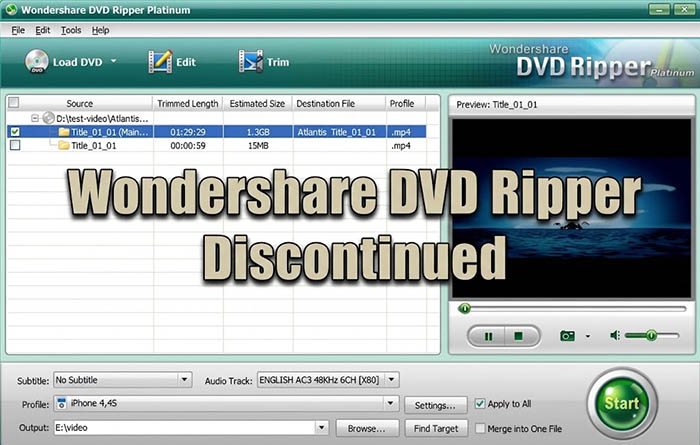
Quick Answer: Is Wondershare DVD Ripper Discontinued?
Yes. Wondershare has announced that its DVD Ripper service will be discontinued, so the product is not simply experiencing a temporary download problem or a short-term removal. Paid service channels and auto-renewal options will end on September 10, 2026, and all product services will be discontinued on October 12, 2026, when DVD Ripper is taken offline.
- Discontinued: Wondershare has decided to end the DVD Ripper product and its services.
- No longer available: The product may disappear from normal purchase or download channels, even though older pages and references can still be found online.
- Officially taken offline: October 12, 2026 marks the end of all product services, rather than just the removal of a download link.
That is also why searching for Wondershare DVD Ripper can be confusing right now. Old product pages, tutorials, search results, and third-party download listings may still point to the software even though Wondershare is winding down the product. Wondershare has not publicly said that DVD Ripper was discontinued because it was simply replaced by another product. However, its current software lineup still includes DVD-to-video functionality, so users who only need to convert DVDs have other options within the Wondershare ecosystem.
In short, Wondershare DVD Ripper is being phased out rather than temporarily unavailable. Existing users can continue using the product during the announced transition period, but anyone who relies on it for regular DVD conversion should start considering what to use after the October 12 shutdown.
When Will Wondershare DVD Ripper Stop Working?
Wondershare has set two dates for the shutdown, and they affect different parts of the service. The first change comes in September, while the final cutoff arrives one month later. If you still have an active subscription or a backlog of DVDs to convert, the earlier date is the one to watch for account and billing changes.
September 10, 2026: Paid Services and Auto-Renewal End
On September 10, 2026, Wondershare will deactivate all paid service channels for DVD Ripper, including auto-renewal. This means you should not plan on extending your paid access after this date. If DVD Ripper is still part of your regular workflow, check your subscription status and make sure you have copies of any videos you need before the service transition moves further along.
October 12, 2026: The Product Goes Offline
The final shutdown is scheduled for October 12, 2026. Wondershare says that all DVD Ripper product services will officially end on this date and the product will be taken offline. In practical terms, this is the point at which you should no longer depend on Wondershare DVD Ripper as an ongoing DVD conversion solution.
One detail is worth keeping in mind: service discontinuation does not necessarily mean an installed copy will suddenly stop launching at a specific time on October 12. Wondershare's announcement confirms the end of the product services, but it does not spell out exactly how every existing installation will behave afterward. An old installer may still open on a particular computer, yet that does not make it a supported or dependable long-term option.
For anyone with a large DVD collection, the sensible approach is to treat October 12 as the deadline for moving away from the product, rather than waiting to see how an old installation behaves after the shutdown.
What Happens to Existing Wondershare DVD Ripper Users?
If you paid for Wondershare DVD Ripper, the shutdown does not mean you lose access immediately. Wondershare's announcement gives paid users a transition period, during which they can continue accessing the product before the final service termination. The bigger concern is what happens afterward, especially for users who still have years of DVDs waiting to be digitized.
I Already Purchased Wondershare DVD Ripper. Can I Still Use It?
Yes. According to Wondershare, paid users can access the product as usual until October 12, 2026. So there is no need to panic or replace it overnight. You can continue using your existing access during the remaining service period.
What Happens to My License?
The announcement does not promise continued use of the license after the product is taken offline. In other words, having a valid purchase today should not be treated as a guarantee of indefinite access once the service has ended. If DVD Ripper is part of an important workflow, it is better to finish the work you need and make your own copies of the resulting files while the product remains available.
What Happens to Auto-Renewal?
Auto-renewal is one of the first things affected by the shutdown. Wondershare says that all paid service channels, including auto-renewal options, will be deactivated on September 10, 2026. There is therefore little reason to expect a normal renewal cycle to continue after that date.
Can You Still Get Support After the Shutdown?
Once the product services have been completely discontinued, you should not count on normal DVD Ripper product services continuing. Wondershare has not announced ongoing support for the discontinued product after October 12, so users who depend on it regularly should make their transition before the final shutdown rather than waiting until they run into a problem later.
What Should You Do Before October 12, 2026?
You do not need to convert every DVD you own just because the shutdown is coming. Start with the discs that matter most and work through the rest at a manageable pace.
- Convert important DVDs first: Prioritize family videos, hard-to-replace discs, or titles you use regularly.
- Check the converted files: Play a few minutes from the beginning, middle, and end to make sure the output is complete and usable.
- Keep your digital copies safe: Store important videos on a reliable drive or another backup location instead of leaving the only copy on your computer.
- Leave yourself some breathing room: A large DVD collection can take much longer to process than expected, so do not leave everything until the final days.
- Plan for the long term: If you expect to keep ripping DVDs, start testing another solution now rather than waiting until your current software is no longer an option.
 Sum up
The simplest takeaway for existing customers is this: use the remaining access while you have it, but do not build your long-term DVD workflow around a product that is scheduled to disappear.
Can You Still Download Wondershare DVD Ripper?
Wondershare DVD Ripper is no longer available, but this is where things can get confusing. Searching for “Wondershare DVD Ripper download” may still bring up old product pages, archived tutorials, or websites offering an installer. Seeing a download button, however, does not necessarily mean the product is still officially supported or available as a current Wondershare product.
Why Can Old Download Pages Still Appear?
Search engines do not remove every older page the moment a software product is discontinued. Product guides, reviews, forum posts, and previously indexed download pages can remain visible for quite some time. Some may describe an older version of DVD Ripper without reflecting its current service status.
What About Third-Party Download Sites?
You may find older DVD Ripper installers on software download sites, but downloading one simply because it is still listed online is not a good way to solve the problem. You cannot assume that an old installer is genuine, current, compatible with your system, or capable of completing product activation.
Will an Old Installer Still Activate?
There is no reliable reason to assume that an old installer will provide lasting access after the product's services have ended. An installation package and the services behind a commercial software product are two different things. Even when the program itself can be installed, activation or other online-dependent functions may no longer be available.
That leads to one important rule: an old installer is not the same as a supported product. If you still have Wondershare DVD Ripper installed, using it during the remaining service period is one thing; hunting down an unofficial copy to keep it alive indefinitely is another. For continued DVD conversion, moving to a currently supported tool is the safer and more practical route.
Sum up
Some third-party sites, including CNET Download and Apponic, previously offered Wondershare DVD Ripper Platinum for download, but their download pages may no longer work. Third-party software sites can also include ads or bundled software, so they are not the best option for finding a reliable replacement.
What Can You Use Instead of Wondershare DVD Ripper?
If you still need to rip DVDs after Wondershare DVD Ripper is discontinued, you will need another Wondershare DVD Ripper alternative. The right choice depends less on the brand and more on what you actually want to do with your discs.
| DVD Ripping Need | Recommended Option |
|---|---|
| Easy DVD to MP4/MKV conversion | WinX DVD Ripper |
| Preserve DVD content in MKV | MakeMKV |
| Free video conversion | HandBrake |
MakeMKV — For Keeping the DVD Content Intact
MakeMKV takes a different approach: it focuses on putting the video and audio from a disc into an MKV container rather than heavily compressing it during the initial step. It makes sense for users who care more about preserving the original DVD content and plan to handle compression later.
HandBrake — For Free Video Conversion
HandBrake is a free, open-source video transcoder that works well when you already have an accessible DVD source, such as an unprotected disc or a decrypted DVD folder. It gives you considerable control over codecs, quality, subtitles, and other encoding settings, although it is not a direct substitute for a dedicated DVD ripper in every situation.
The key is to match the replacement to your old workflow. Someone looking for a simple DVD-to-MP4 conversion needs a different tool from someone who wants to preserve a disc in MKV first. Choosing based on that distinction will make the move away from Wondershare DVD Ripper much less frustrating.
WinX DVD Ripper — For Straightforward DVD Conversion
For users who mainly want to turn DVDs into everyday video files, WinX DVD Ripper is a practical Wondershare DVD Ripper alternative to consider. It supports common outputs such as MP4 and MKV and is designed around a straightforward DVD-to-video workflow, so there is less of a learning curve when moving away from Wondershare.
 Free Download
 Free Download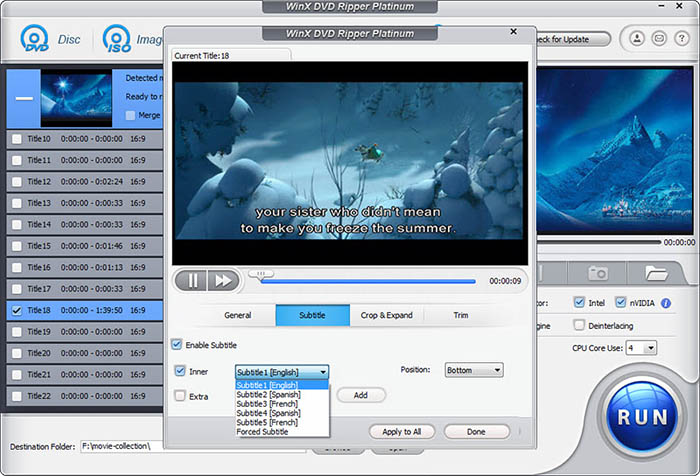
 FAQs About Wondershare DVD Ripper Discontinuation
Wondershare has announced the discontinuation as part of a product adjustment, but it has not provided a detailed public explanation of the specific reason. The company is ending the standalone DVD Ripper service rather than announcing a temporary suspension.
Wondershare has not announced a new standalone DVD Ripper as the direct successor. However, DVD-to-video functionality is still available in other Wondershare products, including the DVD to Video tool in Wondershare DVD Creator and DVD conversion features in UniConverter.
No. Videos you have already converted and saved to your computer or another storage device are separate from the DVD Ripper service. The shutdown does not mean those existing video files will be automatically removed, so keep them backed up in a location you control.
You do not have to uninstall it immediately just because the product is discontinued. If you still use the installed program during the remaining service period, you can keep it for your current projects. Once you move to another DVD tool, removing the old software is reasonable, especially if you no longer need it.
It can cover some of the same needs, but it is not officially described as the direct replacement for DVD Ripper. The current Windows version of Wondershare DVD Creator includes a DVD to Video tool for converting DVD content to formats such as MP4, MOV, AVI, MKV, and WMV, making it worth considering if you want to stay with Wondershare.
Start with the type of DVD workflow you need rather than looking for an identical brand replacement. A dedicated DVD ripper is more suitable for straightforward DVD-to-MP4 or MKV conversion, while MakeMKV fits users who want to preserve disc content in MKV and HandBrake works well for free video conversion from supported sources.
It may still be useful for finishing existing projects during the remaining access period, but keeping an old installer as a permanent DVD ripping solution is harder to justify. Once a product is discontinued, future compatibility, activation, and support cannot be treated the same way as with actively maintained software.


