











Is MakeMKV Safe? Users’ Real Opinions & Risk Breakdown
 Donna Peng
Updated on
MakeMKV often comes up when users look for a simple way to back up Blu-ray or DVD collections, but the same question keeps appearing in forums: is it actually safe to use? The answer isn’t as one-dimensional as it looks. On Reddit, discussions go beyond malware concerns and focus on how the tool behaves, what risks come from DRM handling, and whether everyday use creates any real exposure. This post breaks down those perspectives to give a clearer, more grounded view.
Quick Answer: Is MakeMKV Safe or Not?
For most users asking about MakeMKV safety, the real concern is not whether it can run on their system, but whether it can be trusted at all. From a technical standpoint, MakeMKV is generally considered safe when downloaded from its official source. It does not bundle adware, does not push background services, and is widely reported by users and antivirus tools as clean during installation. In everyday use, it behaves like a straightforward disc ripping utility rather than a suspicious background program.
- Technical safety: No strong evidence of malware, data harvesting, or hidden system-level threats when using the official version.
- Legal safety: Depends on your country’s copyright laws and how you use the software, since it interacts with DRM-protected DVD and Blu-ray content.
The most accurate takeaway from user discussions is simple: MakeMKV is widely regarded as a clean and stable tool from a security perspective, but its compliance depends entirely on local laws and usage intent rather than the software itself.
Read More: Updated MakeMKV Key: Fix Expired Error & Get Latest Beta Key
What Reddit Users Actually Say About MakeMKV Safety
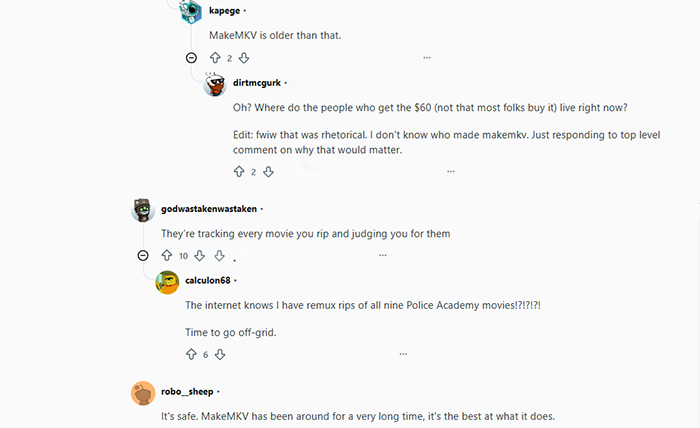
Across Reddit discussions around MakeMKV safety, MakeMKV down, the consensus is fairly consistent but not absolute. Users tend to separate the conversation into two layers: technical trust and legal caution. On the technical side, long-term users repeatedly describe MakeMKV as a lightweight and predictable tool with no signs of intrusive behavior. It is commonly framed as a utility that simply “does one job and stays out of the way,” which contributes to its strong reputation in enthusiast communities.
- “No malware, but use at your own legal risk” is the most common sentiment across threads. Users generally agree the software itself is clean, while still warning about copyright implications depending on usage.
- Long-term user feedback: Experienced users highlight stability over years of use, especially when dealing with Blu-ray and DVD backups. It is often described as reliable even when other ripping tools fail or become outdated.
- New user concerns: Discussions frequently revolve around the beta key system and questions about whether AACS decryption or key updates introduce security risks. Most experienced users clarify that these mechanisms are normal for disc access and not indicators of malware behavior.
- Overall sentiment: The general Reddit stance leans strongly toward technically safe, legally dependent. There is broad agreement that the software does not behave like suspicious freeware, but users consistently separate technical cleanliness from legal responsibility.
 Sum up
In summary, Reddit’s review of MakeMKV is not driven by fear of malware or system risk, but by clarity about its purpose: a stable disc extraction tool whose safety reputation is solid on the technical side, while its legality depends entirely on how and where it is used.
The Real Risk Most Users Miss (Not MakeMKV Itself)
In discussions about MakeMKV, the most common misunderstanding is the assumption that “safety” is purely a technical issue. In reality, most experienced users separate software reliability from legal exposure, and this distinction is where confusion usually starts. MakeMKV itself is widely regarded as stable and non-intrusive, but the broader risk profile is shaped by how and where it is used rather than how it is built.
The key tension appears when users compare technical safety with legal boundaries. While the program does not show typical signs of malware or data collection, its functionality involves bypassing disc protection systems, which leads to very different interpretations depending on jurisdiction.
- Legal risk outweighs software risk: Most communities emphasize that the tool itself is not the problem; the uncertainty comes from copyright enforcement and local regulations.
- Regional differences: Laws and enforcement around DVD/Blu-ray ripping vary significantly across countries, with some allowing personal backup use and others restricting DRM circumvention entirely.
- Personal backup vs distribution: A commonly discussed boundary is whether the rip is strictly for private archival purposes or used for sharing, with the latter being widely considered illegal in most contexts.
- DRM decryption as a gray area: Even when intended for personal use, bypassing protection systems is often treated as legally sensitive, which is why interpretations differ so sharply across communities.
This also explains why Reddit debates around MakeMKV often become inconsistent. There is no single global standard for DRM-related legality, so discussions tend to reflect personal location, risk tolerance, and interpretation of “fair use” rather than a universal rule. As a result, MakeMKV is rarely criticized as unsafe software, but frequently debated as a legally ambiguous tool depending on context.
Common Problems Users Confuse With MakeMKV Safety Issues
A large portion of concern around MakeMKV does not actually come from real security threats, but from misunderstandings about how disc ripping tools work. In community discussions, many issues are initially labeled as dangerous or suspicious, when in reality they are either normal software behavior or expected limitations of optical media handling.
Beta key confusion: MakeMKV’s beta key system often raises suspicion among new users, but it is simply a licensing mechanism that allows continued free access during the beta phase. It is widely shared and regularly updated by the developer community, not an indicator of cracked or unsafe software.
Disc damage concerns: Users sometimes worry that the ripping process may physically damage DVDs or Blu-rays. In practice, MakeMKV only reads data from the disc and does not modify or write to it, meaning it does not cause physical wear beyond normal drive usage.
System performance impact: Another common misconception is that the software may slow down or destabilize a system. In reality, MakeMKV is a lightweight utility that only consumes resources during active ripping sessions and does not run persistent background services.
Antivirus false positives: Some security tools may flag MakeMKV due to its ability to access and decrypt protected disc content. These alerts are typically heuristic-based detections rather than confirmed malware behavior, which explains why trusted users consistently report clean installations.
Overall, most so-called MakeMKV safety issues linked to MakeMKV stem from misinterpretation rather than actual technical risk. Once separated from legal concerns and anti-piracy heuristics, the software itself remains a stable and predictable tool for disc backup workflows.
MakeMKV Website Down? Try This Tested Methods
 FAQs about MakeMKV Safety & User Concerns
Yes, the official MakeMKV installer is widely regarded as clean by users and antivirus tools. It does not include ads, background services, or telemetry, making it a lightweight and low-risk utility when downloaded from the official site.
Most distrust comes from DRM-related functionality rather than security. Because it decrypts discs, some users assume risk, but discussions usually confirm the software itself is stable and free from malicious behavior.
MakeMKV only reads data from discs and does not write or alter them. Physical wear depends on the optical drive itself, not the software, which is why users generally report no disc damage from normal ripping use.
It is considered a lightweight tool that only uses CPU and drive resources during active ripping. It does not run background processes, so long-term system performance impact is essentially negligible.
Security tools may flag MakeMKV due to its ability to access encrypted disc content. These are usually heuristic detections, not confirmed threats, and experienced users widely report safe installation from official builds.
Legality depends on region and usage intent. Many users treat it as a personal backup tool, but DRM circumvention rules vary widely, making legal interpretation inconsistent across countries and communities.


