






 win
win

 Super Resolution
  Video Stabilization
  Frame Interpolation

 Denoise Image
  Restore Old Photo
  Unblur Image
  Recover Face
  Upscale Image
  Colorize Photo
 Video Conversion >
 Video Compression >
 Screen Recording >

Best Y2Mate Alternatives in 2026: Safer Options
 Mike Rule
Updated on
Quick Answer: If Y2Mate is not working, desktop users can compare yt-dlp, Stacher, JDownloader 2, and 4K Video Downloader+. Android users can evaluate Seal and YTDLnis. Before switching, check the source, current compatibility, installation requirements, and safety risks.
When Y2Mate stops converting a video, fails to load a link, or opens another advertising page instead of a download, switching to another website may not solve the underlying problem. Some failures come from changes to the video platform, while others involve server availability, browser restrictions, or misleading download buttons. The better choice is not necessarily another website that looks like Y2Mate, but a tool whose limitations, update history, and installation source you can verify.
This comparison examines Y2Mate alternatives by actual use case, including browser-based convenience, desktop download management, Android compatibility, and security considerations. User discussions on Reddit can help identify recurring frustrations, but recommendations must be checked against current project documentation and real-world availability.
Before trying another downloader, identify what failed. A page that will not open, a video that cannot be parsed, and a download button that triggers an unrelated redirect are different problems. Repeatedly opening unfamiliar mirror sites may add security risks without fixing the original failure.
First step: Check whether the source video is available, whether the browser displays a security warning, and whether the downloader has a recent update. If the page asks you to install an unknown extension, disable security protections, or enter unrelated account credentials, leave the page rather than continuing.
Quick Answer: Which Y2Mate Alternative Should You Choose?
There is no single replacement that suits every device and download task. A command-line utility may offer more control, while a graphical application can be easier to operate. Mobile users also need to consider installation sources and device compatibility.
| Y2Mate Alternative | Best For | Main Advantage | What to Check |
|---|---|---|---|
| yt-dlp | Advanced desktop users | Flexible format and download controls | Command-line learning curve and updates |
| Stacher | Users who prefer a GUI | Graphical access to yt-dlp functionality | Current feature limits and dependencies |
| JDownloader 2 | Multiple download tasks | Queue and download management | Installation options and source compatibility |
| 4K Video Downloader+ | Users who want a guided interface | Simpler format and quality selection | Free-tier restrictions and pricing |
| Seal | Android users | Mobile-friendly download interface | Official distribution source and compatibility |
| YTDLnis | Android users who want more controls | Additional download settings | Current version and installation source |
Important: These are candidates grouped by intended use, not a verified safety ranking. Confirm current versions, availability, features, and licensing before publishing a final recommendation.
Best Y2Mate Alternatives in 2026
The options below serve different needs rather than forming a universal ranking. Their current features, download support, licensing, and installation methods should be checked against official documentation before publication. Download only content you are authorized to save.
1. yt-dlp
Best For: Users who want extensive download and format controls
Platform: Desktop systems supported by the project
Cost: Open-source software
Main Limitation: Command-line learning curve and changing source compatibility
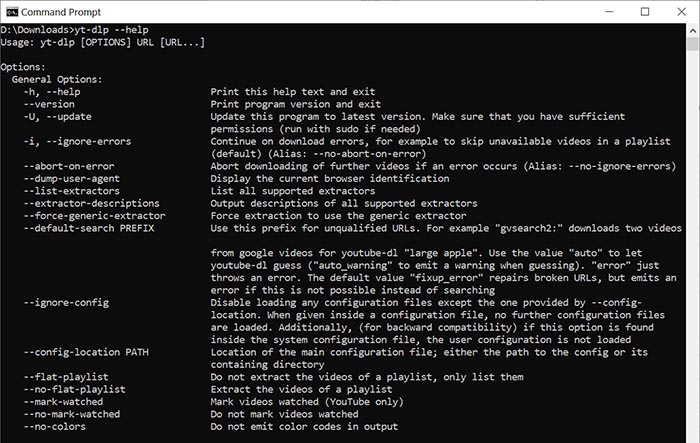
yt-dlp is an open-source command-line media downloader that supports numerous sites and provides detailed format-selection options. It can appeal to users who have outgrown simple browser converters and want more control over output formats or repeated tasks.
The trade-off is that its interface is less approachable for beginners. Users may need to understand commands, update the program, and interpret error messages when a source changes. A maintained project is not a guarantee that every link will work at every moment.
Reddit discussions frequently bring up yt-dlp when users complain about unreliable web-based downloaders. That makes it a useful candidate to investigate, but community recommendations should be paired with current release notes and official documentation.
>> How to Fix yt-dlp Not Working 403 Forbidden & "Failed to Get Info" Errors
2. Stacher
Best For: Users who prefer a graphical interface
Platform: Supported desktop systems; verify current compatibility
Cost: Verify current edition and feature terms
Main Limitation: Depends on underlying downloader functionality
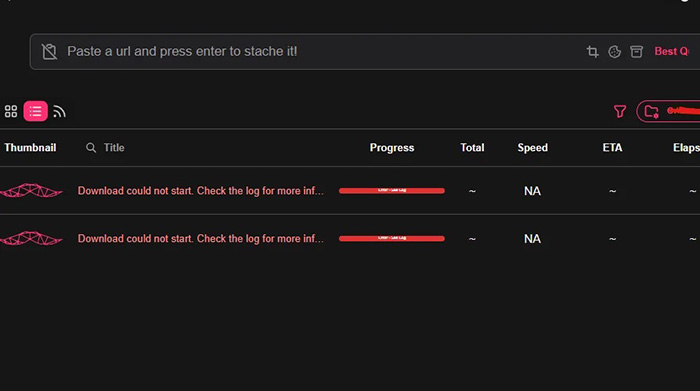
Stacher offers a graphical approach to yt-dlp functionality, making it worth considering for users who want desktop controls without entering every command manually. A GUI can reduce the learning curve while retaining access to many of the underlying download options.
It does not remove every compatibility limitation of the underlying downloader. Check the current release, the way dependencies are installed or updated, and whether the features you need are included in the edition you choose.
Stacher is most relevant to users who want more control than a simple online converter but are not comfortable working entirely in a terminal.
3. JDownloader 2
Best For: Managing multiple downloads and queues
Platform: Supported desktop operating systems
Cost: Verify current terms on the official site
Main Limitation: More complex than a single-link downloader
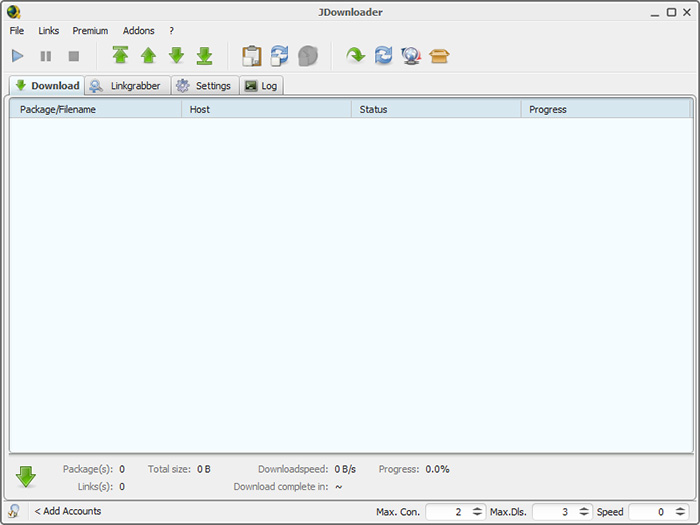
JDownloader 2 is a download manager designed to organize tasks, queues, and supported downloads from different sources. It may be a better fit for users who handle many files rather than converting one video at a time.
Support varies by source, and not every video page can be processed successfully. During installation, pay attention to the official download source and any optional components or offers. Do not assume that every third-party installer carrying the same product name is equivalent to the official package.
>> Top 5 JDownloader Alternatives | Best Video Downloaders Reviewed
4. 4K Video Downloader+
Best For: Users who prefer guided desktop controls
Platform: Verify current Windows, macOS, and Linux support
Cost: Free and paid options may differ
Main Limitation: Feature, usage, and format restrictions may apply
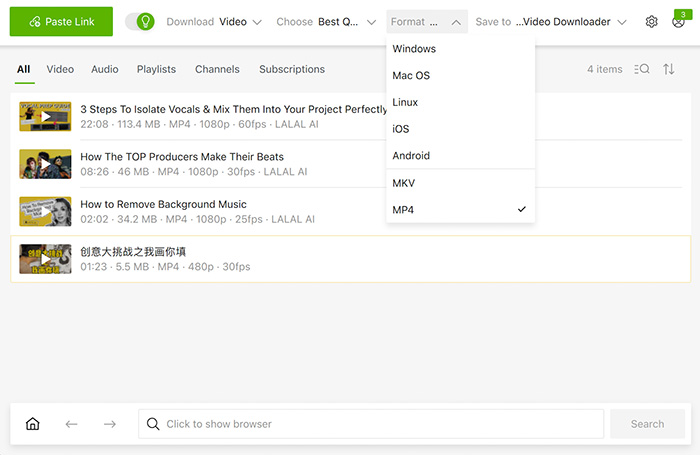
4K Video Downloader+ provides a more guided interface for users who would rather select options through menus than work with command-line arguments. Its format and quality controls may suit people who regularly save supported videos to a desktop computer.
Before choosing it, verify which features are included in the free version, whether your target source is supported, and how the current license handles repeated or playlist downloads. Do not infer unrestricted 4K output from the product name alone.
It is worth comparing for users who prioritize straightforward operation and are comfortable checking free-tier limits before committing to a paid edition.
5. Seal
Best For: Android users who want a mobile interface
Platform: Android; verify minimum version requirements
Cost: Check the project's current distribution terms
Main Limitation: Installation source and device compatibility require attention
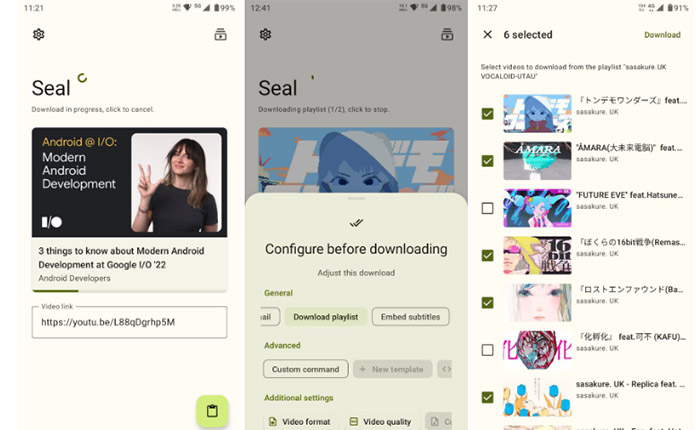
Seal is an Android-focused option that can appeal to users who prefer handling downloads directly on a phone. It is frequently mentioned in discussions about mobile alternatives to browser-based video converters.
Because Android applications can be distributed through different channels, verify the project's official source and release information before installing an APK. Avoid unfamiliar download portals that bundle additional applications or make unsupported safety claims.
Seal is worth evaluating if your main requirement is a mobile interface rather than a desktop application. Check current compatibility and source support before relying on it for regular tasks.
6. YTDLnis
Best For: Android users who want more download controls
Platform: Android; confirm current requirements
Cost: Verify current project terms
Main Limitation: Additional settings may take time to learn
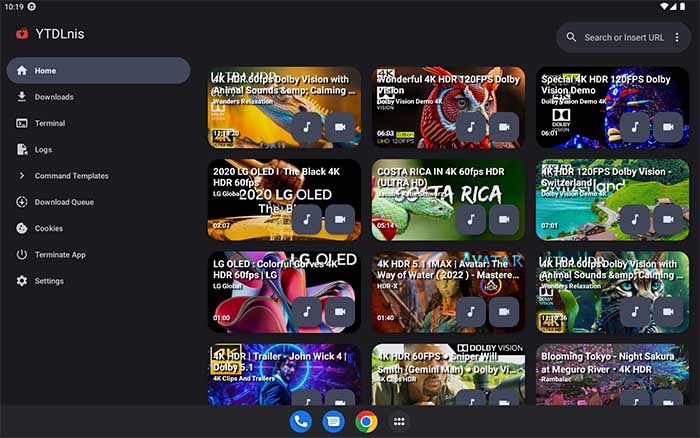
YTDLnis is another Android candidate for users who want a dedicated interface for media downloads and more control over their choices. It can be compared with Seal by looking at interface design, available options, update frequency, and the installation process.
Do not assume that a recommendation in an older forum thread guarantees current compatibility. Check recent releases, documented requirements, and the project's official distribution channel.
YTDLnis is most relevant to Android users who want more flexibility than a basic website provides and are comfortable reviewing settings before downloading.
Y2Mate Alternatives Compared: Features, Ease of Use, and Limitations
Use this comparison to narrow the list according to the task you need to complete. It is a functional overview, not a claim that every option has passed the same hands-on test.
| Tool | Interface | Most Relevant Use | Primary Trade-Off |
|---|---|---|---|
| yt-dlp | Command line | Advanced format control | Requires command-line familiarity |
| Stacher | Graphical interface | GUI-based download management | Underlying source support can change |
| JDownloader 2 | Desktop application | Queues and multiple tasks | More setup and interface complexity |
| 4K Video Downloader+ | Guided desktop interface | Convenient quality selection | Plan and usage restrictions |
| Seal | Android application | Mobile downloads | APK source and device compatibility |
| YTDLnis | Android application | Mobile downloads with additional controls | Settings and update requirements |
Before publication, verify all product-specific claims against current official documentation. Add measured download success rates, output quality, installation size, or time comparisons only if those metrics were actually tested under a stated test setup.
How We Evaluated These Y2Mate Alternatives
A useful comparison should make its evidence and limitations visible. Official feature descriptions, hands-on results, and user reports answer different questions and should not be treated as interchangeable.
Compatibility and maintenance: Check the current release date, supported operating systems, documented source changes, and recent project activity.
Ease of use: Compare the steps required to select a permitted source, choose an output format, start a download, and locate the resulting file.
Output quality: Where testing is available, record the source resolution, selected output, audio availability, and whether separate streams are combined correctly.
Safety signals: Record the exact installation source, unexpected redirects, permission requests, and dated security findings. A clean scan is not a permanent safety guarantee.
Community evidence: Use Reddit and other relevant forums to identify recurring user problems. Preserve the context of each report and do not count repeated copies of the same recommendation as independent confirmation.
Test transparency: State the testing date, operating system, software version, test sources, and any limitations. If no hands-on testing was performed, identify the comparison as research-based rather than claiming measured performance.
Why Is Y2Mate Not Working?
Y2Mate failures do not always have the same cause. Understanding the symptom helps determine whether troubleshooting is worthwhile or whether a different tool is the more practical option.
Y2Mate will not open or keeps timing out
Possible explanations include a temporary server problem, a changed or unavailable domain, network filtering, or browser restrictions. Do not assume that a similarly named mirror belongs to the same operator. Check the exact address and avoid bypassing browser security warnings simply to reach a download page.
Y2Mate gets stuck converting a video
The source may have changed, the service may be overloaded, or the video may require access that the downloader cannot provide. Private, removed, or otherwise restricted videos can also fail. Retrying the same link indefinitely is unlikely to help when the underlying compatibility problem remains unresolved.
Y2Mate is not downloading anything
Check whether the browser blocked the download, whether the file appears in the download history, and whether the button opened an advertisement rather than a media file. Never install an unfamiliar player or extension just because a page claims it is necessary to continue.
Y2Mate produces poor-quality video or incomplete audio
Available resolutions and audio formats depend on the source and the downloader. Some services cannot combine separate video and audio streams correctly, while others limit quality or formats in their free versions. A displayed resolution alone does not prove that the final file contains the expected video and audio tracks.
| Symptom | Possible Cause | Recommended Next Step |
|---|---|---|
| Website will not load | Server, domain, or network problem | Verify the address and check for security warnings |
| Conversion never finishes | Parsing failure or service-side issue | Check source availability and try a maintained alternative |
| Unexpected tabs appear | Advertising or deceptive redirects | Close the page and do not follow installation prompts |
| Audio or video is missing | Format selection or stream-merging limitation | Check output options and inspect the resulting file |
Is Y2Mate Safe to Use?
Safety depends on the specific domain, the content being downloaded, and what happens during the visit. Advertising redirects, deceptive download buttons, suspicious extensions, and unexpected software installers are reasons for caution. However, a user report about a suspicious page does not establish that every site using the Y2Mate name distributes malware.
Can Y2Mate give you a virus?
Potential exposure can occur when a visitor downloads and runs a malicious file, installs an untrusted extension, or follows a deceptive prompt. Visiting a webpage, downloading a media file, and executing an installer are different actions with different risks. Security claims should be tied to a specific domain, dated evidence, and an appropriate detection method rather than a blanket statement about every Y2Mate-branded site.
Why similarly named Y2Mate sites need separate checks
Domains that share a name or visual design are not necessarily operated by the same organization. HTTPS confirms an encrypted connection, not that the operator is trustworthy or that the site has permission to distribute particular content. Check browser security warnings, the exact domain, independent security findings, and recent user reports.
Warning signs that should stop a download
- Repeated redirects to unrelated websites.
- Fake play or download buttons that open advertisements.
- Requests to install an unknown player, codec, or browser extension.
- Prompts to disable antivirus or browser protection.
- Unexpected requests for account credentials or payment information.
- Downloads that do not match the file type or name shown on the page.
What to do after a suspicious download
If a file downloaded unexpectedly, do not open it. Remove the file and use trusted security software to scan the device when appropriate. If you installed an unfamiliar extension or application, remove it and review the permissions it received. If you entered a password on a suspected phishing page, change it through the legitimate service and check recent account activity.
Is Y2Mate legal?
Website safety and copyright compliance are separate questions. Whether a particular download is lawful depends on the content, permissions, applicable law, and relevant platform terms. Prefer content you own, have permission to download, or are otherwise legally entitled to save. Do not assume that a publicly accessible video is automatically free to copy or redistribute.
FAQs About Y2Mate and Its Alternatives
Possible reasons include temporary service problems, source-platform changes, network restrictions, browser blocking, or an unavailable video. Check the exact symptom and avoid unfamiliar mirror sites that trigger suspicious redirects.
Safety depends on the exact domain, its behavior, and the files or software involved. Watch for misleading download buttons, unexpected redirects, unfamiliar installers, and browser security warnings. Reports about one domain should not automatically be applied to every similarly named site.
yt-dlp is worth evaluating for flexible desktop controls, Stacher for a graphical interface, JDownloader 2 for download management, and Seal or YTDLnis for Android. The right choice depends on current compatibility, device, and preferred interface.
Users who prefer graphical controls can compare Stacher and 4K Video Downloader+. Their setup steps, supported sources, and free-feature restrictions should be checked before choosing.
yt-dlp can reduce exposure to advertising and deceptive buttons associated with some download webpages when obtained from its official project source. However, open-source software is not automatically risk-free, and users should verify downloads, maintain updates, and review the commands they run.
Seal and YTDLnis are Android options worth comparing. Verify their current project pages, Android requirements, release information, and installation sources before installing either application.
Some services work through a browser, while official platforms may provide in-app offline viewing. Browser-based downloaders can carry advertising, privacy, and reliability trade-offs, so verify the exact service before using it.
Video platforms change their delivery systems, services experience outages, and download tools need maintenance to remain compatible. Recent releases and documented fixes are more useful indicators than promises of permanent support.
Some tools support high-resolution output when the source and supported download method allow it. Actual quality also depends on the available streams, format selection, audio handling, and any restrictions imposed by the tool.
Legality depends on the content, applicable law, permissions, and relevant platform terms. Use authorized downloads or content you are otherwise legally entitled to save; public availability alone does not establish permission to copy or redistribute a video.


