






 win
win

 Super Resolution
  Video Stabilization
  Frame Interpolation

 Denoise Image
  Restore Old Photo
  Unblur Image
  Recover Face
  Upscale Image
  Colorize Photo
 Video Conversion >
 Video Compression >
 Screen Recording >

Carefully Selected Tools & Methods to Save Video From URL
 Mike Rule
Updated on
People download online videos for different practical reasons—watching offline, saving mobile data, or playing content across devices. Among the many available approaches, saving videos through a URL has become one of the most widely used because it avoids complicated steps and works directly with most online video sources.
URL-based download tools are fairly straightforward: users copy the video link, paste it into the tool, and the system handles the analysis and download process automatically. Many of these tools also offer basic control over output quality, such as selecting resolution or format, making them more flexible than they first appear. Below, we’ll look at some commonly used tools and methods for saving videos via URL.
How to Save Video from URL - Top 10 Downloaders
When downloading videos from a playback page link, users can choose from various dedicated software tools. These programs analyze the URL and allow videos to be saved in high quality after detection. Most URL video download software also supports batch downloading, and some even offer playlist support.
Especially when downloading from video platforms that allow multiple resolution options, URL video download software can detect all available video streams before download. Users can freely select resolution, and in some cases also choose audio tracks, subtitles, or dubbed versions depending on availability.
TOP 1: Winxvideo AI
- Provider: Digiarty
- Supported Platforms: Windows & macOS
- Language Support: Yes
- Price: Free
- Official Website: https://www.winxdvd.com/winxvideo-ai/
This is a multifunctional software that integrates a wide range of video-related features, including powerful capabilities for downloading online videos. Users can simply copy and paste the URL of a video playback page, and the software will quickly and safely save the video to their computer.
With its intuitive interface and fast performance, it delivers one of the most seamless experiences for downloading videos via links. Detected video sources can also be freely selected by resolution and quality. In addition, it supports online music saving and batch processing, making it a highly practical all-in-one tool.
 Free Download
 Free Download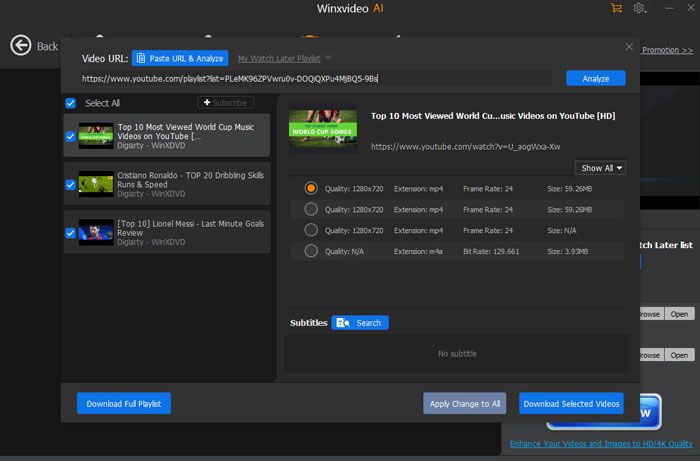
TOP 2: VideoProc Converter AI
- Provider: Digiarty
- Supported Platforms: Windows & macOS
- Language Support: Yes
- Price: Free
- Official Website: https://videoproc.com/video-converter/
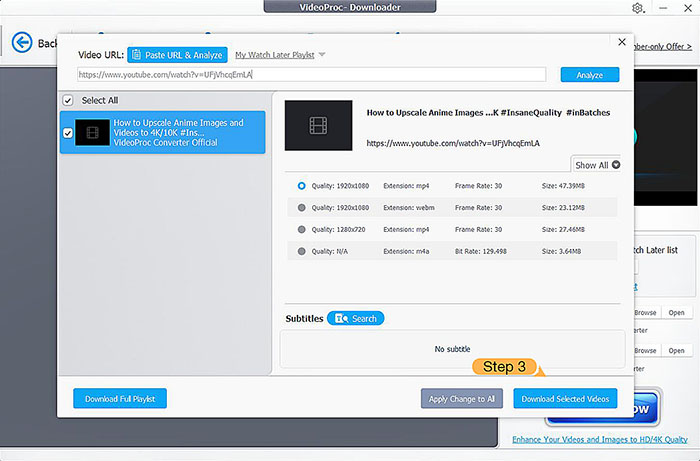
VideoProc Converter AI is designed to make URL-based video saving as simple as possible. The download feature is streamlined for ease of use, while still maintaining a high success rate. Even when multiple video URLs are added continuously, downloads remain stable and smooth. As a backup option, the software also includes a screen recording feature for saving videos.
Originally developed as a video processing and optimization tool, it not only allows users to download videos via URL but also enhances video quality after downloading. It supports editing, audio extraction, and in the latest versions, even vocal separation features are available.
TOP 3: Freemake Video Downloader
- Provider: Freemake
- Supported Platforms: Windows & macOS
- Language Support: Yes (Japanese supported)
- Price: Free
- Official Website: https://www.freemake.com/free_video_downloader/
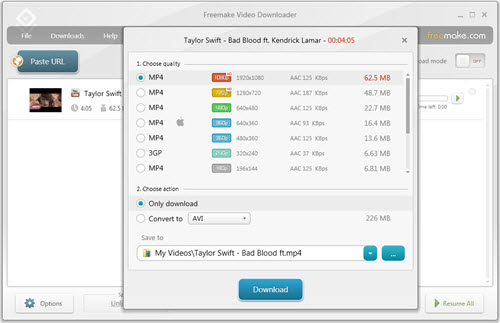
Freemake Video Downloader is a dedicated tool designed for downloading videos from popular streaming websites. It supports over 1,000 platforms, covering most mainstream video sites users rely on. With a clean and minimal design, it focuses on straightforward online video downloading without unnecessary complexity.
Beyond basic downloading, the software also emphasizes speed and format conversion. It can adjust downloaded videos to match different playback environments, making it more versatile than a simple downloader.
To run properly, this software requires Microsoft .NET Framework 4.5.
TOP 4: 4K Video DownloadHelper
- Provider: InterPromo GMBH
- Supported Platforms: Windows & macOS
- Language Support: Yes
- Price: Free
- Official Website: https://www.4kdownload.com/products/videodownloader-42
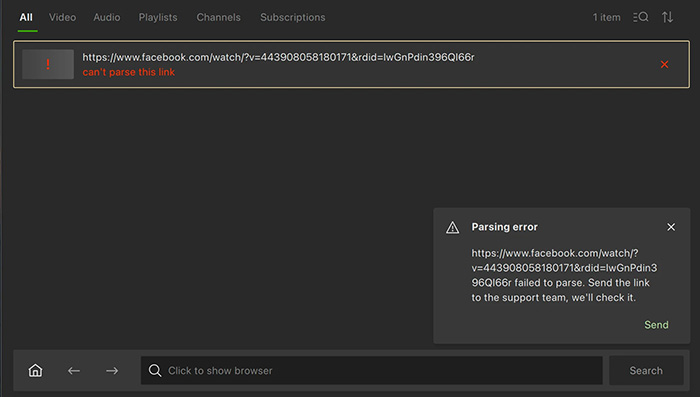
4K Video DownloadHelper is a browser-integrated tool that detects online videos and allows users to save them via URL or one-click download. Its simple interface makes it easy for beginners to quickly save videos without complicated setup.
It also supports high-resolution downloads up to 4K and 60fps, offering strong stability and smooth performance. It is especially suitable for users who prefer a plug-and-play experience with minimal configuration.
TOP 5: NoteBurner
- Provider: NoteBurner Inc.
- Supported Platforms: Windows & macOS
- Language Support: Yes
- Price: Free
- Official Website: https://www.noteburner-video.com/youtube-video-downloader-for-windows.html
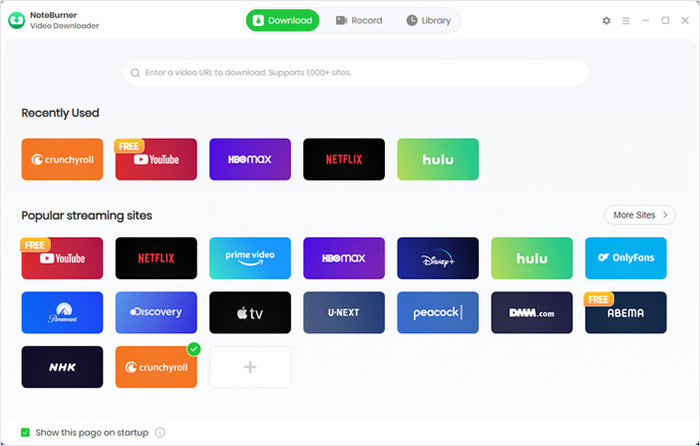
NoteBurner is a multifunctional tool that not only supports downloading videos via URL but also allows users to extract and save audio separately. Videos can be saved in high quality, and audio can be converted into formats such as MP3 or AAC.
This makes it suitable for users who want to go beyond simple video saving and reuse content as music or audio files. Its interface is clear and accessible, making it suitable for both beginners and intermediate users.
TOP 6: VideoSolo
- Provider: VideoSolo
- Language Support: Yes
- Price: Completely Free
- Official Website: https://www.videosolo.com/online-video-downloader/
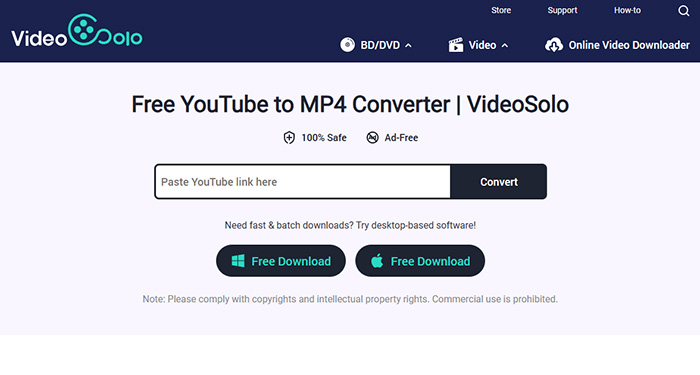
When it comes to online tools for saving videos via URL, VideoSolo is one of the most recommended options. This tool allows users to simply paste a video link, automatically detect the online video, and download it directly.
During the URL video saving process, users can also select video quality and format. No installation or account is required, and the entire service is completely free to use. It works across most browsers and is compatible with various operating systems.
VideoSolo is fully compatible with both mobile and desktop browsers, including Safari on iPhone and Android browsers.
TOP 7: FLVTO
- Provider: FLVTO
- Language Support: Yes
- Price: Free
- Official Website: https://flvto.site
FLVTO is a rare online tool that supports batch processing among URL-based video download services. It allows users to quickly save videos from links, with support for downloading up to 99 files at once. It also supports high-quality saving and format conversion.
Originally developed for converting FLV videos, FLVTO also supports converting downloaded videos and extracting audio. The process is fast, usually completed within seconds, while preserving original quality.

TOP 8: ClipConverter.cc
- Provider: Clip Converter
- Language Support: Yes
- Price: Completely Free
- Official Website: https://www.clipconverter.cc
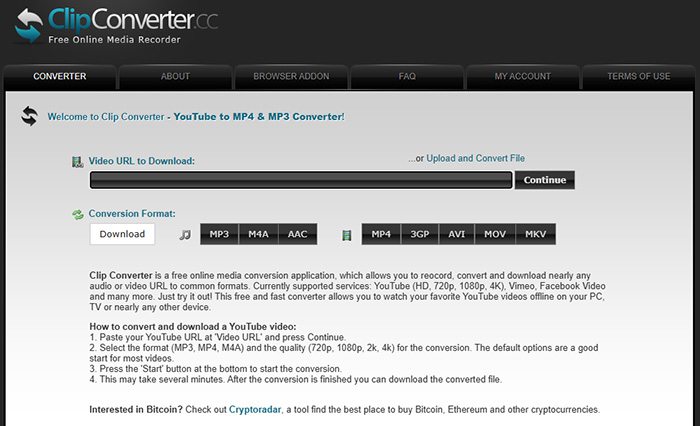
ClipConverter.cc is an online service that allows users to fetch and convert videos directly from URLs. By pasting a link, users can easily save or convert videos in high quality.
This service has been used for a long time with many successful cases, making it a reliable option in terms of both safety and success rate.
TOP 9: Y2mate
- Provider: Y2Mate
- Language Support: Yes (Japanese supported)
- Price: Free
- Official Website: https://wwv-y2mate.com
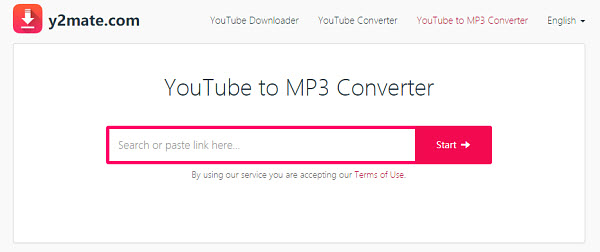
Y2Mate is an online tool that allows users to save videos locally by simply pasting a URL. It supports downloads from many video platforms and can handle high-resolution content up to 4K.
In addition to saving videos, it also supports format conversion, such as MP4 for video and MP3 for audio. It is suitable for users who want flexible output options or smaller file sizes.
TOP 10: Online Video Converter
- Provider: OnlineVideoConverter
- Language Support: Yes
- Price: Free
- Official Website: https://onlinevideoconverter.to/youtube-downloader-mp4
Online Video Converter is an online service that supports both video downloading via URL and format conversion. No registration is required, and it supports both video and audio formats, making it suitable for a wide range of use cases.
It offers a good balance between simplicity and functionality, and is widely used by people who want a free, all-in-one online tool for video processing.
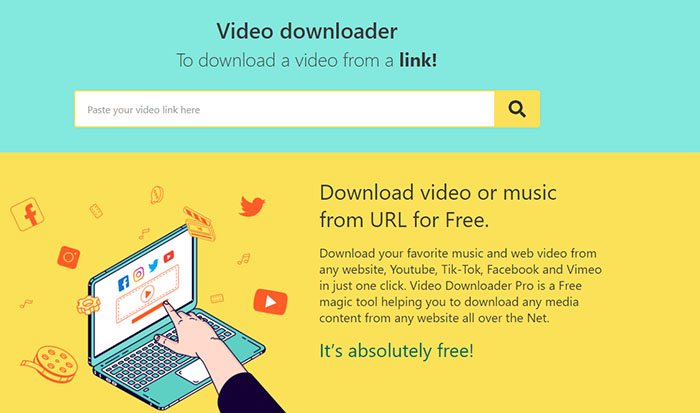
Online Websites vs Desktop Downloader to Save Video from URL
Unlike desktop software, URL video download websites require no installation. You can simply open the site in your browser and start using it immediately. This convenience is one of the main reasons these tools are widely preferred.
In addition, all processing—from analyzing the URL to completing the download—is handled online by the website itself. This makes it especially useful when your computer is running slowly or has limited performance, as it does not rely heavily on local system resources compared to desktop software.
✔ Advantages
- No installation required — just open the website and use it instantly.
- Works across different environments, and can even be used without a high-end PC to download online videos.
- Many services are completely free to use.
✘ Disadvantages
- Fewer advanced features compared to desktop software.
- Some videos may not be downloadable due to platform restrictions.


