






 win
win

 Super Resolution
  Video Stabilization
  Frame Interpolation

 Denoise Image
  Restore Old Photo
  Unblur Image
  Recover Face
  Upscale Image
  Colorize Photo
 Video Conversion >
 Video Compression >
 Screen Recording >

Stop Wasting Time on Fake Video DownloadHelper License Keys
 Kaley Torres
Updated on
Lots of people grab Video DownloadHelper thinking a random key will work, then end up with “invalid key” errors, annoying pop-ups, or features that just won’t unlock. It’s frustrating, especially when you just want to download videos smoothly. The key is knowing how to get a legit license without risking scams or expired codes. With the right approach, you can finally skip the trial-and-error, get full functionality, and stop wasting time on fake keys.
Video DownloadHelper License Key for Firefox/Chrome
Many users start looking for a video DownloadHelper license key after hitting limitations or seeing activation pop-ups. A lot of “free key” links appear on forums, Reddit, or file-sharing sites, but they rarely work as promised.
Despite appearing trustworthy, these links often lead to expired codes, fake keys, or modified installers rather than a functional license. What seems like a shortcut to full features can quickly become a hassle, causing repeated errors or potential security risks.
One example often shared is a page claiming to provide a working Video DownloadHelper license key: https://www.scribd.com/document/904131926/Licence-Video-DownloadHelper. Posts like this pop up and disappear frequently, and many of the codes in the comments are outdated or blocked, making them unreliable over time.
- Example key: bc76e5a82ab84401afd07265d3b87fdd
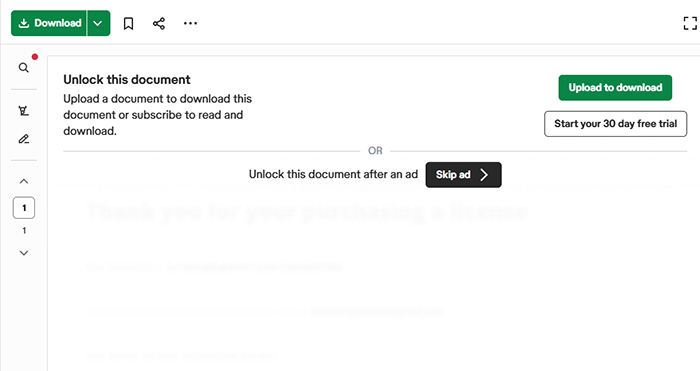
Note: Most links offering a free Video DownloadHelper license key do not provide a real working code. They may redirect you to suspicious downloads or pages attempting to collect personal information instead of granting access to the full features.
How to Recover a Lost Video DownloadHelper License
It’s fairly common for users to misplace their video DownloadHelper license key, especially if the purchase email is buried in an old inbox or was filtered as spam. The good news is that the license can usually be recovered without buying a new one.
If you still have access to the email address used during purchase, the easiest solution is to request a license reminder through the official recovery page. The system will automatically send your license details to the same address associated with the order.
You can request the license recovery here: https://www.downloadhelper.net/recover-license . After submitting the email address used for the purchase, the system will resend your license information if it exists in their records.
- Enter the same email address used when purchasing the license.
- Check both your inbox and spam folder for the recovery message.
- If you recently bought the video DownloadHelper license for Firefox/Chrome but cannot access the original email, support may still help.
- Licenses purchased within the past year can usually be verified by contacting support.
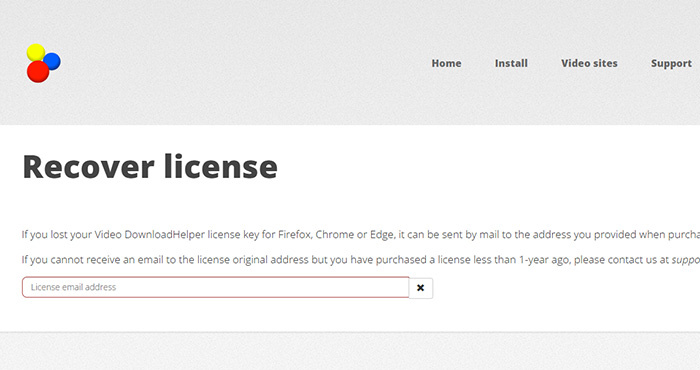
Note: If you cannot receive messages at the original purchase email and the license was bought less than one year ago, you can contact the official support team at support [at] downloadhelper [dot] net for assistance.
Why Video DownloadHelper License Keys Often Fail
Many users run into problems after entering a video DownloadHelper license key, only to see the extension continue showing warnings or limited features. This usually happens because the key source or version doesn’t match the official activation system.
- Keys shared on forums, Reddit threads, or download sites are often reused by hundreds of people. Once detected, those keys quickly get blocked.
- Some codes circulating online were generated for older releases, which means they no longer work with the current extension builds.
- Third‑party downloads claiming to include a ready-to-use video downloadhelper activation key may bundle modified installers that break updates.
- Users sometimes copy keys from screenshots or comment sections, but many of those are either expired trials or simply made-up codes.
- Cracked installers advertised alongside license keys can also carry hidden malware or browser hijackers.
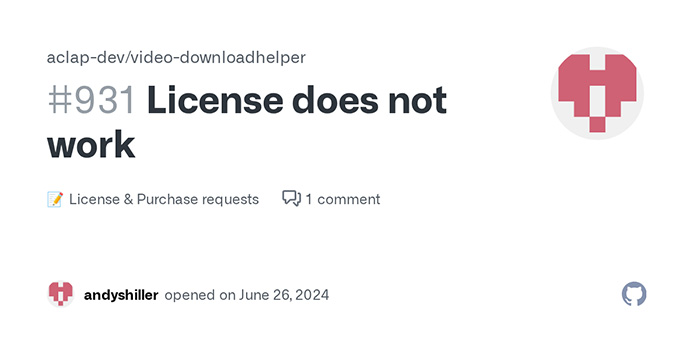
No Working Video DownloadHelper License Key? Get Alternatives
Many people search for a video DownloadHelper license key hoping to unlock the converter without paying. In reality, working public keys are extremely rare. Most pages claiming to provide them either recycle expired codes, generate random serials, or redirect visitors to unrelated downloads.
Even if a key appears in a forum post or comment thread, it usually stops working quickly. Once a code spreads across dozens or hundreds of users, it often gets flagged and blocked by the activation system, leaving new users stuck with the same watermark or activation warning.
- Most "free license key" pages simply copy lists of fake or already‑revoked activation codes.
- Some sites bundle modified installers or browser extensions claiming to include a working video downloadhelper activation key.
- Many links lead through multiple redirects or file‑sharing pages, which is a common pattern used by malware distributors.
If your goal is simply to download or process online videos without activation issues, a practical alternative is using a dedicated tool like Winxvideo AI. It supports downloading videos from 1000+ sites, no ads/redirects, without the need to hunt for license keys across forums or sketchy download pages.
 Free Download
 Free Download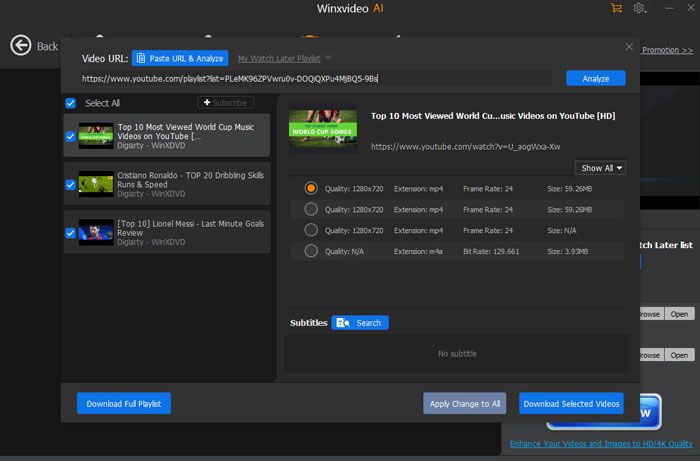
 FAQs about Video DownloadHelper License Key
In most cases, no. Keys posted on forums, paste sites, or download pages are often reused by many people and eventually get blocked. Some are simply random codes that were never issued by the developer. Even if a shared video DownloadHelper license key appears to activate temporarily, updates or verification checks can quickly invalidate it.
The safest source is always the official website or an authorized reseller. Legitimate licenses are typically delivered by email after purchase and come with activation instructions. If a page claims to offer unlimited working keys without any purchase, it is usually not a reliable source.
Community discussions often show the same pattern: publicly shared keys stop working quickly. Once a key spreads across multiple users, it may be flagged or revoked. Many experienced users recommend purchasing a legitimate license instead of relying on a publicly posted video downloadhelper activation key.
Common red flags include long lists of random serial numbers, promises of “100% working lifetime keys,” instructions to download modified installers, or links hosted on unknown file-sharing sites. Some pages also push shortened links or multiple redirects before reaching the download page, which is often a sign the keys are not legitimate.
First make sure the extension is updated and the key was entered correctly. If the license was purchased legitimately, check your purchase email or use the official license recovery page to retrieve it. When necessary, contacting support with your purchase email or order details is usually the fastest way to restore access.


