






 win
win

 Super Resolution
  Video Stabilization
  Frame Interpolation

 Denoise Image
  Restore Old Photo
  Unblur Image
  Recover Face
  Upscale Image
  Colorize Photo
 Video Conversion >
 Video Compression >
 Screen Recording >
 Quick Tip:
Top 10 MyFlixer Alternative Sites for Free Movies & TV
 Mike Rule
Updated on
Summary: Here are top 10 MyFlixer alternatives - myflixer.ps and Not-Movie-Web offer lighter ads and familiar layouts, ProjectFreeTV Sflix, WatchSoMuch.tv, M4uFree, StreamFlix, Fbox.city, and MyFlixtor provide broad catalogs, stable streams.
MyFlixer is currently down with Error 521. Server unreachable, likely backend issue. No updates available, and return time remains completely unknown. It wasn’t always like this — which is why so many users are now looking for a MyFlixer alternative that actually works. The goal isn’t perfection, just something fast, watchable, and not overloaded with redirects and interruptions.
👉 Save any movie from sites like this with free Video DownloadHelper license key
Disclaimer: Users should verify legality, respect copyright laws, and use MyFlixer streaming alternatives responsibly at their own risk; ensure compliance with applicable local regulations.
Overrun by Ads? A Real Look at a MyFlixer Alternative
As MyFlixer continues to frustrate users with aggressive ads and endless redirects, many people just want something usable. A working player, fewer interruptions, and no fake buttons hijacking their browser. Below is a grounded review of MyFlixer alternative sites.
Note: While the following sites like myflixer.ps are hit-or-miss on mobile, downloading movies remains the best way to watch on the go. If you have a long flight or a spotty connection, skipping the stream and grabbing a file from a top-rated torrent site or a desktop downloader like Winxvideo AI ensures your movie won't cut out when the Wi-Fi does.
Don't waste time on broken mirrors, bookmark this 10 123movies alternative sites list.
myflixer.ps
Access: Reachable in many regions, inconsistent elsewhere
User Experience: Lighter ads than main MyFlixer, not ad-free
Device Compatibility: Desktop-friendly, mixed results on mobile
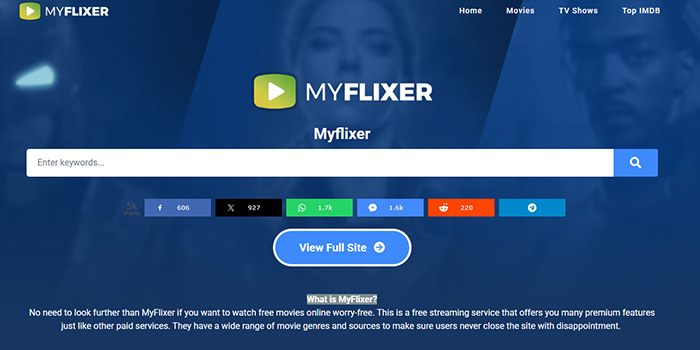
myflixer.ps positions itself as a MyFlixer alternative for users fed up with the constant pop-up chaos on the primary domain. The interface stays familiar — same layout, similar navigation, and a large catalog that mirrors what long-time MyFlixer users expect. For many visitors, the first noticeable difference is restraint: fewer instant redirects and far less tab spam when pressing play.
You may still see overlay ads or a delayed redirect on first interaction, but it’s nowhere near the five-tab explosion users complain about on the original site. For desktop viewers using a basic ad blocker, myflixer.ps can feel surprisingly manageable compared to other MyFlixer alternative websites. Streaming reliability is where this MyFlixer similar website does reasonably well. Episodes tend to load quickly, buffering is minimal on standard connections, and links are less prone to sudden failure mid-play.
🍥 Top Free Anime Sites – Legal & Fan Favorites (2026)
- Noticeably fewer pop-ups than the main MyFlixer domain
- Fast-loading streams with a familiar layout
- No signup, login prompts, or fake account walls
- Still ad-supported, not a clean experience
- Domain stability may change without notice
not-movie-web
Access: Publicly accessible via browser, may be blocked in some regions
User Experience: Clean, minimal interface with no traditional pop-up ads
Device Compatibility: Works well on desktop and mobile browsers
Unlike most sites like MyFlixer, not-movie-web (Vercel) takes a completely different approach. It doesn’t try to mimic the familiar pirate-site layout filled with thumbnails, banners, and fake play buttons. Instead, it feels closer to a lightweight web app, focused on search and playback rather than monetization tricks.
There are no forced redirects, no tab hijacking. For users burned out by MyFlixer’s current state, this MyFlixer alternative site feels almost refreshingly quiet. not-movie-web isn’t a full replacement in the traditional sense. Its catalog depends heavily on third-party sources, and availability can vary by title. Some movies load perfectly, others may fail or rely on external players that disappear without warning. This makes it better suited for casual browsing than for binge-watching entire seasons.
Another important difference from a typical MyFlixer similar website is longevity. Being hosted on Vercel gives it speed and stability, but also means it could vanish overnight if taken down. There’s no brand continuity, mirror network, or fallback domains. Users relying on it should see it as a bonus option, not a long-term anchor.
🍥 Best Free Movie Websites – Tested & Updated
- No pop-up ads or redirect spam
- Fast-loading, distraction-free interface
- Usable on both desktop and mobile without tweaks
- Smaller and less predictable content availability
- Streams rely on external sources that may break
- No mirrors or backups if the domain goes offline
ProjectFreeTV
Access: Reachable in most regions, may require refresh or retries
User Experience: Heavy ad presence, usable with strong ad blocking
Device Compatibility: Best on desktop, limited comfort on mobile
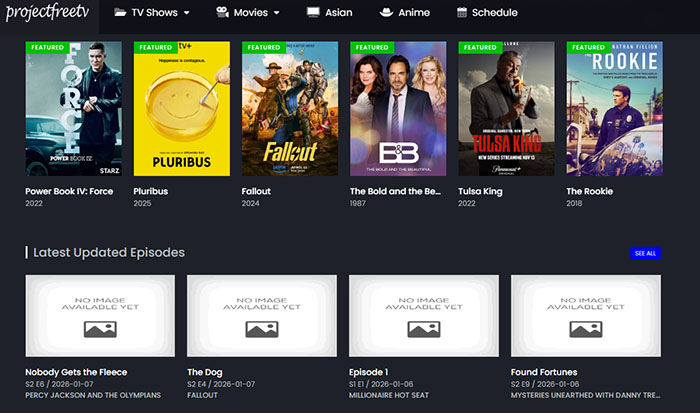
ProjectFreeTV has been around in one form or another for years, and that history shows. As a MyFlixer alternative, it points users to third-party streaming sources rather than hosting everything itself. For people frustrated with MyFlixer’s broken players, this different model can actually be a plus.
Where this site like MyFlixer still earns loyalty is coverage. Older TV series, ongoing shows, and less mainstream titles are often easier to find here than on newer clones focused only on trending releases. Links sometimes break, but replacements are usually added quickly, which keeps long-running shows watchable.
- Strong coverage of TV shows, including older seasons
- Multiple mirror links for many episodes
- Works as a backup when direct-stream sites fail
- Very aggressive ads without blocking tools
- Inconsistent link quality depending on source
- Not well suited for mobile viewing
SFlix
Access: Loads without signup in many regions, but domain may vary
User Experience: Straightforward browsing, ads embedded on page
Device Compatibility: Works well on desktop and mobile browsers
SFlix, found at bigflixmovies.com, has emerged as a notable MyFlixer alternative by keeping things simple. The site’s clean layout and intuitive search tools make discovering movies and TV shows feel normal — a stark contrast to the ad-heavy chaos many people associate with free streaming clones.
The content library here is fairly broad, covering action, comedy, horror, and more, with a mix of recent titles and older favorites. Unlike some MyFlixer alternative sites that recycle the same handful of links, SFlix organizes results clearly and often offers multiple sources per title. Load times are generally quick, and embedded video players launch fairly consistently when links are active.
Ads are present — that’s unavoidable for a free service — but they’re usually integrated into the page layout rather than firing off constant redirects or pop-up tabs. For users fed up with the bombardment of “click here” traps on other streaming domains, this restraint makes SFlix feel much more usable out of the box. However, ad filtering is still recommended to smooth out occasional banner interruptions.
- No login or subscription required to watch
- Broad content selection with multiple link options
- Embedded ads more restrained than many competitors
- Still ad-supported, banners may interrupt
- Domain may shift or get blocked over time
- Legality and safety vary by region and source
WatchSoMuch
Access: Loads without registration in most regions, occasional blocking by ISP filters
User Experience: Cleaner than many free streamers, but still ad-supported
Device Compatibility: Works on desktop and mobile, best with ad blocker
WatchSoMuch offers a less chaotic experience compared with the usual ad-heavy free streaming sites. The first thing regular MyFlixer users will notice is that there aren’t dozens of pop-up tabs trying to hijack your session before you even start a video. Instead, ads are more contained on the page itself, annoying at times, but not destructive to usability.
The content library here is diverse, with movies and TV shows across genres and eras. It doesn’t always have every mainstream title, but the selection is broad enough that you won’t immediately hit “no results” for most popular searches. Episodes and films generally load quickly, and playback is smoother than many sites like MyFlixer, as long as you pair the site with an ad blocker.
One unique aspect of this site is the optional subscription. Free access remains the core offering, but a paid tier removes throttles and timers entirely. The VIP plan starts at $4.34/month, with support for 4K UHD streaming and direct download options.
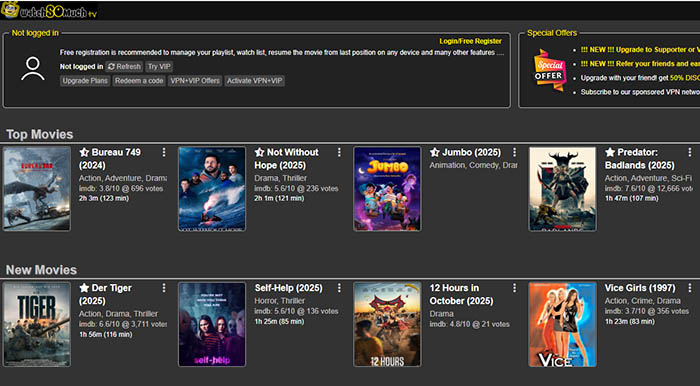
- Cleaner experience than many free streaming sites
- Good cross-device compatibility
- Optional subscription removes timers and ads
- Still ad-supported without blocker
- Timers between plays for free users
- Content availability varies
MyFlixtor
Access: Reachable via some mirrors (myflixtor.tv, myflixtor.to, myflixtor.si), availability varies by region
User Experience: Clean layout, moderate ads, occasional redirects depending on mirror
Device Compatibility: Works on desktop and mobile browsers, Smart TV via browser only
MyFlixtor has long circulated as a MyFlixer alternative for users who want a wide catalog without dealing with constant sign-ups or aggressive UI tricks. The myflixtor-tv.lol mirror follows the same familiar formula seen across other MyFlixtor domains, offering a large selection of movies and TV series in a layout that feels closer to mainstream streaming platforms than to cluttered link farms.
Titles are neatly organized by genre, release year, and popularity, making browsing feel intentional rather than chaotic. Search is responsive, pages load quickly, and most content is playable without jumping through misleading play buttons. Ads exist, but they’re generally less disruptive than on many MyFlixer alternative websites, especially when compared to pop-up–heavy competitors.
Streaming quality is one of MyFlixtor’s stronger points. Many titles are available in HD, and playback is typically stable once a working source is selected. Buffering is minimal on a decent connection, though link reliability can vary by episode or movie. Like any MyFlixer alternative site, broken links do appear from time to time, but replacements are often added faster than on smaller mirrors.
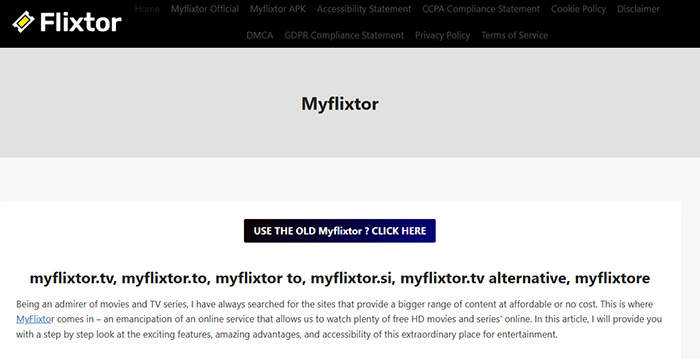
- Large library covering movies and TV series
- Cleaner interface than many free streaming sites
- HD playback available for many titles
- Mirror domains change frequently
- Occasional broken or missing streams
- Ad presence depends on the active domain
M4uFree
Access: Publicly accessible without login; mirror domains may vary over time
User Experience: Traditional free streaming layout with ads; manageable with blockers
Device Compatibility: Works on most desktops and mobile browsers
M4uFree is one of the long‑running names people mention when seeking a MyFlixer alternative. Rather than trying to reinvent the wheel, it stays true to the classic free‑streaming site formula: a searchable library of movies and TV shows that anyone can open and start watching in a few clicks. For users tired of MyFlixer’s endless pop‑ups and false play buttons, M4uFree’s straightforward layout feels familiar yet slightly more predictable.
The catalog here is broad, covering everything from recent releases to older series and cult favorites. Unlike some sites that only highlight trending titles, M4uFree lets you dig into genre categories and sort options without being constantly interrupted by layers of redirects. That’s not to say ads don’t exist — they do — but with a good ad blocker, you can often avoid the worst of the intrusive behavior seen on many MyFlixer alternative sites. Streaming quality varies by source link, which is true for most sites like MyFlixer. Some titles play in HD with minimal buffering, while others fall back to lower resolution or take longer to load if the original host is slow.
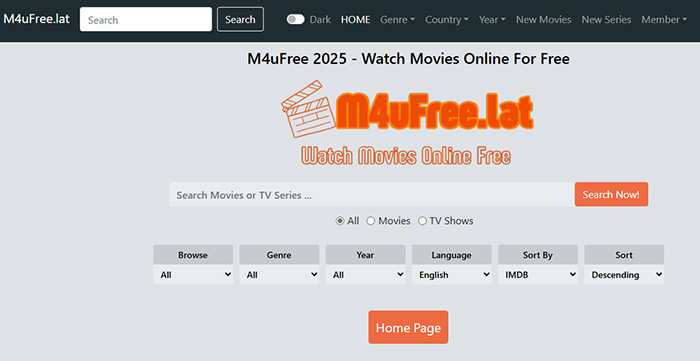
- Wide selection of movies and TV shows
- Multiple mirror links for most titles
- Less aggressive redirects than many free sites
- Ad presence still significant without blockers
- Variable stream quality depending on source
- Layout feels dated compared to modern platforms
popcornflix
Access: Available globally with no signup; official platform with stable domain
User Experience: Clean UI with integrated ads, much smoother than typical free clones
Device Compatibility: Works across desktop, mobile browsers, and many TVs/apps
PopcornFlix is a legitimate streaming platform that often comes up as a MyFlixer alternative site for viewers seeking free movies and TV shows without the chaos of piracy‑style players. Unlike most sites like MyFlixer that rely on sketchy mirrors and unpredictable redirects, PopcornFlix operates openly with a stable URL and a structured catalog. That alone makes it a refreshing option for anyone tired of dodging pop‑ups and false play buttons.
The content library leans heavily toward full‑length films, though recent blockbuster releases are typically absent due to licensing. Series are less prominent here compared to standalone movies, so if your priority is long seasons of current shows, this MyFlixer alternative won’t be a perfect match. However, for classic favorites and genre staples, the selection is respectable and easy to browse.
Navigation on PopcornFlix feels familiar to users of mainstream services: filters, categories, and a search bar make discovery intuitive without bombarding you with misleading thumbnails. Ads are present, but they’re integrated into the video player and page in a way that doesn’t hijack your session or open unwanted tabs.
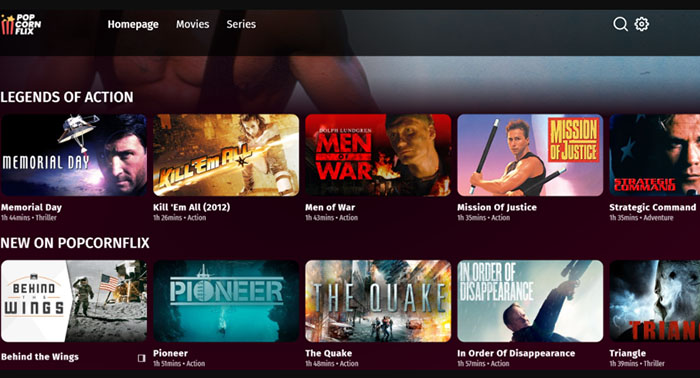
- No account or signup required
- Official platform with reliable uptime
- Integrated ads without redirects or pop‑ups
- Works on TVs and apps as well as browsers
- Fewer current TV series compared to piracy sites
- Recent blockbuster movies are usually not available
- Ad breaks still present during playback
StreamFlix
Access: Loads in most regions without registration; some ISP blocks possible
User Experience: Clean browsing layout with embedded ads and minimal redirects
Device Compatibility: Works across desktop and mobile browsers
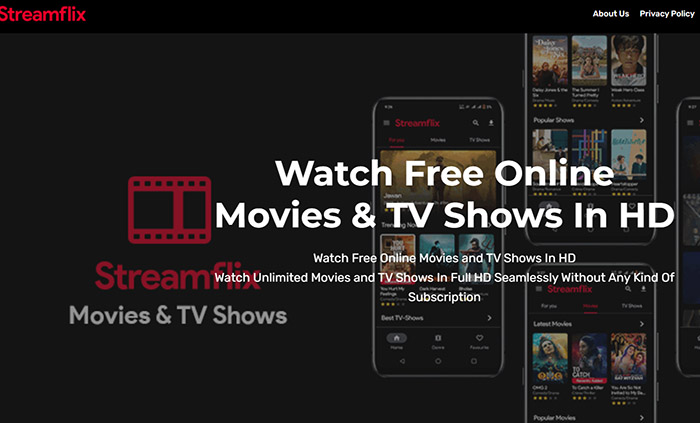
If you’ve used sites like MyFlixer, StreamFlix feels like a similar idea packed into an Android app. It’s free, requires no signup, and pulls movies and TV shows from multiple sources. The library is broad and the interface is surprisingly smooth compared to older apps like TeaTV. There’s even an offline download option, which most browser-based alternatives don’t offer.
Streaming quality can vary a lot depending on the source, and some shows may have missing episodes. Subtitles don’t always load properly either. Like most aggregator apps, it also comes with potential security and stability concerns. Overall, it works as a quick, no-commitment option—but not something you’d rely on consistently.
- No registration or subscription required
- Cleaner browsing than many free streamers
- Better mobile layout than some competitors
- Limited access to the newest releases
- Still contains embedded ads
- Link quality varies by title
fbox
Access: Loads in many regions with no signup, but domain stability is inconsistent
User Experience: Simple movie browsing, heavy ads and possible redirects
Device Compatibility: Works on desktop and mobile browsers with mixed results
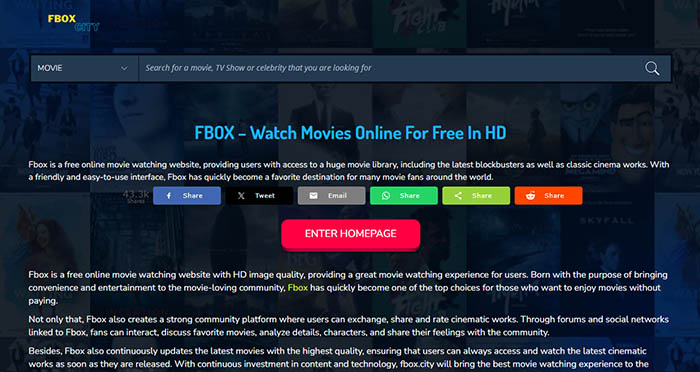
Fbox is a free streaming domain that often appears on lists as a MyFlixer alternative site for casual viewers who want quick access to movies and shows without creating an account. The core appeal is obvious: you can open the page and start exploring titles right away, with a large catalog spanning genres from action and comedy to more niche picks. Content is typically available in HD, and many users appreciate that no subscription is required to begin watching.
However, this convenience comes with trade-offs. Unlike more polished platforms, fbox lacks the structured navigation and reliability of licensed services. This is a recurring concern among people browsing free sites
- No registration or subscription required
- Large catalog with HD titles
- Accessible on multiple devices via browser
- Heavy ads and potential redirects
- Domain instability and occasional access issues
- Reputation and safety concerns flagged by analysis tools
 FAQ about MyFlixer Alternatives
Reliable links often come from community-curated platforms like Reddit threads or Yarrlist. Cross-check multiple mirrors for the same title to avoid dead links. Alternatives like myflixer.ps, ProjectFreeTV, or WatchSoMuch.tv offer more stable streams and fewer pop-ups compared to the original MyFlixer.
Sites like StreamFlix, Sflix, and PopcornFlix tend to work well on mobile browsers. They reduce redirects, organize content clearly, and limit intrusive ads. Pairing with a mobile ad blocker or VPN improves reliability. Some platforms may still have occasional playback issues, so having multiple alternatives is recommended.
Platforms like ProjectFreeTV, MyFlixtor, and Not-Movie-Web offer trending sections, year filters, and genre categories. Community hubs list multiple mirrors for the latest movies and shows. This helps you quickly access new releases without wasting time on outdated or dead links.
Check for multiple source links on each title. Alternatives like myflixer.ps, Fbox.city, or WatchSoMuch.tv provide several streams per movie. User comments often indicate stability. Avoid clicking the first link blindly, as it may be overloaded. Regularly updated sites reduce chances of 404 errors or buffering issues.
Most MyFlixer alternatives, like StreamFlix, WatchSoMuch.tv, and Sflix, offer HD streams, though 4K is uncommon. Some new releases may be limited to 1080p. For the best experience, select HD-labeled sources, try multiple mirrors, and use a fast internet connection to minimize buffering.


