






 win
win

 Super Resolution
  Video Stabilization
  Frame Interpolation

 Denoise Image
  Restore Old Photo
  Unblur Image
  Recover Face
  Upscale Image
  Colorize Photo
 Video Conversion >
 Video Compression >
 Screen Recording >

Is Video DownloadHelper Safe? Real Risks, User Reviews
 Kaley Torres
Updated on
For most users, Video DownloadHelper is considered relatively trustworthy when downloaded from the official Chrome or Firefox extension stores, where it has built a large user base over many years. Still, people searching "is Video DownloadHelper safe" usually have valid concerns. The biggest questions tend to involve the Companion App, broad browser permissions, privacy practices, antivirus warnings, and fake copies hosted on shady download sites.
The Video DownloadHelper extension itself does not have a major reputation for malware, but that does not automatically make every installation risk-free.
Part 1. Is Video DownloadHelper Actually Safe?
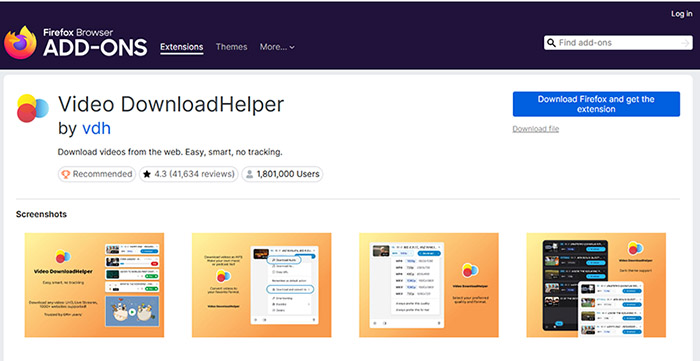
For most people, Video DownloadHelper is generally considered safe when installed from the official Chrome Web Store or Firefox Add-ons page. The extension has been available for many years, maintains a large active user base, and is widely recognized among browser-based video download tools. Mozilla has also listed it as a recommended Firefox extension in the past, which gives it more credibility than random downloader add-ons that appear briefly and disappear after complaints or policy violations.
>> Stop Wasting Time on Fake Video DownloadHelper License Keys
That said, users searching for "is Video DownloadHelper safe" are usually worried about more than basic malware infections. The biggest concern is the Companion App, a separate desktop utility required for certain downloads and media conversions. Because it runs outside the browser, some people become cautious when antivirus software flags it or when Windows displays installation warnings. In many cases these alerts are heuristic detections rather than proof of malicious behavior, but they still create understandable hesitation.
Another reason some users remain skeptical is the level of browser access involved. Video download extensions naturally require broader permissions than ordinary add-ons because they need to detect media streams, read webpage data, and communicate with video players. Browser extensions, by design, operate with elevated access inside the browser environment, which means users should always review permissions carefully before installation instead of blindly approving every request.
Why many users still trust Video DownloadHelper: it has existed for years without major malware scandals, receives frequent updates, and continues to maintain visibility on official browser marketplaces. Most negative experiences reported online are tied to fake clones, unofficial downloads, or confusion surrounding the Companion App rather than confirmed spyware activity from the official extension itself.
One risk that deserves more attention is imitation software. Fake "Video DownloadHelper" installers distributed through third-party download portals sometimes bundle adware, suspicious browser hijackers, or modified executables. These copies can look convincing enough to fool inexperienced users. For that reason, downloading directly from the official browser stores is far safer than using repackaged CRX files or unofficial installer websites promising unlocked features.
Part 2. Is the Video DownloadHelper Companion App Safe?
The Companion App is the part of Video DownloadHelper that creates the most hesitation among cautious users. Across Reddit threads, browser forums, and antivirus discussions, many people specifically search for phrases like "Video DownloadHelper companion app virus" because the installation process feels very different from adding a normal browser extension. Unlike lightweight add-ons that run entirely inside Chrome or Firefox, this utility installs directly onto the operating system and communicates with the browser externally.
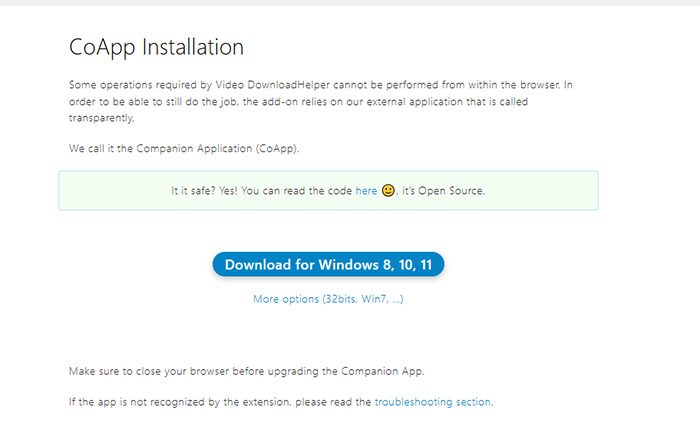
Why the Companion App (CoApp) Exists
The desktop application mainly exists because modern browsers impose strict technical limitations on extensions. Certain advanced media tasks cannot be fully handled inside the browser sandbox alone. Video DownloadHelper uses the Companion App to bypass those restrictions and unlock features that require local processing power.
- Combining separate audio and video streams
- Handling FFmpeg-based media processing
- Converting downloaded files into different formats
- Supporting adaptive streaming formats like HLS or DASH
- Managing larger downloads more reliably
Without the Companion App, many streaming downloads would either fail completely or save without audio. This setup is not unique to Video DownloadHelper either. Several advanced downloader tools rely on external utilities for the same reason, especially when browsers block direct access to media processing functions.
 Why Some Antivirus Programs Raise Warnings
Mozilla support threads and security forums contain repeated questions from users who noticed antivirus alerts during installation. In most cases, these warnings are tied to behavioral detection systems rather than confirmed malware signatures.
- False positives: download utilities are commonly flagged because malware authors often abuse similar behaviors.
- Heuristic detection: security software may react to file conversion, browser communication, or executable activity.
- Unsigned or unfamiliar behavior: lesser-known helper tools sometimes trigger stricter antivirus rules.
- FFmpeg integration: media-processing components occasionally appear suspicious to aggressive scanners.
That does not mean every warning should be ignored automatically. Some users make the mistake of downloading the Companion App from random software directories, unofficial mirrors, or bundled installer sites that repackage legitimate software with adware. This is where the real danger usually begins. Modified installers distributed outside official channels can include hidden browser hijackers, tracking software, or unwanted background processes.
Practical advice: if you choose to install the Companion App, only download it through the official Video DownloadHelper page or trusted browser store links. Avoid cracked installers, ZIP archives shared on forums, and "pre-activated" versions uploaded to freeware sites. The official application itself does not have a widespread reputation for spyware, but third-party copies are a very different story.
Part 3. Risks You Should Actually Watch Out For
One major problem with many online discussions is that they oversimplify the issue. When users report malware infections after installing a video downloader, the extension itself is not always the real source of the problem. In practice, a large percentage of security incidents connected to Video DownloadHelper come from fake installers, deceptive streaming sites, or modified downloads hosted outside official channels. Understanding that distinction matters because the surrounding ecosystem is often riskier than the extension alone.
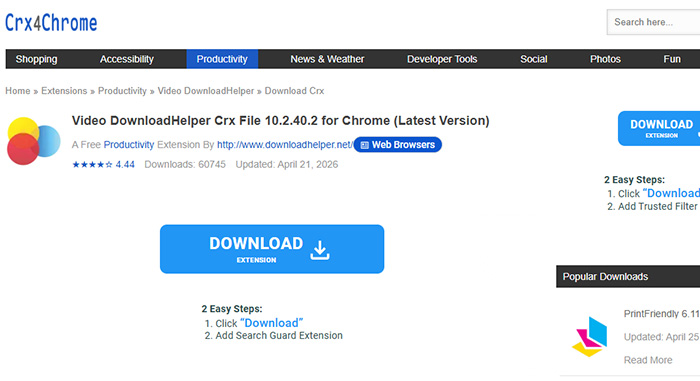
Fake DownloadHelper Extensions
Cybercriminals frequently copy the branding of popular browser extensions because users already trust the name. Fake "Video DownloadHelper" add-ons sometimes appear on unofficial extension marketplaces, GitHub repositories, freeware portals, or shady browser download pages. Some clones imitate the original interface surprisingly well while secretly injecting ads, redirecting searches, or collecting browsing activity in the background.
- Modified CRX extension files
- Fake browser stores
- Bundled installers with hidden software
- "Premium unlocked" versions uploaded to forums
These unofficial copies are significantly more dangerous than the authentic extension distributed through verified browser stores.
Important: many users searching "is Video DownloadHelper safe" are unknowingly installing repackaged versions rather than the genuine extension itself.
Fake "Codec" Installers
Another common threat appears on streaming websites that display fake playback errors. Instead of playing a video normally, the page claims a "special codec" or "HD player update" is required before downloading can continue. These prompts are classic malware distribution tactics.
In reality, Video DownloadHelper does not require random codec packs from third-party websites. Most legitimate functionality comes either from the browser extension itself or the official Companion App. Installing unknown codecs from popup messages is one of the fastest ways to infect a system with adware, browser hijackers, crypto miners, or spyware.
Malware Download Sites
Some software aggregation sites aggressively repackage free applications with additional installers, browser toolbars, or silent advertising modules. Users searching for terms like "Video DownloadHelper crack" or "free premium downloader" are especially vulnerable because pirated software pages often prioritize traffic over security.
- Fake download buttons
- Redirect loops
- Silent bundled software
- Installer wrappers with hidden offers
- Suspicious EXE files disguised as updates
Even experienced users occasionally fall for these tricks because the download pages are intentionally designed to imitate legitimate software portals.
Pirated Streaming Websites
Ironically, the biggest security risk often comes from the websites people are trying to download from. Pirated streaming platforms are notorious for aggressive advertising scripts, malicious redirects, fake CAPTCHA systems, and scam notifications disguised as browser alerts. Some pages attempt to trick visitors into granting notification permissions that later spam the desktop with fraudulent virus warnings or fake antivirus ads.
The key takeaway: most real-world infections associated with video download tools come from unsafe websites, cracked software pages, and fake installers rather than the official Video DownloadHelper extension itself. Staying inside trusted browser stores and avoiding suspicious streaming portals reduces the vast majority of practical security risks.
 FAQs about Video DownloadHelper Safety & Privacy
In most cases, yes. The official version available through the Chrome Web Store and Firefox Add-ons is generally considered safe and does not have a widespread reputation for malware. Most security concerns come from fake copies, modified installers, or suspicious third-party download sites rather than the legitimate extension itself.
Modern browsers restrict what extensions can do internally. The Companion App handles advanced functions such as merging audio and video streams, media conversion, FFmpeg processing, and downloading certain streaming formats that cannot be managed entirely inside the browser.
Video processing utilities and downloader tools sometimes trigger heuristic detections because they interact with browsers, process media files, and communicate with external streams. These warnings are often false positives rather than confirmed malware detections. However, users should still verify they downloaded the software from official sources before ignoring any alert.
There is no major evidence showing that the official extension steals passwords or banking data. However, browser extensions naturally require elevated permissions to detect media streams and interact with webpages. Users should always review requested permissions carefully and avoid installing unofficial clones that may abuse browser access.
Yes. Fake extensions and modified installers are one of the biggest real-world risks connected to video download software. Some unofficial copies contain adware, browser hijackers, tracking scripts, or bundled malware. Installing only from verified browser stores is the safest approach.
The extension itself is legal software. However, downloading copyrighted videos without permission may violate platform policies or local copyright laws depending on your country and how the content is used. Legality often depends on the source material and local regulations rather than the downloader alone.
Download the extension only from the official browser stores, avoid cracked versions, keep your browser updated, and stay away from suspicious streaming websites that push fake codec downloads or misleading installer popups. Most security problems come from unsafe websites and unofficial software sources rather than the official extension itself.


