 win
win

 Super Resolution
  Video Stabilization
  Frame Interpolation

 Denoise Image
  Restore Old Photo
  Unblur Image
  Recover Face
  Upscale Image
  Colorize Photo
 Video Conversion >
 Video Compression >
 Screen Recording >


Top 5 Best Freemake Video Converter Alternatives
Freemake Video Converter has long been used for converting videos between common formats, but it may not meet every user's needs. Depending on your workflow, you may want broader format support, faster hardware-accelerated conversion, more editing options, DVD support, or fewer restrictions in the free version.
Fortunately, there are several Freemake alternatives covering different use cases, from everyday video conversion and DVD processing to open-source tools and AI-powered video enhancement.
Quick Answer for the Best Freemake Alternatives
Looking for a Freemake Video Converter alternative? The right choice depends on what you use Freemake for.
- For general video conversion, look for broad format support, reliable output quality, and hardware acceleration.
- If you work with DVDs, prioritize DVD compatibility and reliable handling of different disc structures, titles, audio tracks, and subtitles.
- For open-source conversion, Handbrake is a popular option for users who prefer a free, open-source workflow.
- If you are looking for an all-in-one converter with AI features, Winxvideo AI is a solid choice as it combines video conversion with AI-powered enhancement and processing tools.
The alternatives below are compared by supported formats, conversion performance, editing features, DVD support, AI capabilities, platform compatibility, and free-version limitations, making it easier to match a tool to your actual workflow.
Why You Need a Freemake Video Converter Alternative
Freemake Video Converter remains a Windows-focused converter with support for a wide range of formats. Its current listed version is 6.0.1, released on October 17, 2025, and the latest version history notes support for AV1, VP9, and Opus codecs. Freemake also supports video, audio, photo, URL, and DVD input, with output options including MP4, AVI, MKV, WMV, and device presets.
That makes Freemake useful for straightforward format conversion. However, some users may run into limitations when their workflow goes beyond basic Windows video conversion.
1. There is no native Mac version.
Freemake Video Converter is designed for Windows, so Mac users need a different solution for video conversion. If you regularly work across Windows and macOS, a cross-platform alternative may provide a more consistent workflow.
2. Free version adds watermark to converted file.
Freemake's official website confirms that the free version adds a Freemake logo to converted videos, and in our tests, we found the watermark, which makes the converted file totally unwatchable. While its Remove Branding package is required for watermark-free output.
This can be inconvenient when you need clean output for personal projects, presentations, or videos intended for sharing. Specific pricing and package options can change, so check Freemake's current offer before purchasing. Click to see how to remove watermark from Freemake or download other video converters without watermark.
3. Conversion speed is relatively slow.
User feedback has repeatedly mentioned slow conversion, particularly with larger files. For example, a VideoHelp forum user reported that a VOB conversion became significantly slower after reaching 50%, while Software Advice reviews also mention slow conversion and occasional stalls. If you have a large number of videos, especially the large ones, it’s better to resort to Freemake alternative to save the conversion time.
4. File compatibility and conversion errors.
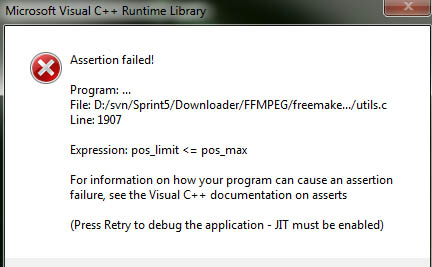
Freemake users have reported problems such as files failing to open, conversions getting stuck, and occasional crashes. These issues can depend on the source file, codec, system, or software version rather than affecting every user. Its own documentation, for example, notes that large MKV files may be better processed individually rather than added in large batches. Check the fixes to Freemake not working issues.
Top 5 Alternatives to Freemake Video Converter
Multi-purpose Freemake is good, but not so much professional in every aspect, which can be understandable. And if your Freemake Video Converter is most likely to be used for video downloading, converting and editing, here are the handpicked list of the best Freemake alternatives.
1. Winxvideo AI.
Best For: Users seeking ultra-fast GPU conversion with AI quality enhancement.
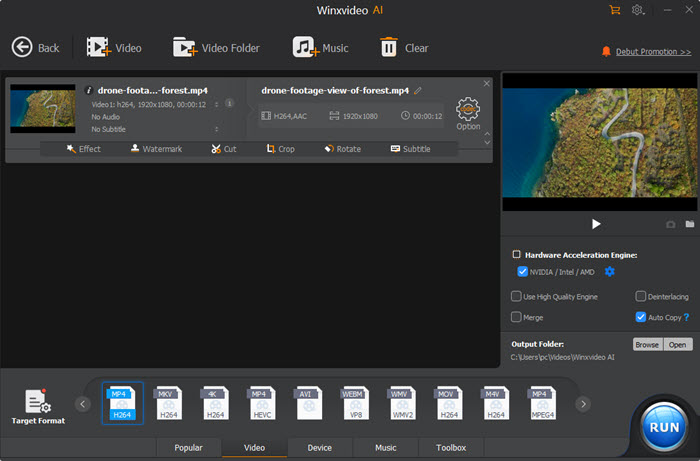
Topping our list of Freemake alternatives is Winxvideo AI. Developed as an all-in-one GPU-accelerated video converter and AI media processing suite, it directly solves Freemake’s biggest limitations—slow software encoding and resolution caps.
Powered by Level-3 Hardware Acceleration (NVIDIA NVENC, Intel QSV, AMD AMF), Winxvideo AI processes high-resolution 4K/8K videos at up to 47x real-time speed (over 4x faster than Freemake Video Converter) while keeping CPU usage under 15%. Packed with 370+ video/audio codecs and 420+ target profiles, it seamlessly transcodes heavy HEVC, H.264, AV1, MKV, MOV, and MP4 files for iPhone, iPad, Android, 4K TVs, and web platforms.
In my real-world testing on an AMD Ryzen 5 5600X 6-Core Processor with an AMD Radeon RX 6700 XT GPU, transcoding a 233MB 4K HEVC drone video to 1080p H.264 MP4 took only 20 seconds with Winxvideo AI, reducing the file size by 78% (down to 52 MB) with zero visible quality loss. The same test on Freemake took nearly 79 seconds and added a forced center watermark.
Killer features:
- Ultra-Fast 4K/HD Conversion: Convert 8K/4K/1080p videos across HEVC, H.264, VP9, MP4, MOV, FLV, WMV, and M2TS effortlessly.
- AI Video Enhancing: Upscale low-res video to 4K, boost frame rate up to 480fps, and stabilize shaky GoPro/handheld footage using AI models.
- Efficient 4K Compression: Compress large 4K/HD video file sizes by up to 90% without noticeable visual degradation.
- Media Downloader/Recorder/Editor: Save online media from 1000+ sites for offline archiving. Record screen & make basic edits with ease.
- 100% Clean & Safe: Guaranteed zero adware, malware, toolbars, or sneaky third-party installer bundles.
2. Handbrake
Best For: Tech-savvy users needing granular control over CRF, codecs, and container formats during conversion.
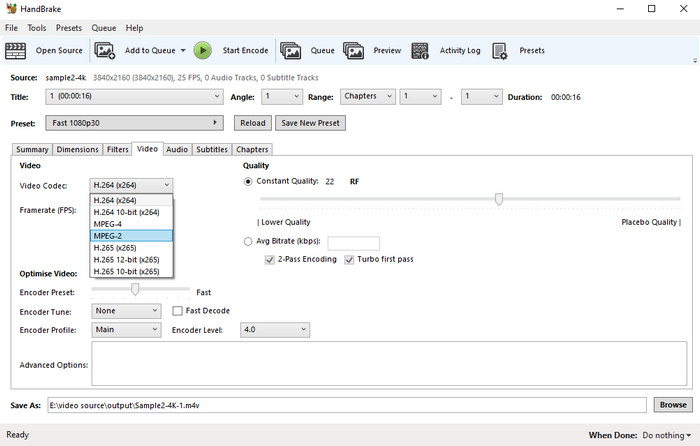
HandBrake remains the most trusted open-source video transcoder in the tech community. If you want a 100% free Freemake alternative with zero watermarks, ads, or paywalls, HandBrake is the industry gold standard as the best video converter.
HandBrake excels at encoding video files into MP4, MKV, and WebM containers using modern codecs like HEVC (H.265), AV1, and H.264. It includes optimized built-in presets for standard devices (Roku, PlayStation, Android, iOS). While its parameter-dense interface can intimidate beginners, advanced users gain full control over Constant Rate Factor (CRF) bitrate tuning, frame rates, audio track selection, dynamic range control, and subtitle embedding.
3. VLC
Best For: Users who want a zero-cost tool already installed on their system.
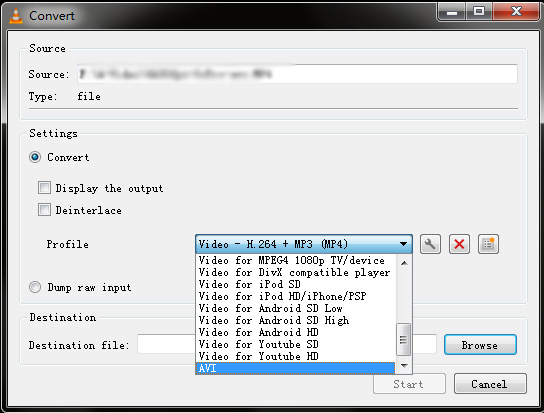
While globally famous as a media player, VLC features a versatile built-in transcoding engine. For users seeking a quick, zero-cost Freemake alternative without downloading dedicated conversion software, VLC is already installed on millions of computers.
VLC supports almost all contemporary video and audio formats (MPEG-2, DivX, H.264, MP3, AAC, MKV) without requiring external codec packs. It runs entirely free of spyware, ads, or user tracking. Beyond basic file format conversion, VLC includes desktop screen recording and network stream saving capabilities.
4. Xmedia Recode
Best For: Direct stream copying without re-encoding quality loss.
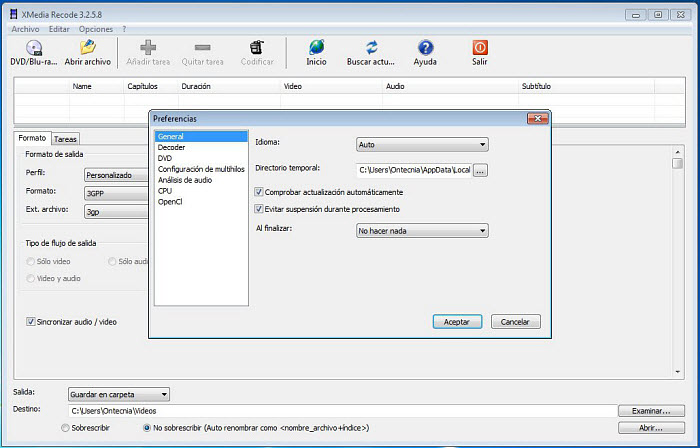
XMedia Recode is a powerful free video conversion and remuxing tool widely recommended across software forums and Reddit communities. It serves as a lightweight, clean alternative to Freemake for users who need exact control over media streams.
A standout capability of XMedia Recode is Lossless Direct Stream Copy (Remuxing). If you only need to change a video container (e.g., MKV to MP4) without re-encoding the underlying video codec, XMedia Recode finishes the task in seconds with 0% quality loss. Additionally, it supports importing up to 32 subtitle tracks into MKV files, creating chapters, and adjusting audio normalize settings without imposing watermarks.
5. Format Factory
Best For: All-in-one media conversion needs (Note: Watch out for installer ads).
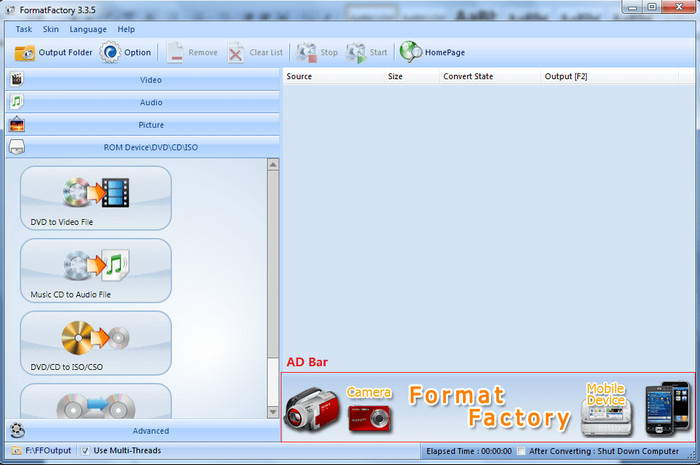
Format Factory is a multifunctional and decent media converter and DVD ripper. The inclusion of potentially unwanted programs in the installer is a bit of a problem, which will keep some users from giving it a try. But Format Factory is still worth that hassle if you want a Freemake alternative.
Superior to Freemake, it supports converting between various video, audio, image and DVD formats, such as MP3, OGG, WMA, MP4, AVI, SWF, JPG, BMP, etc. Designed with ease of use in mind, Format Factory handles video conversion even you are unknown of the obscure bitrate, resolution, format or frame. But experienced users can get full access to the parameters.
Note: Pay close attention during installation, as the Format Factory installer may include optional third-party software offers (PUPs). Select custom installation to opt out.
Side by Side Comparison of the 5 Freemake Alternatives
| Software | Watermark | GPU Acceleration | Pricing Model | Key Advantage over Freemake |
|---|---|---|---|---|
|
Winxvideo AI Editor's Choice |
NO (Watermark only applies to AI tools in trial) | YES | Free Trial / Paid | 4K AI upscaling, frame interpolation & 47x faster GPU rendering |
|
HandBrake |
No | YES | 100% Free (Open-Source) | Advanced encoder control with zero ads or upsells |
|
VLC Media Player |
No | Limited Software Encoding | 100% Free (Open-Source) | Lightweight daily conversion without installing extra codecs |
|
XMedia Recode |
No | Supported (NVENC) | 100% Free | Lossless direct stream copy (remuxing) with no quality loss |
|
Format Factory |
No | Supported | Free (Ad-Supported) | Comprehensive desktop multimedia processing suite |
Closing Words
The above-mentioned programs are feature rich and functional-completed. If you don’t want to be overwhelmed by the number of available options, Winxvideo AI will be the optimal alternative to Freemake. Powered by GPU acceleration, you can handle any large 4K or 1080p video and make the conversion as fast as possible without losing quality.
Frequently Asked Questions About Freemake Alternatives
Q1: Is Freemake Video Converter completely free without watermarks?
No. While Freemake was originally freeware, modern versions add a large Freemake watermark in the center of the output video unless you purchase a Gold Pack subscription.
Q2: What is the best free alternative to Freemake with no watermark?
For 100% free open-source software, HandBrake and VLC are the best options with zero watermarks. For commercial-grade speed and AI restoration, Winxvideo AI offers a clean trial without spyware.
Q3: Why is Freemake Video Converter converting so slowly?
Freemake relies heavily on CPU software decoding and offers limited hardware acceleration support for newer GPU architectures, causing slow processing on 4K or HEVC files.
Q4: Is Freemake Video Converter safe to download in 2026?
Official Freemake installers have historically included third-party offers or potential unwanted programs (PUPs). Users seeking clean software prefer open-source options like HandBrake or clean commercial tools like Winxvideo AI.
Q5: Which Freemake alternative is best for editing and upscaling low-resolution videos?
Winxvideo AI is the top choice because it combines media format conversion with CineAI tools for 4K upscaling, noise reduction, and video stabilization.