






 win
win

 Super Resolution
  Video Stabilization
  Frame Interpolation

 Denoise Image
  Restore Old Photo
  Unblur Image
  Recover Face
  Upscale Image
  Colorize Photo
 Video Conversion >
 Video Compression >
 Screen Recording >




10 Best AI Mosaic Removal Sites in 2026: Can AI Really Remove Mosaics from Images & Videos?
 Mike Rule
Updated on
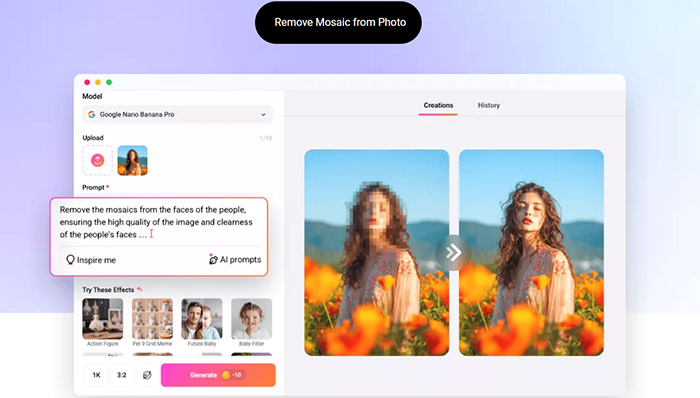
What AI-powered “mosaic removal” and unblurring tools actually do is reconstruct missing details based on visual patterns and context. The AI may predict that a certain area is likely to contain an eye, a face, or a section of a wall, then generate new pixels that look plausible. In other words, this is AI-powered prediction and re-creation rather than a true recovery of the original image data.
This article explains how AI image and video restoration works, along with the legal and security risks that can come with using questionable online tools. More importantly, we introduce 10 mosaic removal websites for legitimate image and video enhancement
The Technical Reality Behind AI Mosaic Removal
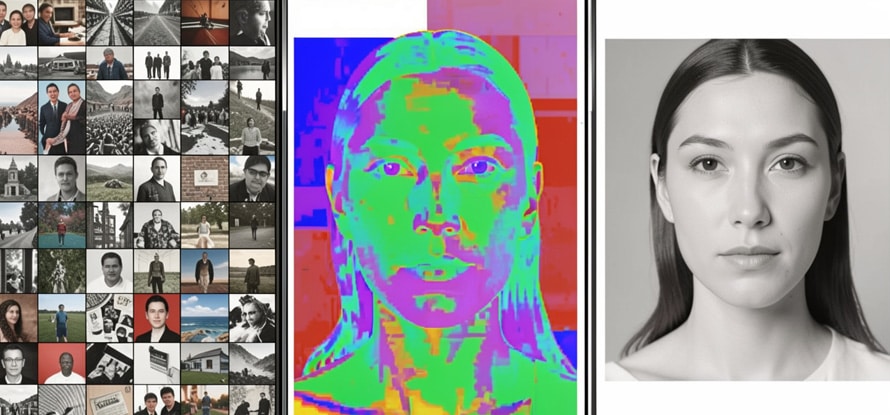
“How to remove mosaic” is a common search, but what actually happens when an AI tool processes a pixelated image? The result may look almost magical, yet the technology behind AI mosaic removal follows a clear process.
Why Is Complete Restoration Impossible?
Mosaic or pixelation is essentially a lossy image-processing technique. Once the original details have been discarded, the missing information cannot simply be recovered.
- ① The image is divided into a grid of blocks.
- ② The colors within each block are averaged or simplified and represented as a single color or pattern.
At this stage, fine details such as individual eyelashes, skin texture, facial features, and small text may no longer exist in the processed image. Without that original data, there is no digital method that can simply “dig out” the exact face or details that were removed.
AI Uses Prediction and Reconstruction
Modern AI image restoration and mosaic removal tools can use deep-learning models, including generative and diffusion-based techniques, to reconstruct obscured areas.
- ① Prediction: The AI analyzes the surrounding pixels and patterns, then estimates what the hidden area might have looked like.
- ② Generation: It generates new pixels and fills in the obscured area to create a more natural-looking image.
The result can look much clearer, but “clearer” does not mean “original.” The reconstructed details are AI-generated estimates, not a recovery of the exact pixels that were removed.
Risks of Free Online Mosaic Removal Sites: Legal and Ethical Concerns
Overseas websites and suspicious apps that promise “completely free” or “uncensored” mosaic removal can come with serious privacy, security, and legal risks.
① Privacy and Legal Risks
Removing mosaics from someone else’s image, especially their face or private areas, without consent may violate privacy or portrait rights and, depending on the circumstances, could also raise copyright issues. When the resulting image is sexually explicit or artificially altered, such as with a deepfake, it may also fall under laws concerning defamation, non-consensual intimate imagery, or other forms of image-based abuse.
② Security and Data Leakage Risks
- ● Image misuse: Some free websites may use uploaded images for AI training without clear consent or retain and redistribute them without the user's knowledge.
- ● Malware and phishing: Sites promoting “powerful mosaic removal software” may disguise malware as a download or redirect visitors to phishing pages.
Bottom line: Avoid uploading personal photos or videos to websites with unclear ownership, privacy policies, or data-handling practices. For legitimate image enhancement, choose a reputable company that provides image upscaling, restoration, or enhancement tools.
10 Safe Online Mosaic Removal and Image Enhancement Tools Tested
Here are 10 online tools and mosaic removal software options selected based on their available image enhancement, restoration, and sharpening features, along with their service and security information. They are intended for legitimate image enhancement and restoration, not for invading someone’s privacy or attempting to uncover hidden private content.
| Tool | Mosaic Removal / Enhancement | Price | Processing Limits | Security |
|---|---|---|---|---|
| IMGKits | Dedicated AI mosaic removal model (AI Smart Mosaic Removal) |
Paid (credits) | Free credits and output limits | ⭐⭐⭐⭐ |
| Pokecut | Dedicated AI mosaic removal feature (AI Mosaic Remover) |
Free / Paid | Free-use and export limits | ⭐⭐⭐⭐ |
| Let's Enhance | Advanced AI image upscaling (Indirect mosaic enhancement) |
Subscription | Credit and resolution limits | ⭐⭐⭐⭐ |
| MyEdit | Image enhancement and upscaling (Indirect mosaic enhancement) |
Free with limitations | Free-use and output limits | ⭐⭐⭐⭐ |
| ImgUpscaler | Focused on noise reduction and image upscaling (Indirect mosaic enhancement) |
Free with limitations | Resolution and free-use limits | ⭐⭐⭐ |
Let's take a closer look at each tool.
1. IMGKits – AI Mosaic Remover
IMGKits uses AI inpainting to remove unwanted objects and improve images, with a dedicated mosaic removal feature for images.
Registration: Required
Rating: ★★★★☆ (4.2/5) — Beginner-friendly interface
Best for: Beginners and users who need light image cleanup or mosaic enhancement
Official site: https://www.imgkits.com/mosaic-remover
Pros:
- ☑ Intuitive interface that is easy for beginners to navigate
- ☑ Multiple AI models are available for different image editing tasks
- ☑ A relatively generous free allowance for occasional use
Cons:
- ☒ High-resolution image processing requires a paid plan
- ☒ Results can be limited when dealing with heavily pixelated or complex mosaics
2. Pokecut – AI Mosaic Remover
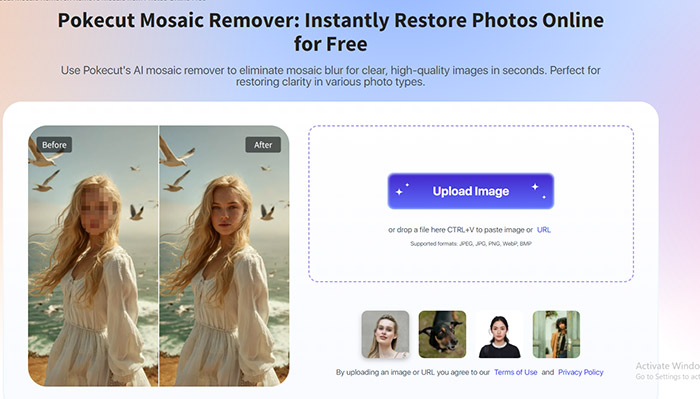
Pokecut offers AI-powered image editing with mobile support. Its background removal and image enhancement features are particularly useful for quick edits.
Registration: Required
Rating: ★★★★☆ (4.3/5) — Video support is a notable advantage
Best for: Video editors and users who need to process multiple images
Official site: https://www.pokecut.com/tools/mosaic-remover
Pros:
- ☑ Supports mosaic enhancement for videos
- ☑ Batch processing makes it possible to edit multiple images at once
- ☑ Cloud storage is available
Cons:
- ☒ Some parts of the Japanese translation may feel unnatural
- ☒ Paid plans can be relatively expensive
3. Let's Enhance – AI Image Upscaler
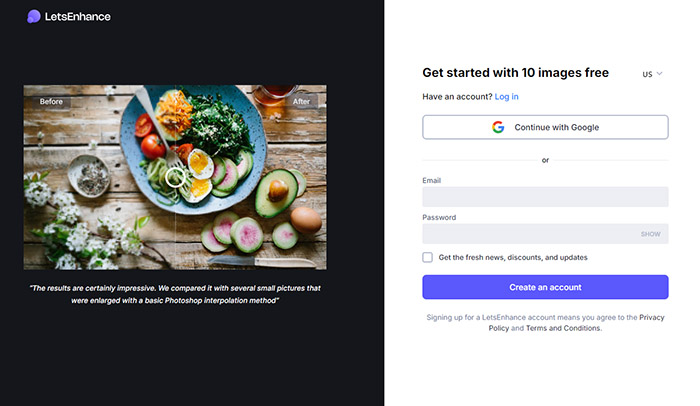
Let's Enhance uses AI upscaling to improve low-resolution images, helping sharpen pixelated or blurred areas and produce cleaner-looking results.
Registration: Not required to explore the service
Rating: ★★★★★ (4.7/5) — A strong option for image quality enhancement
Best for: Photographers, designers, and users who prioritize image quality
Official site: https://letsenhance.io/signup
Pros:
- ☑ Strong AI upscaling and image enhancement features
- ☑ Good detail reconstruction for low-resolution images
- ☑ Useful for professional photo and design work
Cons:
- ☒ Processing can take longer for larger or more complex images
- ☒ Pricing is relatively high for occasional users
4. MyEdit – AI Image Enhancer
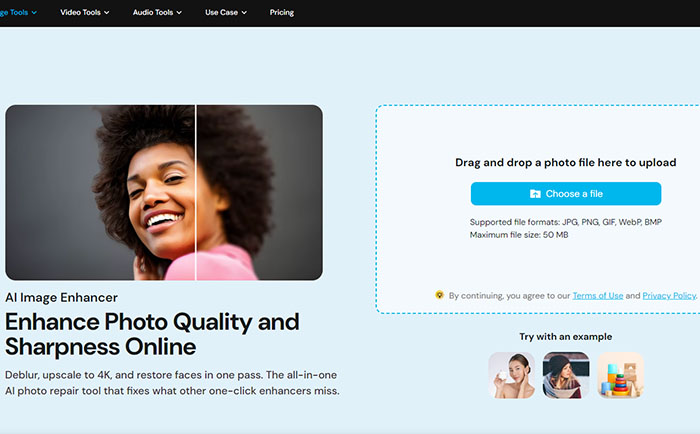
MyEdit is an online image editing platform from CyberLink. It combines AI-powered enhancement with a simple interface, making it easy to improve image quality without advanced editing skills.
Registration: Not required for basic use
Rating: ★★★★☆ (4.4/5) — Simple interface from an established software company
Best for: Users who prefer Japanese-language support and straightforward online image editing
Official site: https://myedit.online/photo-editor/image-enhancer
Pros:
- ☑ Developed by CyberLink with Japanese-language support
- ☑ AI-powered tools for image enhancement and quality improvement
- ☑ Clear privacy and data-handling information
Cons:
- ☒ Less suitable for advanced compositing and complex image editing
- ☒ Free usage is limited
5. ImgUpscaler – AI Image Upscaler
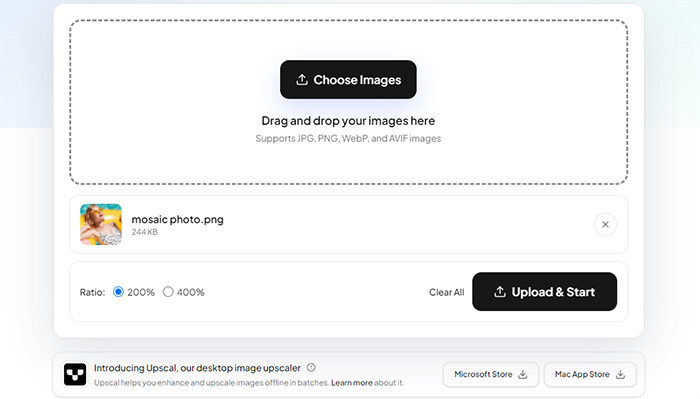
ImgUpscaler focuses on fast, simple AI upscaling and image enhancement. It can be useful for reducing noise and improving the clarity of illustrations, anime images, and other low-resolution content.
Registration: Not required
Rating: ★★★★☆ (4.1/5) — Good value for occasional image enhancement
Best for: Budget-conscious users and those who need moderate image quality improvement
Official site: https://imgupscaler.com/
Pros:
- ☑ Combines AI upscaling with noise reduction and image enhancement
- ☑ Provides a convenient preview before processing
- ☑ Relatively affordable compared with some premium AI image tools
Cons:
- ☒ Results can vary with heavily pixelated or complex mosaic patterns
- ☒ Maximum output resolution is subject to limitations
Which One Should You Choose?
- Want to start with an easy tool → IMGKits (free usage available, beginner-friendly interface)
- Need stronger image quality enhancement → Let's Enhance (focuses on AI upscaling)
- Need to process video as well → Pokecut (supports video editing)
- Prefer Japanese-language support → MyEdit (Japanese support available)
- Need a budget-friendly option → ImgUpscaler (affordable AI upscaling)
5 Online Video Mosaic Removal Tools: Deblurring and Enhancement
Video mosaic removal is considerably more challenging than image enhancement because each frame has to be processed consistently. The following tools use AI-based enhancement to improve clarity and make mosaic-affected areas easier to see.
| Tool | Video Mosaic Removal / Enhancement | Price | Processing Limits | Security |
|---|---|---|---|---|
| AI Mosaic Removal | Primarily for images (Limited video support) |
Paid | Limited video support | ⭐⭐⭐⭐ |
| Fotor | Basic video mosaic enhancement | Partially free | File size and export limits | ⭐⭐⭐⭐ |
| Media.io | AI-powered video mosaic enhancement | Free with limitations | Free-use and file limits | ⭐⭐⭐⭐ |
| Kapwing | Basic video editing and mosaic removal tools | Free / Paid | Free-plan and export limits | ⭐⭐⭐⭐ |
| FlexClip | Basic mosaic and video editing tools | Paid | Resolution and export limits | ⭐⭐⭐⭐ |
Let's take a closer look at each tool.
6. AI Mosaic Removal – Dedicated Mosaic Removal Tool
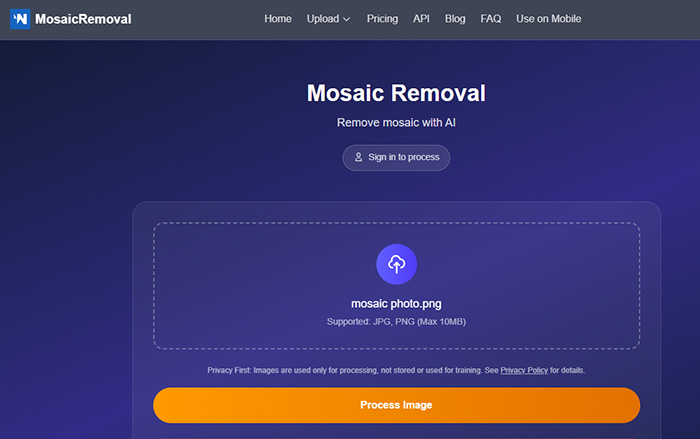
AI Mosaic Removal is a specialized service built around a single task: using AI to reduce or enhance mosaic-covered areas.
Registration: Not required
Rating: ★★★★☆ (3.9/5.0) — Moderate results based on available reviews
Best for: Beginners who want a simple mosaic enhancement tool
Official site: https://mosaicremoval.com/
Pros:
- ☑ Uses a dedicated AI model for mosaic enhancement
- ☑ Simple interface with little setup required
- ☑ Optimized for certain types of mosaic patterns
Cons:
- ☒ Paid plans may be relatively expensive for occasional use
- ☒ Less suitable for complex mosaics or videos with significant motion
- ☒ Privacy and data-handling information may not be as clear as with established platforms
7. Fotor – Online Video Enhancer

Fotor is a general-purpose online image and video editor that also provides tools for improving video clarity and reducing visual artifacts.
Registration: Not required for basic use
Rating: ★★★★☆ (3.8/5.0) — Easy to use for general video editing
Best for: Creators who want video enhancement alongside other editing tools
Official site: https://www.fotor.com/features/video-clearer/
Pros:
- ☑ Video enhancement is included as part of a broader editing platform
- ☑ Good Japanese-language support
- ☑ Subscription plans provide access to additional editing features
Cons:
- ☒ Mosaic enhancement features are relatively basic
- ☒ Processing can be slower with larger video files
- ☒ Higher-resolution processing may require a paid plan
8. Media.io – AI Video Enhancer
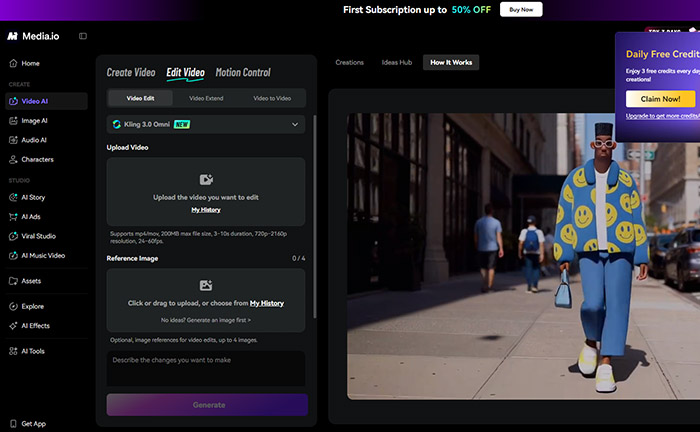
Media.io is an AI-powered video editing platform with tools for improving video quality and reducing unwanted visual effects. Some AI features can also be guided with text prompts.
Registration: Not required for some features
Rating: ★★★★☆ (3.5/5.0) — Convenient for occasional online editing
Best for: Users who frequently need quick video edits and basic AI enhancement
Official site: https://www.media.io/video-effects/uncensor-video.html
Pros:
- ☑ Cloud processing reduces the workload on your local device
- ☑ Batch processing is available for supported tasks
- ☑ Free usage is available with limitations
Cons:
- ☒ The free version may add a watermark
- ☒ AI enhancement results can vary depending on the source video
- ☒ Processing speed can vary depending on server load and connection quality
9. Kapwing – Online Video Enhancer
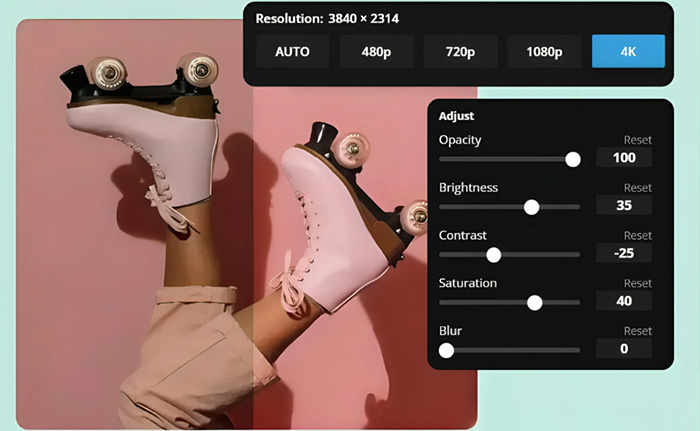
Kapwing focuses on easy online editing rather than specialized mosaic removal, making it useful for creators who want enhancement tools alongside everyday video production features.
Registration: Not required for basic use
Rating: ★★★★☆ (4.0/5.0) — Convenient for collaborative video editing
Best for: Teams and creators working on video projects together
Official site: https://www.kapwing.com/tools/video-enhancer/video-clearer
Pros:
- ☑ Supports collaborative video editing for teams
- ☑ Offers a wide range of editing templates
- ☑ Intuitive interface that is easy to navigate
Cons:
- ☒ Mosaic enhancement is a secondary feature rather than its main focus
- ☒ Higher-quality exports require a paid plan
- ☒ Processing can take longer with larger projects
10. FlexClip – Online Video Editor
FlexClip is geared toward quick, template-based video creation, making it suitable for beginners who want simple editing and basic video enhancement without a steep learning curve.
Registration: Not required for basic use
Rating: ★★★★☆ (3.7/5.0) — Easy to use for beginners
Best for: Beginners who need simple video editing and enhancement
Official site: https://www.flexclip.com/
Pros:
- ☑ Very easy to use
- ☑ Full Japanese-language support
- ☑ Basic editing features are available on the free plan
Cons:
- ☒ Mosaic enhancement features are limited
- ☒ Offers less control for advanced editing tasks
- ☒ AI enhancement may be less effective for demanding restoration work
Which Video Tool Should You Choose?
- Need a specialized mosaic tool → AI Mosaic Removal (designed around specific mosaic patterns)
- Want editing and enhancement in one place → Fotor or Kapwing (useful for editing, captions, and video enhancement)
- Want an affordable online AI editor → Media.io (browser-based AI tools with free usage limits)
Even with current AI technology, a mosaic cannot be perfectly removed to reveal the original hidden pixels. AI enhancement works by estimating and generating plausible details from the visible information. Results depend heavily on the source video, mosaic pattern, resolution, and motion. Use these tools for legitimate image and video enhancement while respecting privacy, consent, and applicable laws.
Checklist Before Using an Online Image or Video Mosaic Removal Tool
Before uploading an image or video to an online mosaic removal or enhancement service, check the following points to reduce privacy, security, and legal risks.
- ✔️ Legal and ethical considerations
Use these tools only with images or videos you own or have permission to edit. Processing stolen, secretly recorded, or unauthorized content may create legal and privacy issues. - ✔️ Privacy and consent
Get consent before editing or uploading photos or videos that contain other people's faces or private information. - ✔️ Understand the technical limitations
AI enhancement generates or estimates details; it does not recover the original pixels hidden by a mosaic. It should not be treated as a reliable method for identifying a person or establishing facts from obscured footage. - ✔️ Check the terms and privacy policy
Pay particular attention to how uploaded images and videos are stored, processed, used, and deleted.
Special Pick: Private Local Processing with Winxvideo AI
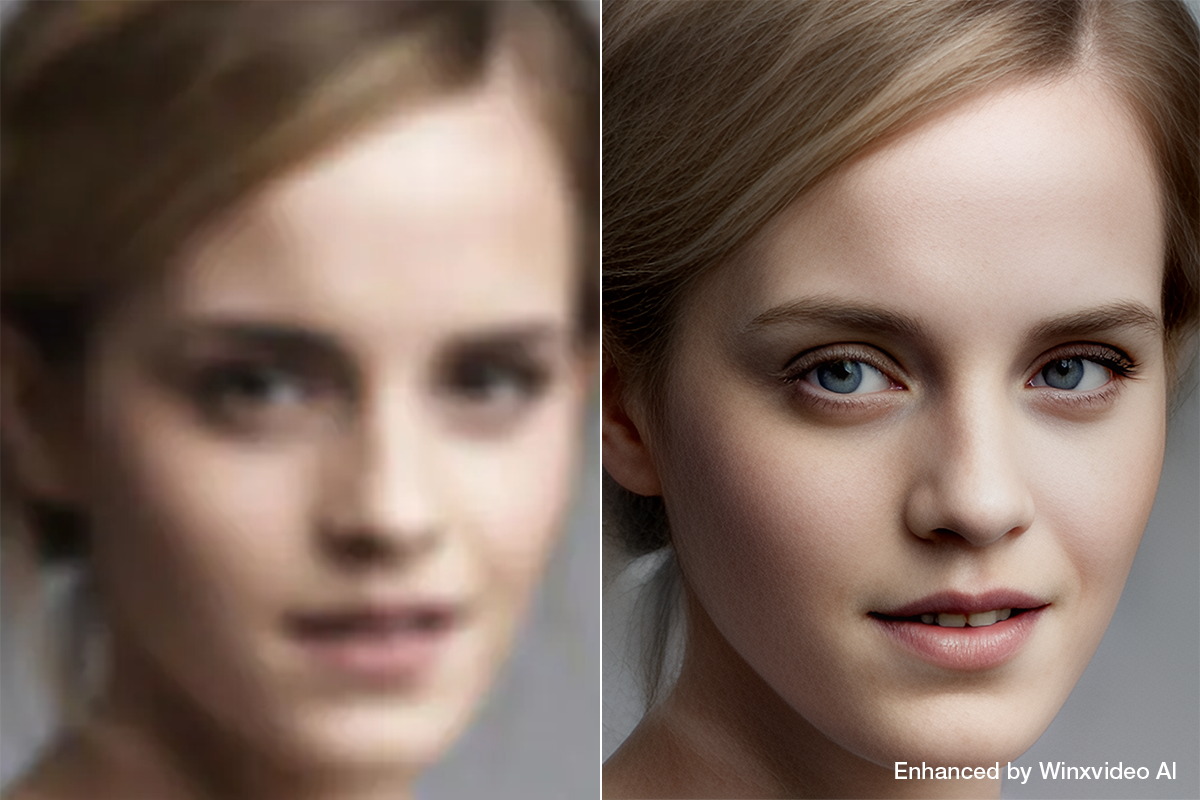
If uploading private photos or videos to an online service is a concern, desktop software that processes files locally can provide a different approach.
- 📌 For privacy-focused users: Why consider Winxvideo AI for local processing
- » Privacy: Unlike browser-based services that upload files for cloud processing, local processing keeps the source files on your computer during the enhancement process.
- » Features: Winxvideo AI is primarily an AI video and image enhancement tool. Its AI noise reduction and upscaling features can improve the clarity of mildly blurred or low-quality footage.
- » Data handling: Local processing means your source media does not need to be uploaded to an online processing server.
- » Limitations: It cannot recover information completely hidden by black bars or heavy mosaics. Its strengths are more relevant to video restoration, noise reduction, sharpening, and resolution enhancement.
- » Pricing: Pricing and promotions can change, so check the current license options and discounts on the official purchase page before buying. See the current Winxvideo AI offer →
 Free Download
  Free Download
Winxvideo AI is for PC, while Macxvideo AI (from our MacXDVD brand) is for macOS.
 FAQs About Mosaic Removal Websites
No. AI can reduce the appearance of mosaic, pixelation, or blur and generate plausible details, but it cannot guarantee the original image. Once the underlying pixels have been replaced or removed, the lost information cannot be recovered exactly. Results vary with the source quality, mosaic strength, resolution, and motion.
Yes. Some browser-based AI tools can reduce mosaic, pixelation, and blur in video without installing desktop software. They are convenient for short clips, but file size limits, processing speed, output quality, and privacy policies vary. Longer or private videos may be better handled with software that processes files locally.
Not necessarily. AI restoration estimates missing details from surrounding pixels, learned patterns, and, in some cases, nearby video frames. This can produce a clearer and more natural-looking result, but generated details should not be treated as an exact recovery of information that was permanently hidden by strong mosaic or censorship.
AI can sometimes improve the appearance of a pixelated or blurred face when enough facial information remains visible. Heavy censorship, large mosaic blocks, low-resolution footage, and fast movement make accurate reconstruction much harder. Any facial details generated by AI are estimates rather than a verified recovery of the original face.
Safety varies by service. Online tools may require you to upload photos or videos to a remote server, so check their privacy policy, data retention practices, and file deletion terms before uploading sensitive media. For private content, local processing can reduce the amount of personal data sent to third-party servers.
AI has to estimate details that may no longer exist in the source. Large mosaic areas, fast movement, low resolution, compression artifacts, and complicated backgrounds make reconstruction more difficult. The result may show artificial textures, incorrect edges, or inconsistent details instead of a faithful reconstruction.
Using a mosaic removal or enhancement tool is not automatically illegal, but the purpose and use of the processed media can raise copyright, privacy, publicity, or other legal issues. The rules vary by jurisdiction and situation. Use media you own or have permission to edit, especially when the content involves another person's identity or private information.


