



 win


 Super Resolution
 Video Stabilization
 Frame Interpolation


 Denoise Image
 Restore Old Photo
 Unblur Image
 Recover Face
 Upscale Image
 Colorize Photo

 Video Conversion >
 Video Compression >
 Screen Recording >


10 Best SFlix Alternatives to Watch Movies and TV Shows in 2026
 Mike Rule
Updated on
Summary: Looking for an SFlix alternative? Movy, Cinejoy, PopcornMovies, 7Movies, Cinecat, Atlantic, ShuttleTV, FlyStream, and ArrowTV/Cinezo are among the third-party streaming aggregators listed by the FMHY community. For licensed free streaming, check services such as Tubi and Pluto TV.
You find a movie on SFlix, open its page, and hit Play. Then the familiar problems start: the player keeps loading, the video source disappears, subtitles are missing, or another tab opens instead of the movie. Sometimes the homepage itself stops responding. Finding another website with a large movie catalog is easy; finding one with a player that behaves the way you expect is a different matter.
That is why this list looks beyond the number of movies a website claims to host. It considers player features, resolution options, external subtitle support, audio tracks, and the problems reported by streaming communities. The ten candidates below are mainly third-party aggregators rather than conventional subscription platforms.
Important: Many third-party streaming aggregators may carry copyrighted content without authorization. A listing in a community directory does not establish that a website is legal, safe, or operated by the original SFlix team. This article does not verify or endorse unauthorized streams.
👉 Want to stream blockbuster hits without a subscription? Check out these safe free movie streaming sites.
SFlix-related domains have experienced significant disruptions. On April 23, 2026, TorrentFreak reported that dozens of sites, including several SFlix-branded domains, returned Cloudflare 521 errors after their shared backend infrastructure stopped responding. A website displaying the SFlix name today is not automatically connected to the historical service.
What to do: Check whether the problem affects the website, an individual video, or your browser. Avoid unfamiliar mirror pages that request software installation, account credentials, or unnecessary permissions. If you cannot establish a site's identity or content authorization, choose a licensed streaming service instead.
10 SFlix Alternatives Worth Comparing
The websites below belong to the stream-aggregator category. Unlike services that simply redirect visitors to a separate video-hosting page, aggregators listed by FMHY are described as using their own web players to check and play available streams. This distinction matters when comparing the browsing and playback experience, although it does not guarantee that a particular title will load.
1. Movy
Best For: Comparing video, audio, and subtitle options
Content: Movies, TV shows, and anime
Resolution: 4K listed in the community directory
Audio: Dual audio listed
Subtitles: External subtitle support listed
Player: Built-in player with an advertised ad-toggle option
Movy is one of the more feature-rich names in the current FMHY stream-aggregator directory. Its listed combination of 4K playback, dual audio, external subtitles, and an ad toggle makes it worth examining when the limitations of a basic embedded player become frustrating.
External subtitle support is particularly relevant when the subtitle track supplied with a video is missing or does not match the language you need. Dual audio also gives viewers another option when a title has more than one audio track. These features are separate from the resolution setting: a video advertised as 4K does not necessarily provide every audio and subtitle combination.
Movy's main point of interest is the range of player-related options recorded by the community, rather than a verified advantage in catalog size. Before relying on any of those features, check whether they appear in the current interface and whether they work with the particular title. The presence of an ad toggle should not be interpreted as a guarantee of an advertisement-free session.
🍥 Anime Fans: Where to Stream Anime Online for Free - 9Anime Alternative

2. Cinejoy
Best For: Comparing movie, TV, and anime categories
Content: Movies, TV shows, and anime
Resolution: 4K listed
Audio: Dual audio listed
Subtitles: External subtitle support listed
Player: Built-in player with an advertised ad-toggle option
Cinejoy appears in the same community category as Movy, but its appeal is the range of content types associated with its listing. Someone switching between a movie, a television series, and anime may prefer a catalog that covers all three rather than visiting separate category-specific websites.
The directory also records 4K, dual audio, and external subtitle support. That combination gives Cinejoy a broader set of listed playback options than a basic movie page with a single embedded source. For international titles, the ability to select an audio track or load an external subtitle file can matter more than the headline resolution.
There is a distinction between a feature being listed and a title actually supporting it. Not every movie will have multiple audio tracks, and external subtitles may require a compatible file. Also, the name Cinejoy is used by unrelated websites and applications. Do not assume that every search result carrying this name belongs to the same service or has the same safety profile.

3. PopcornMovies
Best For: Viewers comparing resolution and subtitle controls
Content: Movies, TV shows, and anime
Resolution: 4K listed
Audio: Dual audio is not listed in the current directory entry
Subtitles: External subtitle support listed
Player: Built-in player with an advertised ad-toggle option
PopcornMovies has a slightly different feature profile from Movy and Cinejoy. Its current community listing highlights 4K, external subtitles, and an ad-toggle option, but does not list dual audio. That distinction is useful for readers who care more about picture quality and subtitle availability than switching between audio tracks.
External subtitles can be useful for foreign-language films, older releases with incomplete subtitle tracks, or viewers who prefer a particular translation. However, a subtitle file must match the video's timing and edition. A file that works with one release may display dialogue too early or too late on another version.
FMHY also lists BingeBox alongside PopcornMovies as an alternative name in this category. Treat the relationship as a community directory reference, not proof that every domain using either name is operated by the same party. Check the site's identity and current features rather than assuming an old bookmark still points to the same service.
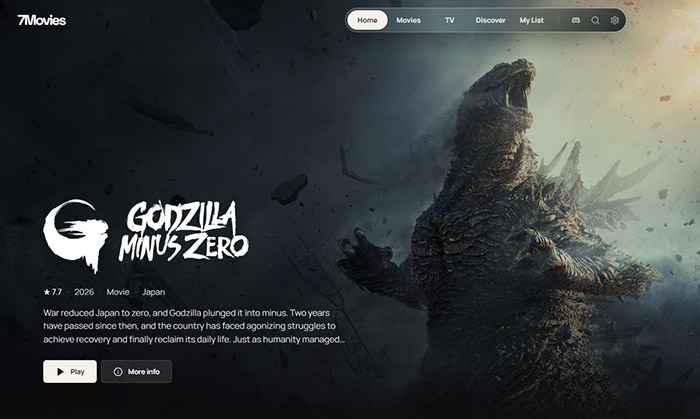
4. 7Movies
Best For: Readers comparing a service with multiple listed domain variants
Content: Movies, TV shows, and anime
Resolution: 4K listed
Audio: Dual audio listed
Subtitles: External subtitle support listed
Other Listing Details: Multiple variants and community channels are recorded
7Movies stands out in the directory because its entry includes several related domain variants and community channels. This is a different kind of distinction from a player feature: it reflects how the service is represented in community-maintained listings, not a guarantee that its different addresses are interchangeable or safe.
Its feature tags include 4K, dual audio, external subtitles, and an ad toggle. On paper, that covers several common reasons people leave a basic streaming player. Someone who wants to change the audio language or load a separate subtitle track may find these options more relevant than a simple list of recently added movies.
Multiple domain references also create a practical problem. A familiar name or matching logo does not establish that a page is an authorized mirror. Unrelated operators can reuse the same branding, and a redirect may lead somewhere different from the page a user intended to visit. Avoid treating a mirror list as a security verification system.
5. Cinecat
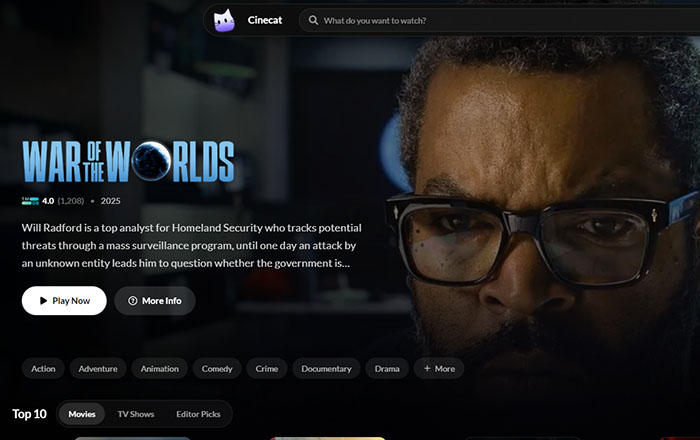
Best For: Viewers interested in 4K and external subtitles
Content: Movies, TV shows, and anime
Resolution: 4K listed
Audio: Dual audio is not listed
Subtitles: External subtitle support listed
Player: Built-in player with an advertised ad-toggle option
Cinecat offers a useful contrast within this list because its directory entry emphasizes 4K and external subtitles without listing dual audio. It is therefore worth separating picture and subtitle requirements from language-track requirements when comparing it with other candidates.
For a viewer who normally watches movies in their original language, external subtitles may be the more important feature. They can also offer an alternative when a built-in subtitle track is unavailable. However, subtitle support does not mean that every title comes with a ready-to-use subtitle file. Availability, synchronization, and language coverage still depend on the individual video.
Cinecat's listed ad-toggle option is another feature to verify rather than take at face value. A control that changes a site's advertising setting does not necessarily prevent third-party redirects, malicious notifications, or deceptive buttons. Do not grant browser permissions or install extensions just to make a video page work.
6. Atlantic
Best For: Comparing audio-track and subtitle features
Content: Movies, TV shows, and anime
Resolution: 4K listed
Audio: Dual audio listed
Subtitles: External subtitle support listed
Related Name: fprime is also listed in the community directory
Atlantic is listed with a combination of 4K, dual audio, external subtitles, and an ad-toggle option. Its feature profile makes it a candidate for readers who want to compare language controls rather than judge a streaming site solely by its movie thumbnails or homepage design.
Audio and subtitle controls solve different problems. Dual audio concerns the sound track supplied with a video, while external subtitles add a separate text track. A title may offer one without the other. If you regularly watch films in their original language, check whether the player exposes both controls and whether the selected track remains available after playback starts.
FMHY also lists fprime alongside Atlantic. That association is useful when researching the names, but it should not be taken as proof that every page using either brand is genuine. Check current domain information independently and avoid pages that imitate a familiar service while requesting unrelated downloads or personal details.
7. ShuttleTV
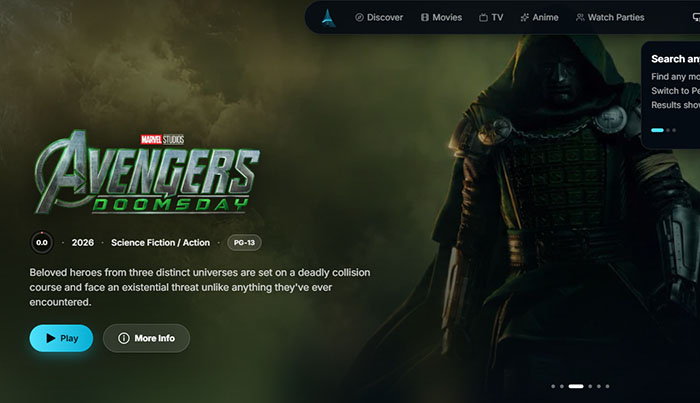
Best For: Comparing movie and episodic TV browsing
Content: Movies, TV shows, and anime
Resolution: 4K listed
Audio: Dual audio listed
Subtitles: External subtitle support listed
Player: Built-in player with an advertised ad-toggle option
ShuttleTV is another multi-category aggregator in the current FMHY directory. Its listing includes 4K, dual audio, external subtitles, and an ad-toggle option. These features make it relevant to readers who want to compare more than a basic video page, particularly when switching between movies and television episodes.
For TV viewers, the important question is not simply whether a website lists a series. Check how clearly it separates seasons and episodes, whether the selected episode is the correct one, and whether the player preserves the point where playback stopped. A large series catalog is less useful if the episode order is confusing or individual sources no longer work.
The directory's feature labels do not establish that every episode has 4K video or multiple audio tracks. A series may have different source quality from one season to another. Treat each title as a separate playback case, and do not assume a feature shown on one episode will be available throughout the catalog.

8. FlyStream
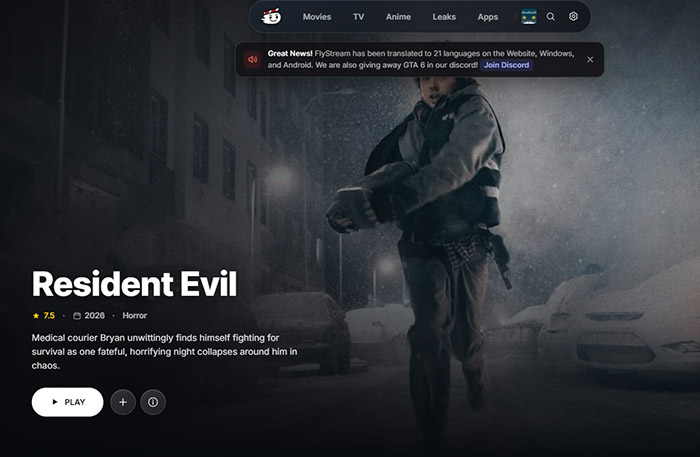
Best For: Readers who want to examine community-maintained information
Content: Movies, TV shows, and anime
Resolution: 4K listed
Audio: Dual audio listed
Subtitles: External subtitle support listed
Community: A subreddit and Discord channel are listed by FMHY
FlyStream has one detail that separates its directory entry from several other candidates: FMHY lists both a subreddit and a Discord community. Those channels can be useful for checking whether other people report a change in the service, a broken player, or a problem with a particular release.
That community presence should not be confused with official customer support or independent security verification. User posts can become outdated quickly, and a comment saying a page works for one person does not prove that it is available in every country or on every device. Look for recent, specific reports rather than relying on old recommendation threads.
Its listed player features include 4K, dual audio, external subtitles, and an ad-toggle option. As with other aggregators, these are directory-level descriptions, not a guarantee that all titles provide those options. The community channels are best treated as places to check reported changes, not as a reason to trust every link shared there.
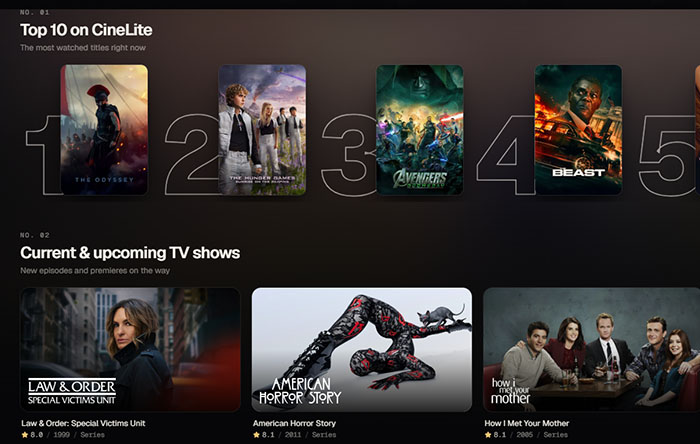
9. CineLite
Best For: Watching movies with fewer pop-ups and redirects
Content: Movies and TV shows
Resolution: 4K listed
Audio: Dual audio listed
Subtitles: Not independently verified
Ads: Listed as popup- and redirect-free
CineLite takes a different position among free movie streaming aggregators. Rather than emphasizing a long list of playback extras, its main appeal is a browsing experience listed as free from pop-ups and redirect ads. FMHY also lists 4K playback and dual audio, giving viewers two additional features to check when selecting a title.
Fewer intrusive redirects can make a noticeable difference when browsing a movie catalog or switching between episodes. However, this does not automatically mean every playback link will work smoothly. Available resolutions, audio tracks, and streaming sources can still vary by title.
Before starting a movie, check the available playback resolution and audio options. Also, distinguish between the site's advertised features and what the selected stream actually provides. CineLite is worth considering if disruptive advertising is one of the main reasons you leave free streaming websites.
10. ArrowTV / Cinezo
Best For: Comparing related names in the stream-aggregator directory
Content: Movies, TV shows, and anime
Resolution: 4K listed
Audio: Dual audio listed
Subtitles: External subtitle support listed
Player: Built-in player with an advertised ad-toggle option
Related Names: Neonflix and Flikhub also appear in the directory entry
ArrowTV and Cinezo are grouped together in the FMHY directory, which also records Neonflix and Flikhub as related names. This makes the entry useful for examining how several labels appear within the same community-maintained category. It does not mean that every similarly named domain is an official mirror or that all versions share the same operator.
The listed playback features cover 4K, dual audio, external subtitles, and an ad-toggle option. That is a broad feature set on paper, but it is not enough to establish consistent playback quality. A page may advertise a resolution that is not available for a particular title, and subtitle or audio options may depend on the source selected.
Pay particular attention to domain identity when searching for these names. Search results can mix unrelated websites, copied branding, and redirects. Do not enter account information or install software just because a page claims to be a newer version of a familiar streaming site.

SFlix Not Working? Common Reasons and What to Do
If SFlix no longer opens or a video refuses to play, repeatedly refreshing the page is unlikely to solve every cause. The first step is to identify whether the problem affects the whole website, a specific video source, or only your browser. These situations can look similar but require different responses.
1. SFlix Returns a 521, 502, or 503 Error
Server errors generally point to a problem between the website and its hosting infrastructure rather than a missing browser plug-in. A Cloudflare 521 error means the origin server is refusing the connection. A 502 or 503 can indicate an upstream server failure or temporary service unavailability.
This distinction matters because changing browser settings will not repair an unavailable origin server. In April 2026, TorrentFreak reported that dozens of SFlix-related and other streaming domains returned 521 errors during a wider backend disruption. The report linked the simultaneous failures to shared infrastructure, while noting that the precise cause had not been confirmed at the time.
What to do: Check the service's status information only after confirming that the status page belongs to the service you intended to visit. If the server itself is unavailable, wait for a verified update or use a licensed alternative. Do not follow random replacement-domain advertisements.
2. The SFlix Homepage Opens, but Videos Keep Loading
A working homepage does not prove that its video sources are available. The page and the embedded video may rely on different servers or services. A title can appear in the catalog even when its source has been removed, is temporarily unavailable, or cannot be reached from your network.
What to do: Check whether the problem affects one title or every video. If only one title fails, the issue may be limited to its source. If all videos fail, the player or its backend may be unavailable. Avoid installing an unfamiliar codec or browser extension when a video page claims that one is required.
3. SFlix Keeps Redirecting to Other Pages
Unexpected tabs and redirects can come from advertising scripts, deceptive buttons, or unrelated pages using the SFlix name. A Play button that opens a new tab instead of starting the video is not a sign that you need to disable browser security settings.
What to do: Close the unexpected tab without interacting with it. Do not accept notification requests, download unknown applications, or enter payment details. If the behavior repeats, stop using that page rather than trying to work around its prompts.
4. SFlix Works on a Computer but Not on a Phone
Mobile browsers handle pop-up windows, media playback, cookies, and embedded players differently from desktop browsers. A page may load on a computer but fail to start video on an iPhone or Android device. Touch controls can also make deceptive play buttons harder to distinguish from advertising elements.
What to do: Update your browser and check whether ordinary video websites play correctly. If other sites work but the SFlix page does not, the problem may be with that page or its embedded player. Do not disable sandboxing or other device security protections to force an unknown video source to load.
5. Subtitles or Audio Tracks Are Missing
A subtitle problem does not always mean the entire player is broken. The video source may not include the requested subtitle track, the subtitle file may use another language, or the player may not support external subtitle loading. The same applies to dual audio: a page advertising multiple languages does not guarantee that every title includes them.
What to do: Check the title's available language information and player controls. If you need reliable subtitles or multiple audio tracks, use a licensed service that explicitly lists those options for the selected title.
6. The Website Uses a New Domain or Different Branding
Streaming brands are frequently reused by unrelated operators. A page with the same logo, color scheme, or title does not prove that it is the original service. In April 2026, the reported SFlix-related backend disruption affected numerous domains, illustrating why a familiar brand name alone is not a reliable indicator of continuity.
What to do: Do not assume a newly advertised SFlix domain is official. Check independent reporting and reputable community documentation, but remember that a directory listing is not a guarantee of ownership, authorization, or safety.
Legal Free Streaming Alternatives to SFlix
If your main goal is to watch movies without paying for another subscription, licensed ad-supported services are worth considering. They may not reproduce SFlix's catalog or interface, but they provide a clearer route to authorized content.
- Tubi: A free, ad-supported service with movies and TV shows. Its catalog and availability vary by region.
- Pluto TV: Combines on-demand programming with live-style channels, making it different from a movie-only catalog.
- Kanopy: Offers films and documentaries through participating libraries and educational institutions. Eligibility depends on access through a partner institution.
- Hoopla: Provides digital movies and other media through participating public libraries.
These services are not identical to SFlix. Some require an account, library membership, or regional access, and ad-supported platforms include commercial breaks. Check the catalog for the exact movie or series before choosing one.
FAQs About SFlix and Alternatives
SFlix may be unavailable because of a domain problem, server outage, backend video-service failure, or browser issue. In April 2026, TorrentFreak reported a wider backend disruption that affected numerous SFlix-related domains with Cloudflare 521 errors. A website using the same name today may not be connected to the historical service.
SFlix-branded domains have experienced major availability problems, and the status of individual domains can differ. Some sites may reuse the SFlix name without being connected to the historical service. Check the exact domain and recent independent reports rather than assuming that a working copy is the original website.
FMHY's current community directory lists aggregators such as Movy, Cinejoy, PopcornMovies, 7Movies, Cinecat, Atlantic, ShuttleTV, FlyStream, Vivarium, and ArrowTV/Cinezo. Their listed player features differ, and directory inclusion does not verify current availability, safety, or content authorization. Tubi and Pluto TV are alternatives for viewers who prefer licensed, ad-supported streaming.
FMHY lists external subtitle support for Movy, Cinejoy, PopcornMovies, 7Movies, Cinecat, Atlantic, ShuttleTV, FlyStream, Vivarium, and ArrowTV/Cinezo. Actual subtitle availability depends on the title, video source, and current player implementation.
The homepage and embedded video player may depend on separate services. A page can load even when its video source is unavailable. If one title fails, the problem may be limited to that source. If all titles fail, the player or backend service may be unavailable.
Do not assume that an app using the SFlix name is official. Unrelated developers can reuse familiar branding. Verify the publisher and source independently, and avoid APK files or applications promoted through suspicious pop-ups.


