











WinX DVD Author Review 2026: The Ultimate Free DVD Creator
While streaming dominates the modern landscape, the need for physical media remains—whether for archiving family memories, gifting wedding videos, or ensuring offline playback on legacy home theaters. WinX DVD Author has long been the "gold standard" for free DVD creation. This WinX DVD Author review explores its key features, strengths, and technical depths to show you why it remains the top pick for free DVD creation and authoring in 2026.
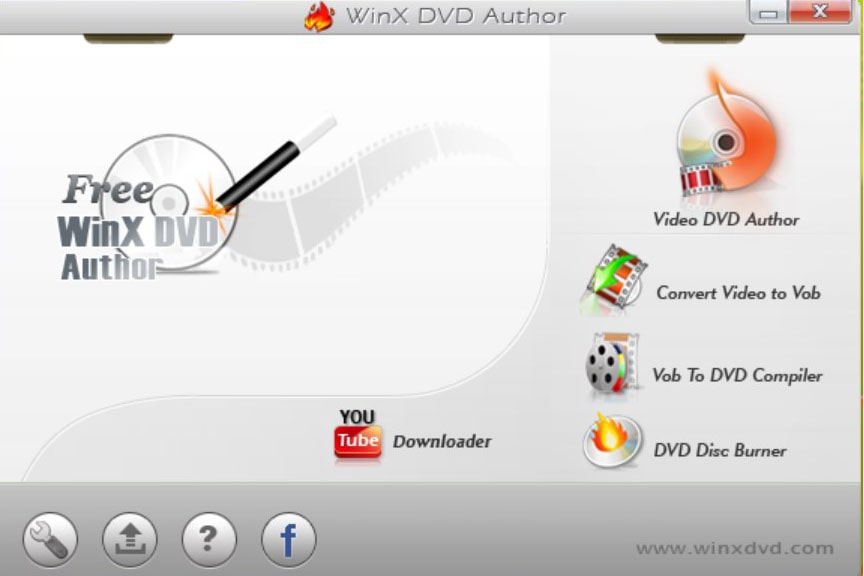
Table of Content
Quick Verdict: Pros & Cons of WinX DVD Author
WinX DVD Author is a "pure" authoring tool. Unlike "burning" software that simply copies data files, this software re-encodes video into the strict DVD-Video standard (MPEG-2), ensuring your discs play on any standalone DVD or Blu-ray player.
Pros:
- Accessory like a gimbal or GoPole before filming.
- Adobe Premiere Pro CC (Warp Stabilizer) is a good choice.
- 4K 60fps videos without gimbal, and perform basic editing such as cutti.
Cons:
- Accessory like a gimbal or GoPole before filming.
- Adobe Premiere Pro CC (Warp Stabilizer) is a good choice.
- 4K 60fps videos without gimbal, and perform basic editing such as cutti.
Part 1. Key Features & Technical Capabilities
1. Robust Format Support & 4K Handling
One of WinX DVD Author's strongest suits is its decoder engine. It handles almost any input you throw at it—from older AVI and WMV files to modern H.264/HEVC and MKV clips.
Pro Tip: While WinX DVD Author accepts high-quality footage from smartphones and action cams, the software’s High Quality Engine will automatically convert these files to the mandatory DVD-Video resolution (720x480p for NTSC or 720x576p for PAL). This ensures that your disc remains 100% compliant with the MPEG-2 (VOB) standard, allowing it to play on everything from legacy Sony players to modern PlayStation consoles without "Resolution Not Supported" errors.
2. Personalized DVD Menus & Subtitles
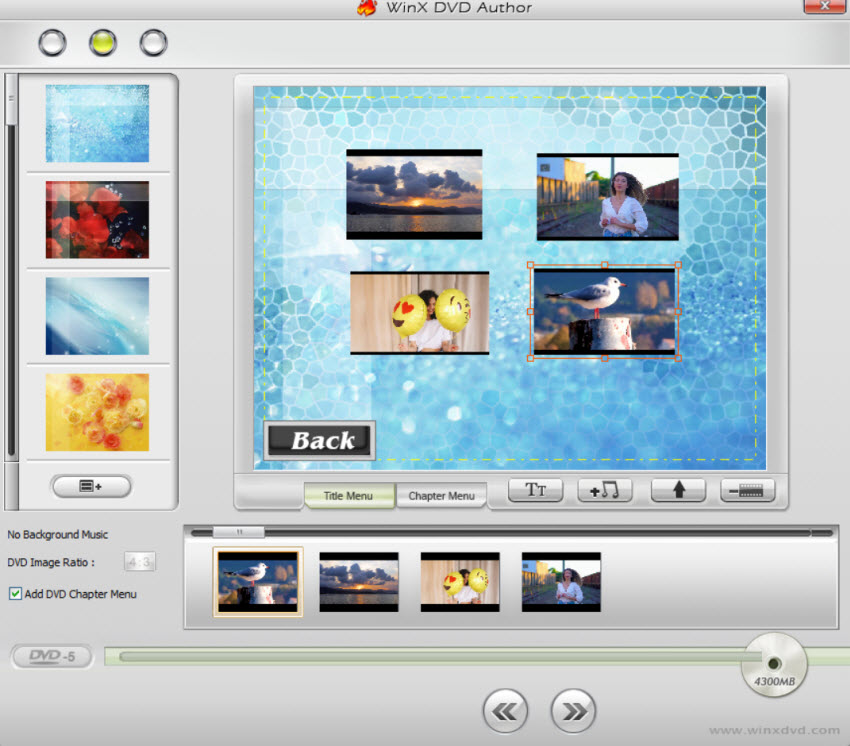
Unlike basic burning tools that "dump" raw files onto a disc, WinX DVD Author features a dedicated Menu Editor that transforms a collection of videos into a structured, navigable media project.
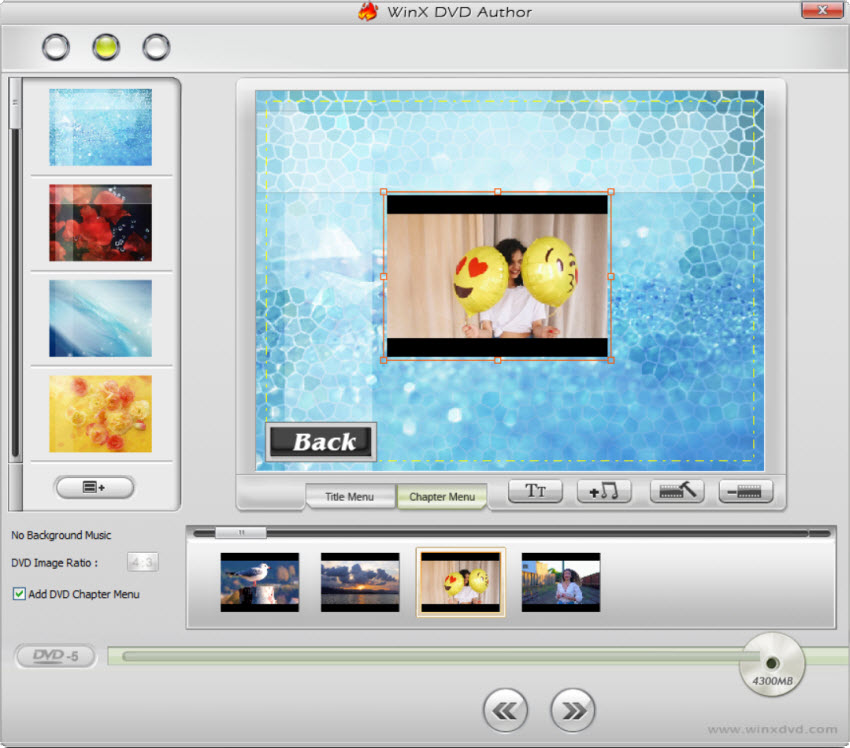
- You can build a multi-level structure including a Title Menu (to play the whole disc) and a Chapter Menu (to jump to specific scenes). The software allows you to move buttons, resize text, and customize the layout—a level of freedom rarely found in free software. You can also upload your own high-resolution background images and add a Background Music (.mp3) loop, creating a personalized atmosphere before the video even starts.
- The software supports external .srt subtitle tracks, allowing you to hardcode or "burn-in" subtitles during the transcoding process. This is a critical feature for foreign language films or creating accessible content for the hearing impaired, ensuring the text remains perfectly synced with the MPEG-2 video stream. You can also choose preferred language track and select the font size as per your needs.
3. Advanced Technical Settings
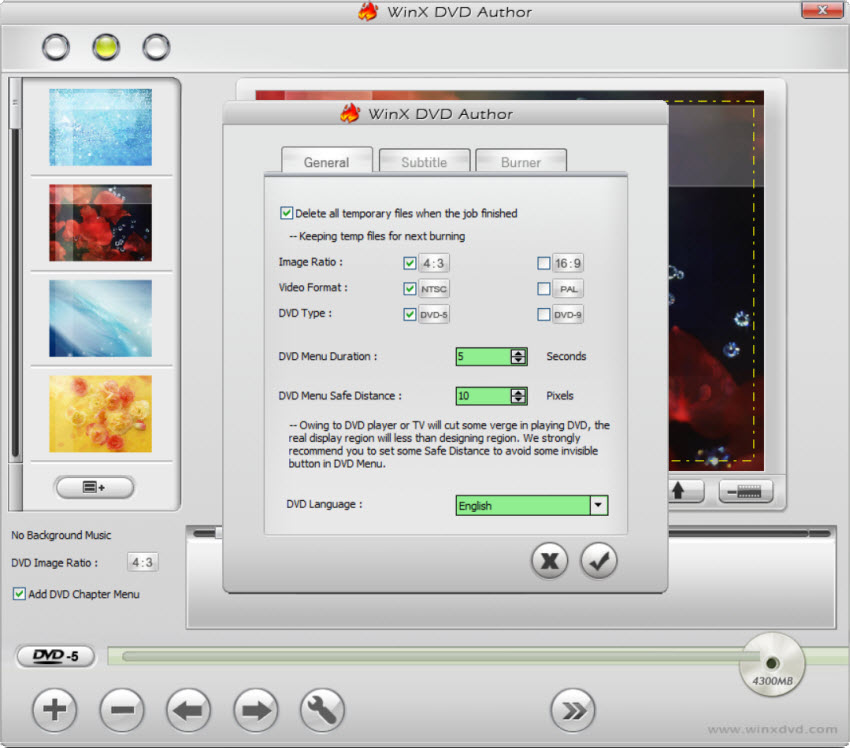
WinX DVD Author distinguishes itself by offering technical parameters usually reserved for paid software, in addition to video to DVD creation.
You can choose between DVD-5 (4.7 G) or DVD-9 (8.5G) and set the image ratio to 4:3 (Standard) or 16:9 (Widescreen). It is also available for you to tweak Transport Properties between SPTI and ASPI to solve hardware recognition issues. The Auto Modify IFO file option ensures the disc’s navigation pointers are corrected during the burn, drastically reducing the chance of coaster discs.
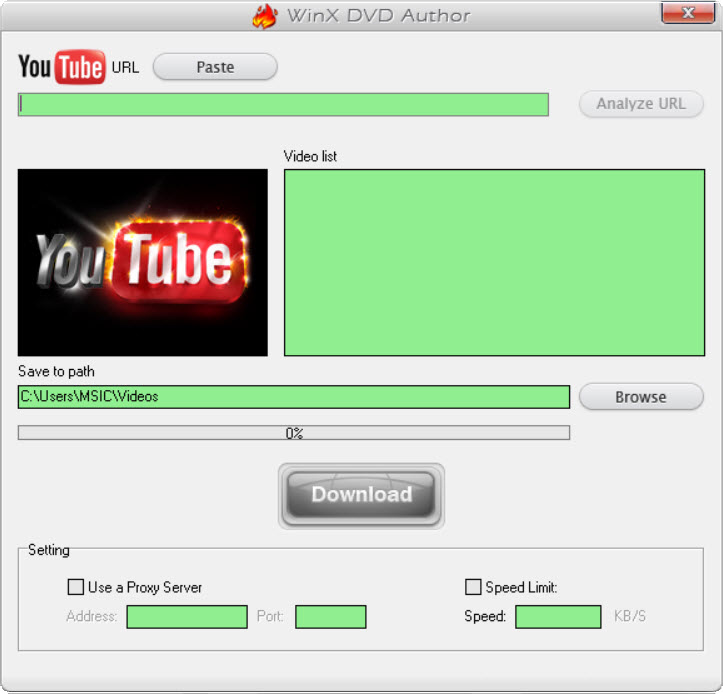
4. Integrated URL Downloader
The URL Downloader module within WinX DVD Author serves as a strategic bridge for users who want to archive online content to physical media without needing third-party conversion tools. It supports not only YouTube but also several other video-sharing platforms, allowing you to paste a direct URL and select the desired resolution and output format. Once the download is complete, you can even burn the downloaded content to DVD.
5. Versatile Operation Modes
Instead of a rigid workflow, WinX DVD Author offers distinct modules based on your needs:
- Direct Video to DVD Creation: Create DVD disc directly from video files. All in one step to make a DVD disc with subtitles and menu, so that you can play it on home DVD player.
- Convert Video to VOB: Pre-transcode files into DVD-compliant VOBs for later compilation.
- VOB to DVD Compiler & Burner: If you already have VOB files or a Video_TS folder, you can use it to build a menu structure or write directly to a disc without unnecessary re-encoding.
Part 2. Step-by-Step Guide: How to Burn Video to DVD with WinX DVD Author
After you free download the DVD authoring software on your PC, you can follow the steps below if you don't know how to use WinX DVD Author.
Step 1. Launch & Select: Open the app and click "Video DVD Author." Insert a blank DVD into your drive.
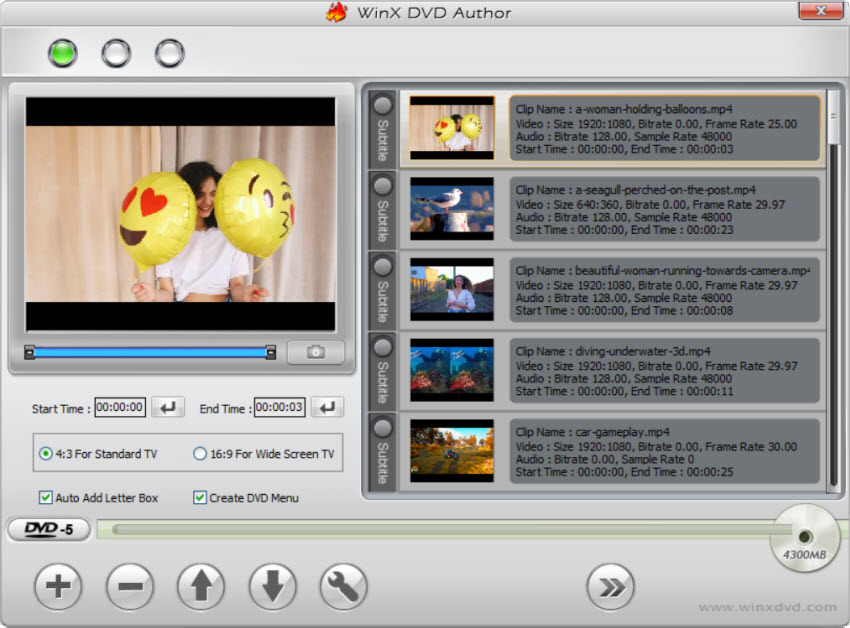
Step 2. Add Files: Click the (+) button to import your video. You can also drag and drop it. Batch adding multiple video files are accessible. Click the arrow-shaped icon to continue.
Step 3. Create Menu: Here you can use the listed templates or add your preferred images as the background picture, add background music by click the button.
Step 4. Final Burn: Choose your output folder and format, then hit "Start" to begin the high-speed burning process.
The Verdict: Is WinX DVD Author Still the Robost DVD Authoring Software?
Yes. While its interface feels like a time capsule from 2010, its reliability is unmatched in the freeware space. It successfully navigates the technical hurdles of the DVD-Video standard without forcing users to learn complex bitrates or file structures.Use it if you want a straightforward, cost-free way to make a DVD that "just works" in any player.
Part 3. FAQ about WinX DVD Author
Is WinX DVD Author really free and safe?
Yes, it is 100% free and safe. It does not insert watermarks, nor does it limit video length. It contains no bundled malware or third-party ads as of 2026.
Can it burn 4K MP4 or HEVC videos to DVD?
Absolutely. While DVDs only support SD resolution, WinX includes a high-quality engine that automatically downscales 4K/HEVC files to 480p or 576p standards without crashing.
What is the difference between DVD-5 and DVD-9?
- DVD-5: Single-layer disc with 4.7GB capacity (approx. 2 hours of video).
- DVD-9: Dual-layer disc with 8.5GB capacity, ideal for high-bitrate movies without quality loss.
References
1. "Best free DVD burner in 2026". TechRadar.


