WinX DVD Ripper Platinum
Rip a full DVD to MP4 (H.264/HEVC) in 5 mins. Backup DVD collection to hard drive, USB, etc with original quality. GPU Accelerated.
- DVD to MP4
- Support old/new/99-title DVD
- 1:1 copy DVD
- Full GPU acceleration
Learn More



Rip a full DVD to MP4 (H.264/HEVC) in 5 mins. Backup DVD collection to hard drive, USB, etc with original quality. GPU Accelerated.

AI-powered video/image enhancer. Complete toolkit to upscale, stabilize, convert, compress, record, & edit 4K/8K/HDR videos. Cinema-grade quality. Full GPU accelerated.

Manage, backup & transfer videos, music, photos between iPhone iPad and computer in an easier way. Free up space and fast two-way sync.

Find the answers to purchase benefits, license code, refund, etc.

Get help yourself if you have any questions with Digiarty Software.

Tutorials and step-by-step guides to learn how to use our products.

We've been focused on multimedia software solutions, since 2006.

Contact Support TeamHave any questions on purchase or need technical support, please contact us >>
 Winxvideo AI
AI-powered media toolkit for video/image. Enhance, upscale, convert, compress
Winxvideo AI
AI-powered media toolkit for video/image. Enhance, upscale, convert, compress






Winxvideo AI combines AI enhancement and essential media tools in one easy-to-use app. It upscales videos to 4K and images to 10K, boosts frame rates up to 480 FPS, stabilizes shaky footage, restore facial details, colorizes old photos, and reduces background noise with intelligent AI. More than an enhancer, it also includes video editing, video conversion, compression, and screen recording powered by hardware acceleration for smooth performance.





Winxvideo AI handles diverse video scenarios — from beauty and travel vlogs to gaming, online courses, action sports, and personal projects. It enhances video quality and streamlines editing, compression, and recording, making it easy to create, refine, and share content in one place.

Smooth skin tones, fix noisy and shaky handheld footage, and bring out colors in travel, makeup, art, and pet vlogs.

Record crisp 4K gameplay, denoise voiceovers, boost frame rates, and quickly cut and upload highlight reels.

Stabilize GoPro/DJI/DSLR/phone clips, reduce wind noise, and sharpen motion-heavy outdoor scenes like surfing or biking.

Trim and edit your footage, compress and convert for easy sharing, enhance quality, and post videos with custom thumbnails to TikTok, Instagram, YouTube, and more.

Upscale old videos, remove blur and noise, restore facial details, and colorize black-and-white memories.

Batch enhance video assets, compress, convert, and clarify visuals for demos, ads, webinars, training, or online courses.
Got blurry legacy memories, noisy low-light or indoor videos, shaky action or outdoor footage, or heavily compressed mobile and social media clips from TikTok, Instagram, or WhatsApp? Winxvideo AI uses advanced video and image enhancement to restore lost details, upscale low-resolution content to 4K, even up to 10K for images - remove grain and artifacts, stabilize handheld shots, sharpen soft frames, and optimize large files for smoother editing, sharing, and playback.


 Upscale to 10K
 Denoise & Deblur
 Restore Details

 Reduce Noise & GrainRemove Low-Light ArtifactsRecover Details
 Remove Compression Artifacts
 Fix Shaky Footage
 Resize for Any Platform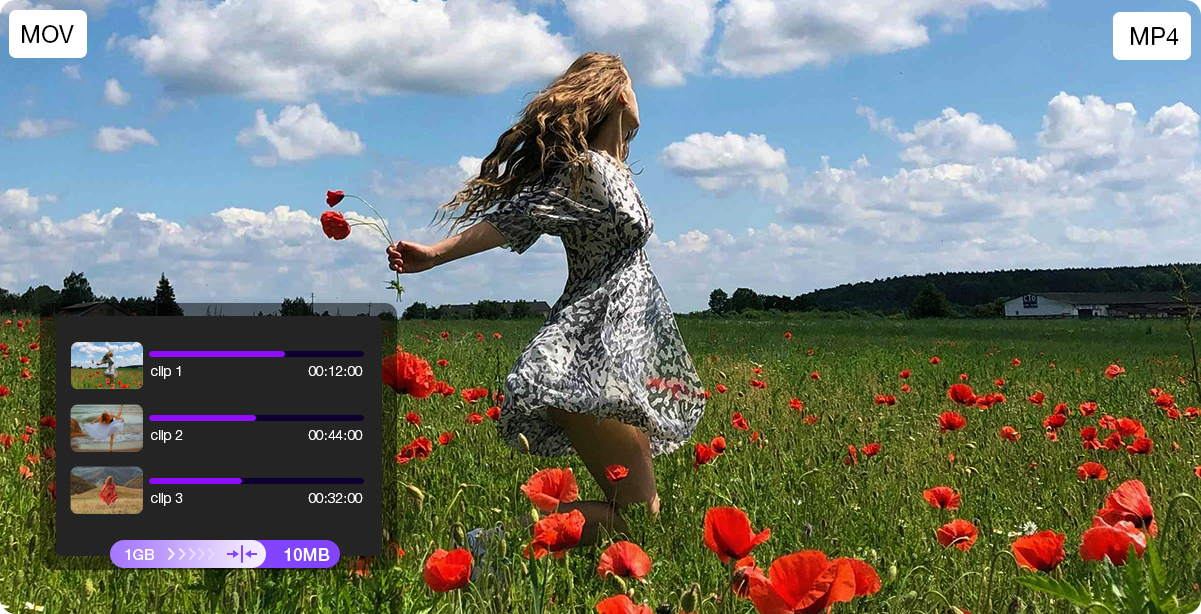

 Reduce Motion BlurRecover Fine DetailsCompress 4K Files
Sports and travel clips captured on GoPro, DJI, or phones can suffer from shake, wind noise, and blur. Winxvideo AI stabilizes footage, sharpens details, and reduces unwanted noise for clearer results. Merge multiple clips into smooth highlights, then compress and convert your videos for easy sharing without compromising quality.


Smooth out shakes and improve clarity for all your extreme sports videos.

Clean audio tracks for clearer sound, even in the windiest conditions.

Cut, merge, and edit your highlights seamlessly to create engaging stories.

Reduce file size without losing quality to share and store your adventure clips easily.

Stabilize & Sharpen

Remove Noise

Cut & Merge

Compress & Convert
Lag, noise, or motion blur don’t have to ruin your best moments. Winxvideo AI records smooth 4K gameplay and enhances video and audio for clearer, more polished results. From gameplay highlights to short-form social clips, easily create and share content on Twitch, YouTube, or Shorts.
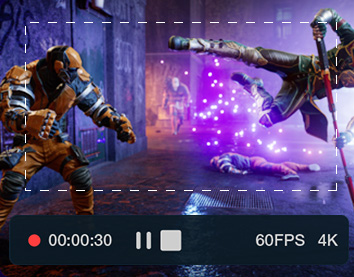
Capture your best moments in crisp 4K at 60fps with smooth motion and stable performance—perfect for highlights, walkthroughs, or short-form social clips.
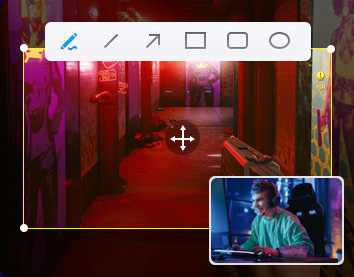
Add webcam overlay, voice recording, and real-time annotations to create engaging gameplay videos, reactions, or quick tutorials for your audience.

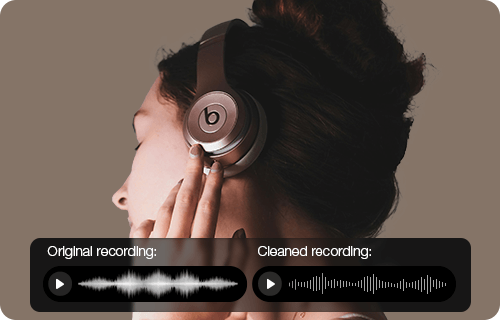
Winxvideo AI reduces keyboard clicks, voice chat overlap, and microphone interference, delivering cleaner voiceovers and commentary during gameplay or streaming.
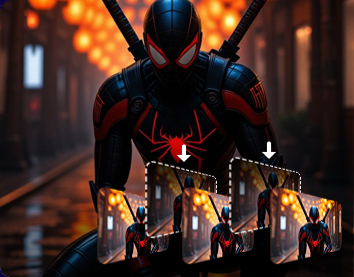
Enhance playback fluidity by converting lower frame rate videos into smoother 120fps, 240fps, or higher—ideal for cinematic replays and highlight clips.

Trim unwanted parts, merge key moments, compress file sizes, and auto-adjust formats for easy upload to YouTube, Twitch, TikTok, and more.
Winxvideo AI delivers studio-level enhancements tailored for professionals. Whether you're creating videos, restoring films, or producing high-quality audio-visual content, these tools offer precise control, stunning output, and time-saving automation to meet demanding production needs.

Engage your audience with clearer, sharper videos. Whether reviewing tech, unboxing, or creating tutorials, Winxvideo AI enhances visuals to 4K, reduces noise, and exports platform-ready files—turning casual views into loyal followers.

Bring old movies, DVDRips, VHS tapes, and archival footages back to life by AI-driving restoration, upscaling, face recovery, and detail creation-perfect for film archivists, restorers, and cinephiles.

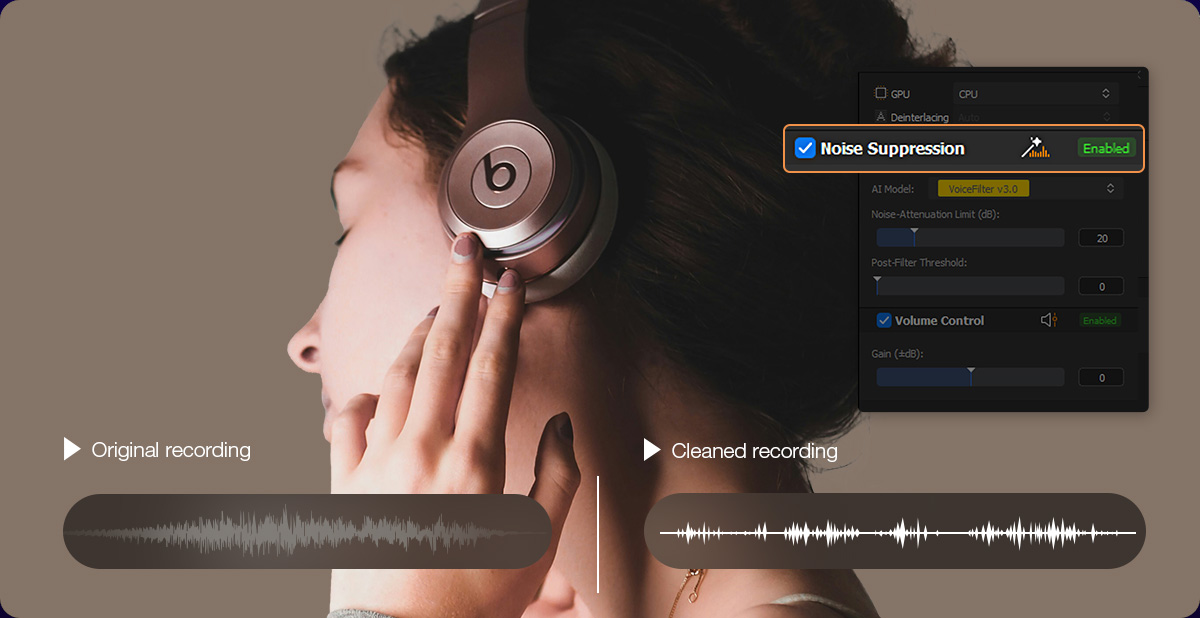
Make your music videos, podcasts, and concert recordings sound & look professional. Winxvideo AI removes background noise, balances audio levels, sharepens video details—perfect for musicians, producers, and podcasters aiming for polished, studio-quality results.
Winxvideo AI helps professionals create clear, engaging, and easy-to-understand videos. From marketing campaigns to remote classes, optimize video quality, compress files, and reduce noise for seamless delivery and impact.










Trusted by 200+ tech experts
Our dream began with DVD Author
WinX DVD Ripper Platinum
debuted
Record-setting 1M+ DVDs had been backed up
Entered 4K era with
GPU acceleration
Launched Winxvideo AI
Cases solved
Countries & regions
GPU Acceleration
Local Processing
For low-light dim footage, use Winxvideo AI's AI Super Resolution model, which is specifically trained to handle low-light clips, grainy footages. It can even reduce blur, and compress artifacts with great result.
Yes, Winxvideo AI supports bulk enhancing and batch processing. Simply drag and drop multiple files, and the software will automatically apply the selected enhancement model to all videos, or compress and convert multiple videos simultaneously. This saves time for many content creators and business users with large workloads.
With GPU acceleration and optimized AI models tailored for vlogs, fast-action contents, and more, upscaling a 5-minute 720p clip to 1080P took under 30 seconds on most modern systems according to Winxvideo AI performance test. Performance may vary slightly depending on hardware and selected enhancement options.
Absolutely. The interface is designed for ease of use, with one-click presets, real-time previews, and no need for manual parameter tweaking.
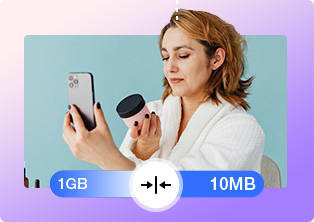
No. Winxvideo AI uses smart compression algorithms that reduce file size without noticeable quality loss—ideal for online classes, presentations, and fast uploads.
Yes. You can take advantages of its video cropping feature to change the aspect ratio to 9:16 (for TikTok and Reels, 1:1 for Instagram, or 16:9 for YouTube without losing quality.




There's an amazing piece of software called Winxvideo AI that can make these old videos look better than ever before. It harnesses the power of AI to upscale videos to 4K quality with unmatched clarity.
Winxvideo AI seeks to disrupt the video enhancing market by veering away from the ‘one trick pony’ niche and presenting users with a complete toolkit.
Winxvideo AI appears as a great tool for anyone looking to enhance their video quality. Its array of features, from basic editing to advanced AI-powered enhancements like upscaling and stabilization, cater to a wide audience.
If you have low-quality images and videos or if your videos and images contain noise, blurry effects, etc., Winxvideo AI will be your best tool. Artificial Intelligence powers the Winxvideo AI tool, and it is capable of enhancing the quality of videos and images.
Winxvideo AI excels at this, employing cutting-edge Super Resolution technology to upscale videos by up to 400% to stunning 1080P, 4K. With 4 well-trained AI models tailored for any type of videos, it can sharpen, denoise and deblur videos intelligently.